Display searched video, according to different
systems, support 1,4,8,16 screen playback at the
same time, multi-screen playback, double-click a
screen, video playback interface into a single
screen playback, right-click at this time, return
Screen playback.
Table 5-3
Playback: Retrieve the corresponding video files according to the
channel, date and video type, and play the video files in sequence from
the playback bar that meets the conditions.
The specific steps are as follows:
Step 1: In the main menu, click " " to enter the playback interface.
Step 2: Select the video playback channel, and the calendar will
automatically display the current month's video recording.
Single channel Playback
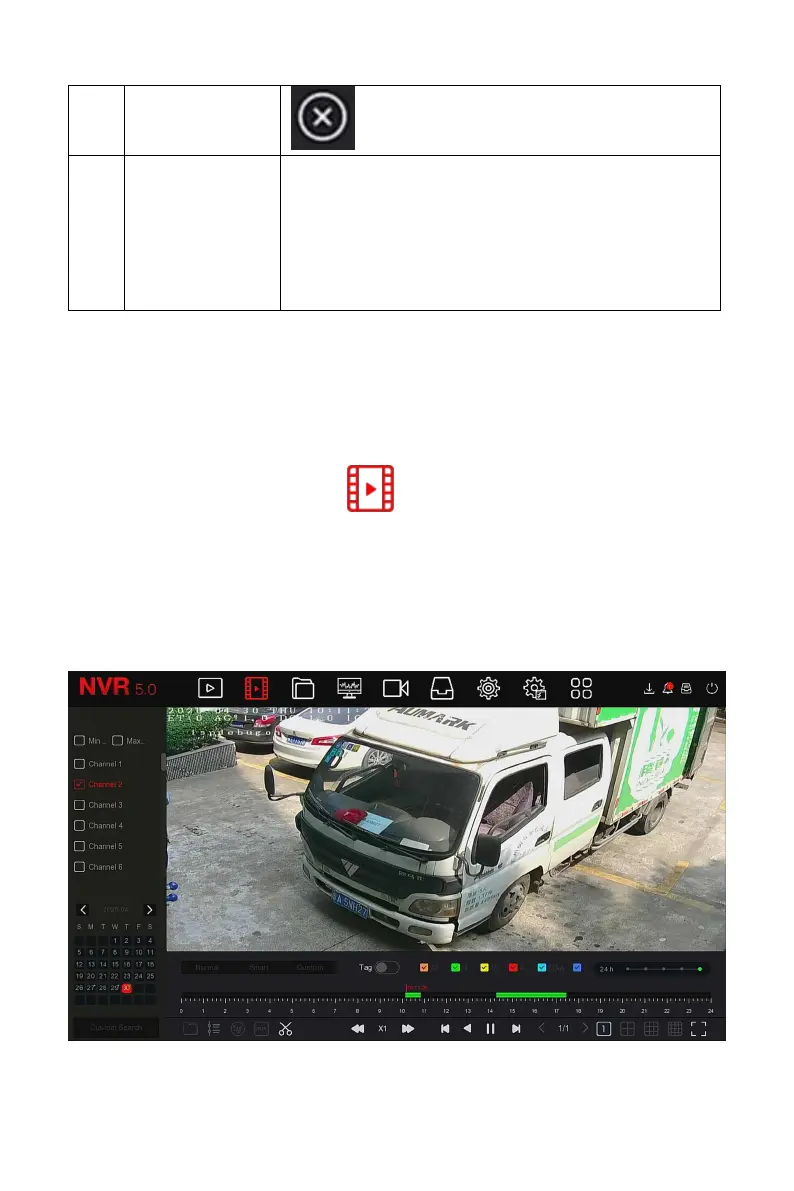
1.Select the channel to be played back in the channel list.
2.Double-click the date to be played back, and the display interface starts to
playback the recording, as shown in Figure 5-8 below.
Figure 5-8



 To Next Page