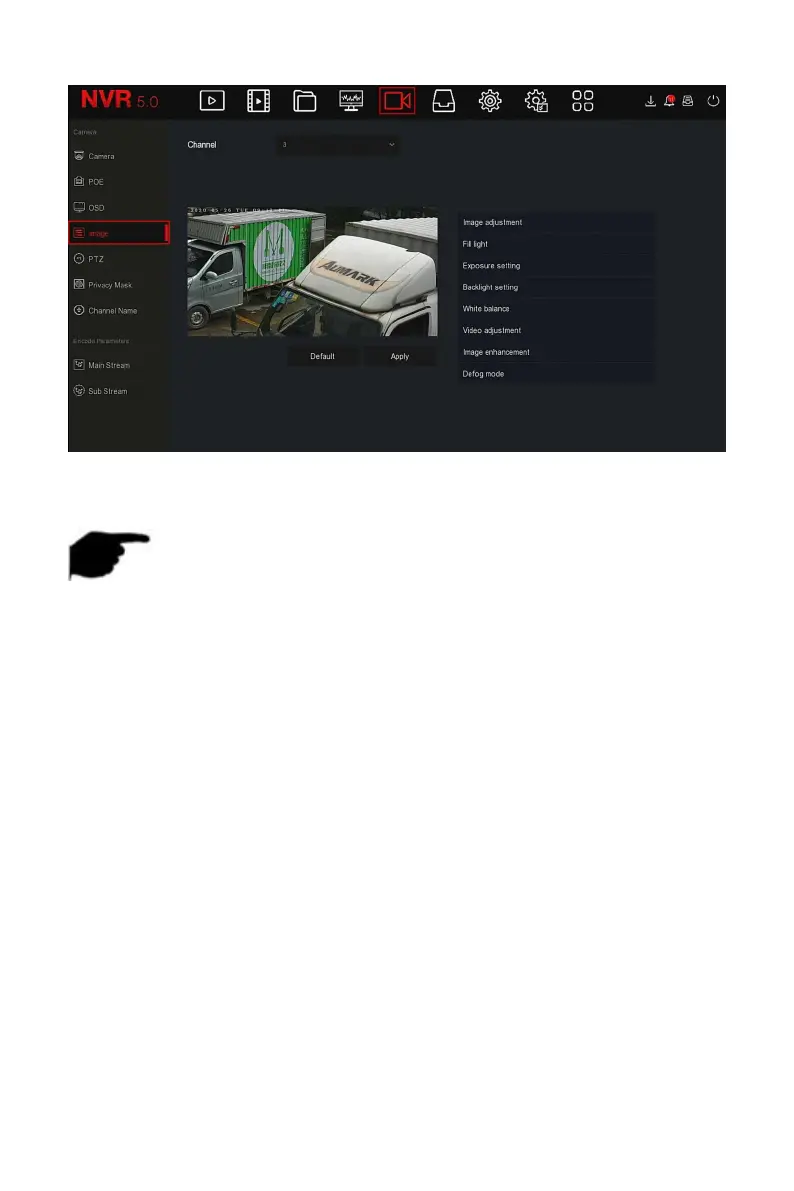
Figure 5-33
Steps 2: Select the channel for image configuration.
Steps 3: Adjust the image parameters of the channel.
NOTE
User can drag the slider to adjust the parameters.
The Image adjustment, Fill light,Exposure setting, Backlight setting,
White balance, Video adjustment, Image enhancement and Defog mode
can be adjusted.
Adjusting the parameters of the video will not only change the preview
effect of the image, but also the video quality of the image, please
operate with NOTE.
Steps 4: Click "Apply" to save the setting.
Image adjustment: According to the actual environment, you can adjust
the brightness, contrast, saturation and sharpness of the preview screen
by dragging the progress bar. You can also set the value behind the
progress bar, "Brightness", "Contrast", "Saturation", "Sharpness". Valid
values range from 0-255 and the default value is 128.
Fill light: The default is auto, the sensitivity is 3, the filtering time is 3,
the light brightness is 100. When the fill light mode is "Auto", the device
will turn on the fill light according to the actual environment. The user
can switch the fill mode to "Day", "Night" and "Scheduled switch"



 To Next Page