Defog strength: The default is 0. When the defogging mode is on,
the defogging intensity can be set. The range of values can be set
from 0 to 255.
NOTE
The camera image interface only displays the device support functions.
The specific interface is subject to the actual product.
5.3.5.5 PTZ
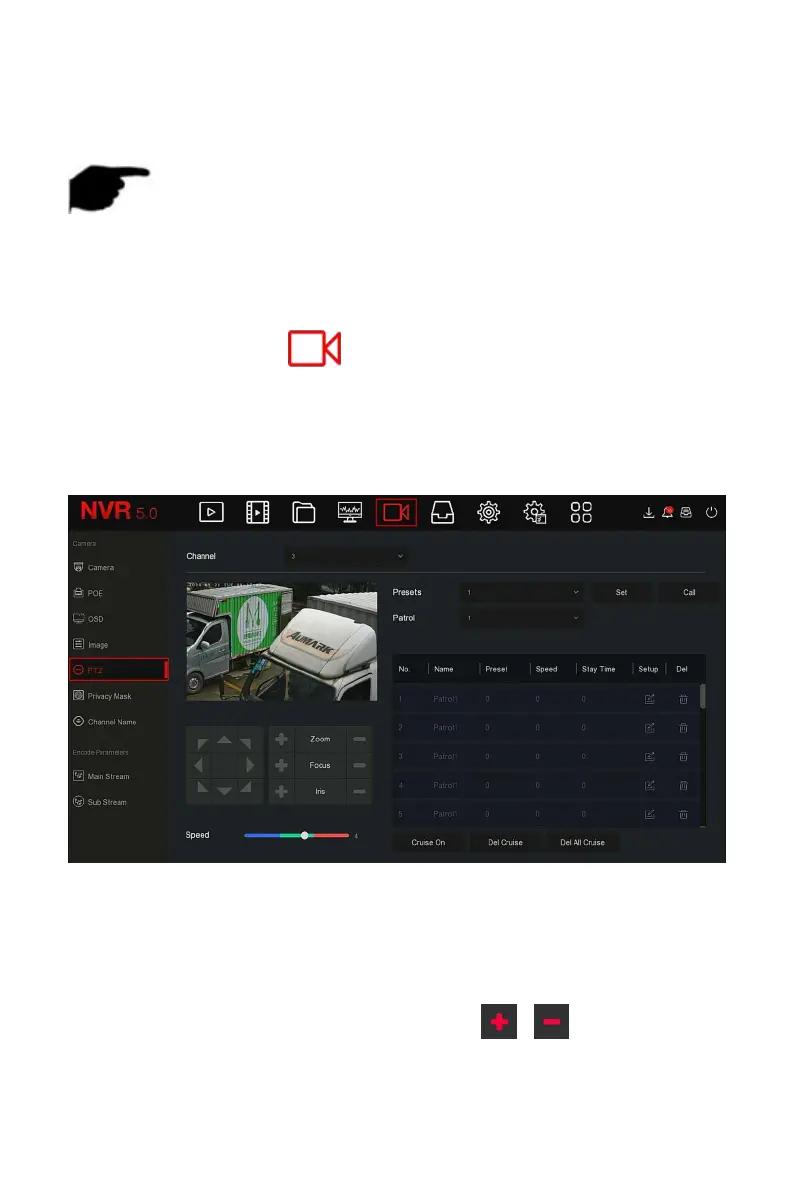
On the menu page, click " → PTZ" to enter the PTZ setup interface, as
shown in Figure 5-34
○
1
below. In the PTZ setup interface, other channels
can be switched to adjust the pan/tilt movement speed and control the
pan/tilt movement direction.
Figure 5-34
○
1
PTZ setup interface is used to set the PTZ direction, speed and lens zoom,
focus and aperture settings and cruise settings shortcut button.
Channel: Select the channel where the dome camera is connected to
the NVR.
Zoom: Adjust the camera magnification by / key, long-range /
wide-angle function.



 To Next Page