Preset No.: Select preset points.
Stay Time: Stay time on the Preset.
Speed: Speed for Cruise.
Cruise On: After clicking, the device cruises according to the selected
cruise route.
Del Cruise: Select the cruise line, click to "Del Cruise", and complete the
cruise line to remove.
Del All Cruise: After clicking, delete all the set cruise lines.
NOTE
The NVR supports up to 256 preset points, but the actual number of
preset positions is limited by the number of preset points that can be
set by the camera. The maximum number of preset points supported by
different PTZs is not necessarily the same.
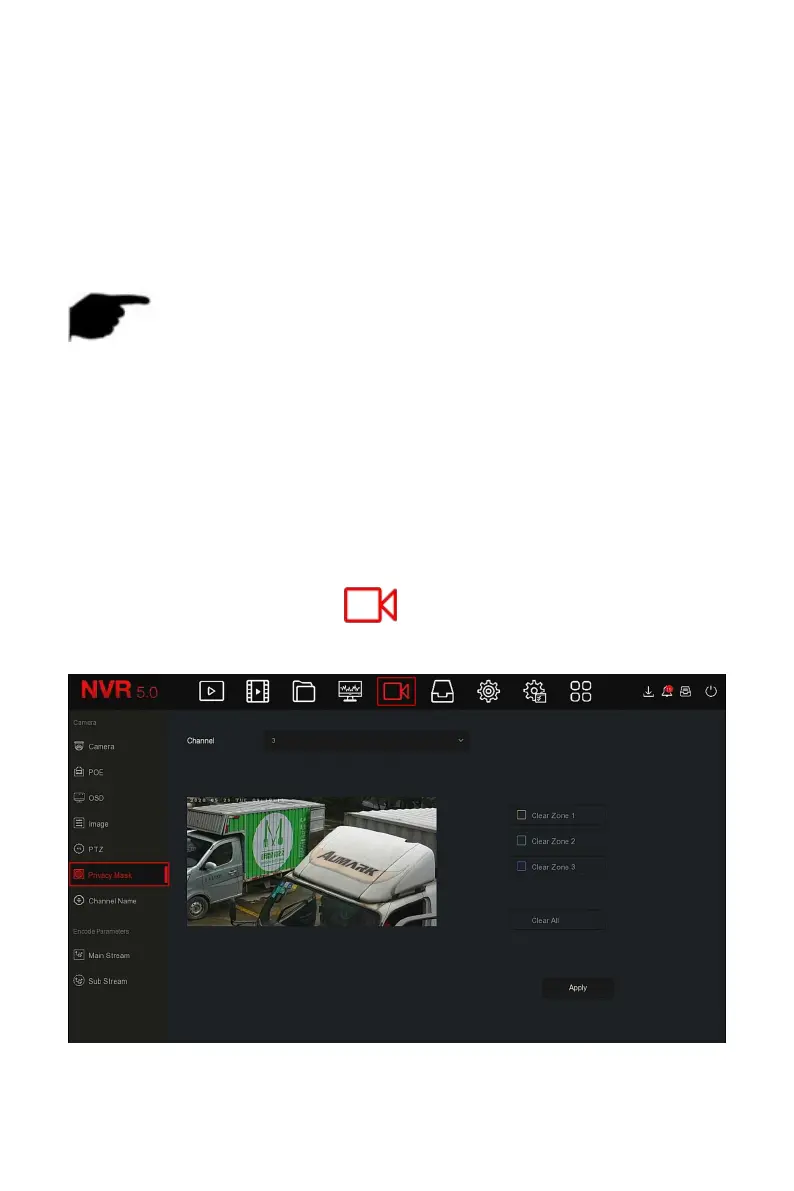
5.3.5.6 Privacy Mask
The function of privacy mask can block certain sensitive or privacy-related
areas in the monitoring scene image.
The specific operation steps are as follows:
Step 1: In the main menu, click " →Privacy Mask" to enter Privacy Mask
interface, as shown in Figure 5-35
○
1
below.
Figure 5-35
○
1



 To Next Page