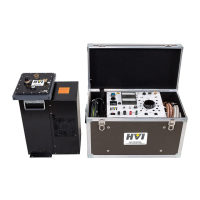
DTS-60A OPERATORS MANUAL
59
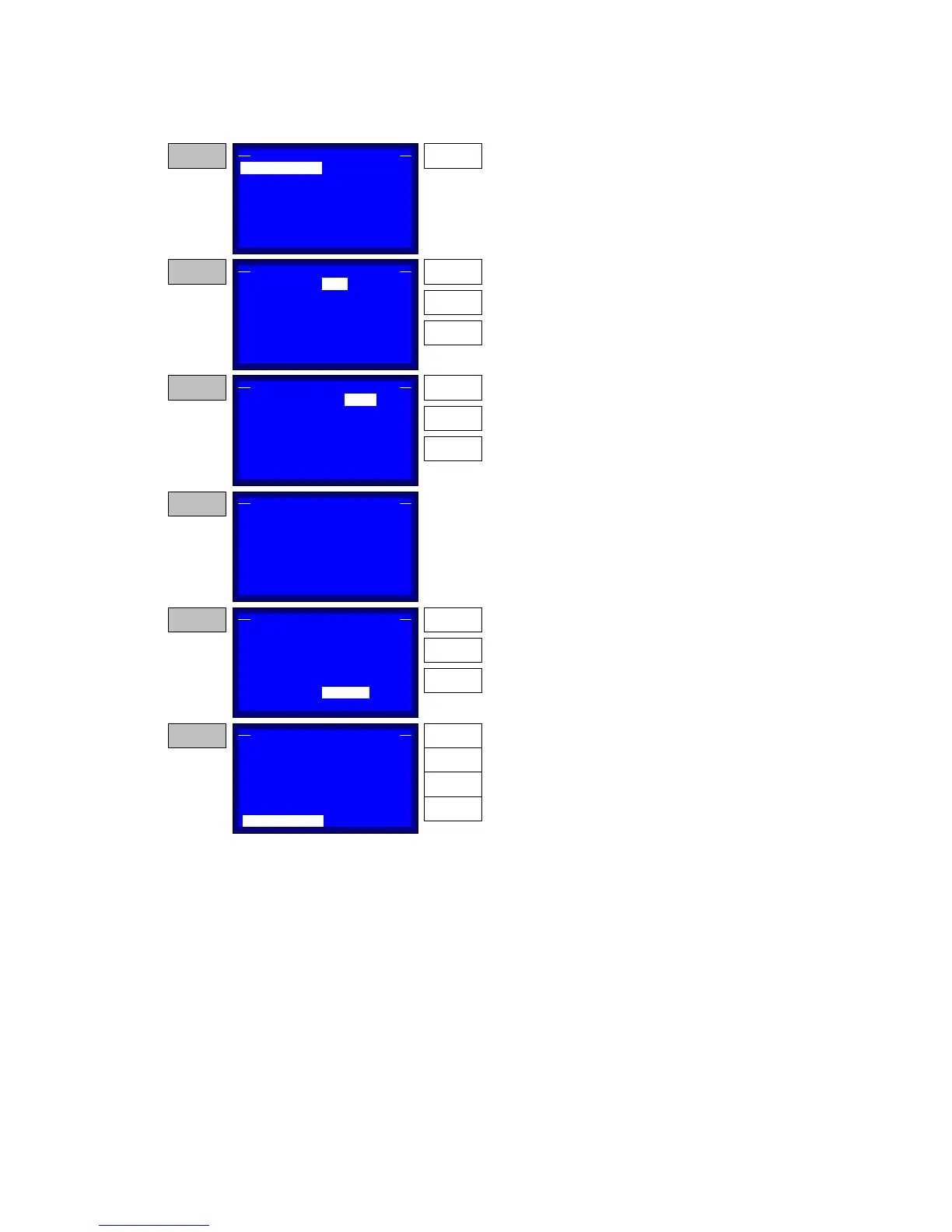
Figure 5-5c – Creating/ Editing a Test
VOLTAGE:
DURATION:
BD WT:
ST:
00:00:00
BD STAGE:NEXT
BD ST:
CUSTOM 1, STAGE 01
STORE BD:YES
00:00:00
00:00:00
00:00:00
0.1 kV/s
STEP 11
Press the ENTER key to update the Voltage value.
ENTER
VOLTAGE:
DURATION:
BD WT:
ST:
00:00:00
BD STAGE:NEXT
BD ST:
CUSTOM 1, STAGE 01
STORE BD:YES
00:00:00
00:00:00
00:00:00
0.1 kV/s
STEP 12
Use the Up and DOWN keys to setup the voltage
value. Then press the ENTER key to go to the next
item setup.
UP
DOWN
ENTER
0.5
VOLTAGE:
DURATION:
BD WT:
ST:
00:00:00
BD STAGE:NEXT
BD ST:
CUSTOM 1, STAGE 01
STORE BD:YES
00:00:00
00:00:00
00:00:00
0.1 kV/s
STEP 13
Use the Up and DOWN keys to setup the voltage
type. Then press the ENTER key to return the
selector to the VOLTAGE item.
UP
DOWN
ENTER
kV/s
VOLTAGE:
DURATION:
BD WT:
ST:
00:00:00
BD STAGE:NEXT
BD ST:
CUSTOM 1, STAGE 01
STORE BD:YES
00:00:00
00:00:00
00:00:00
0.1 kV/s
STEP 14
The setup of the DURATION, the ST, the BD WT
and the BD ST is identical with the STEP 7.
After setting the above move the selector to the
BD STAGE item
VOLTAGE:
DURATION:
BD WT:
ST:
00:00:00
BD STAGE:
BD ST:
CUSTOM 1, STAGE 01
STORE BD:YES
00:00:00
00:00:00
00:00:00
0.1 kV/s
STEP 15
Press the ENTER key an the selector goes to the
setup value of the BD STAGE item. Then use the
UP and DOWN keys to select the desired stage
that the program will proceed, if a breakdown is
detected at the current stage. Possible values are
0...29, NEXT and END.
NEXT
ENTER
VOLTAGE:
DURATION:
BD WT:
ST:
00:00:00
BD STAGE:
BD ST:
CUSTOM 1, STAGE 01
STORE BD:
00:00:00
00:00:00
00:00:00
0.1 kV/s
STEP 16
NEXT
UP
DOWN
Move the selector to the STORE BD item, press
the ENTER key and then use the UP and DOWN
keys to enable/disable the Breakdown Voltage
Store. Press ENTER to return the selector to the
STORE BD item. Then press the BACK key to
return to STEP 12.
YES
ENTER
UP
DOWN
BACK


 To Next Page