4. PRECAUTIONS WHILE THE OS IS RUNNING
4-9
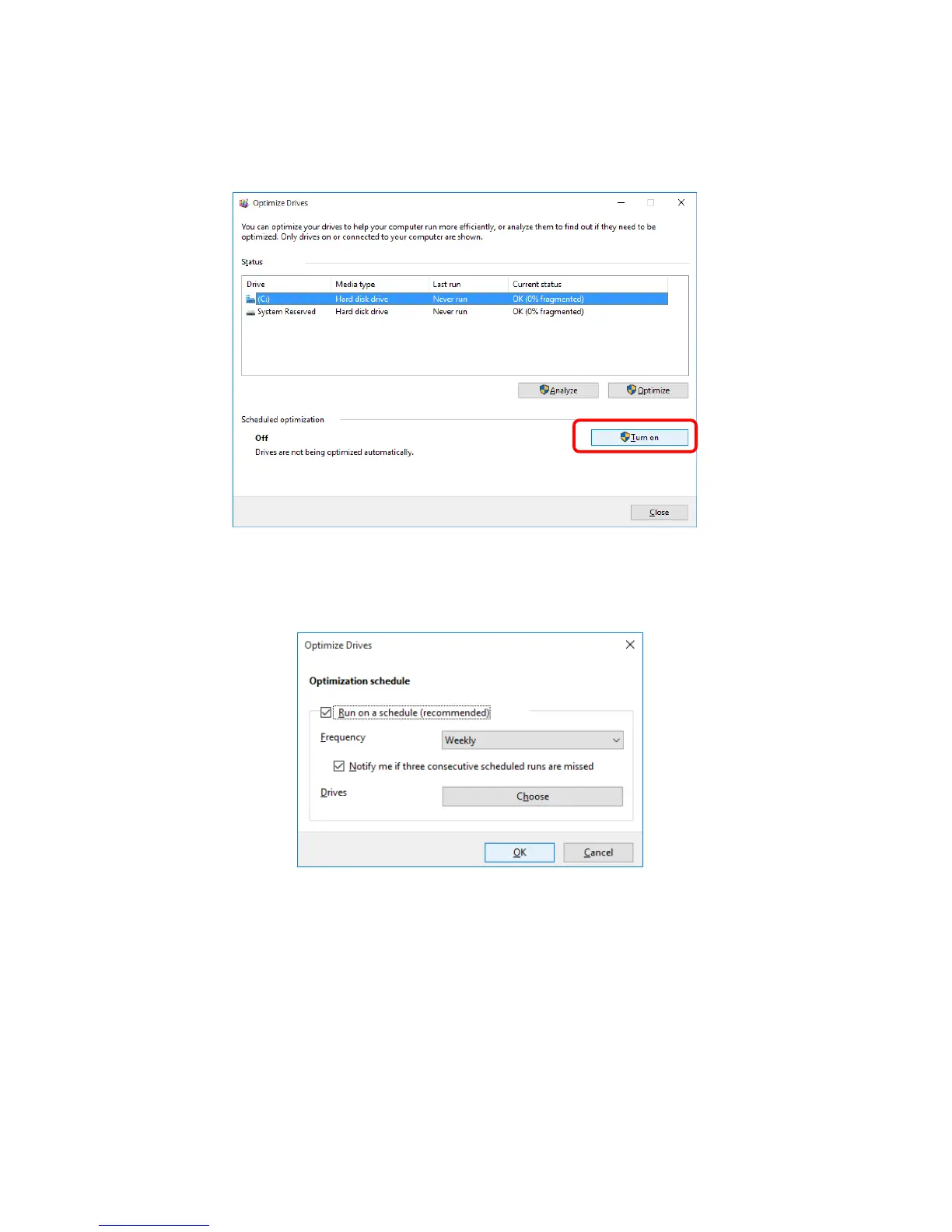
4. The Optimize Drives window appears.
・ Under Scheduled optimization, click Turn on.
5. The Optimization schedule window appears. Select the Run on a schedule
(recommended) check box.
6. As required, configure the frequency of defragmentation. The initial schedule of
defragmentation is as follows.
・ Frequency: Weekly
7. Click Choose.


 To Next Page
 Loading...
