DRIVING THE MACHINE
4-4
TRAVEL MODE SWITCH
CAUTION: Tipping-over accidents can cause se-
rious personal injury. Do not change travel mode
while traveling; especially, changing to the fast
mode when descending slopes will create a very
dangerous situation. Always stop the machine
before changing the travel speed mode.
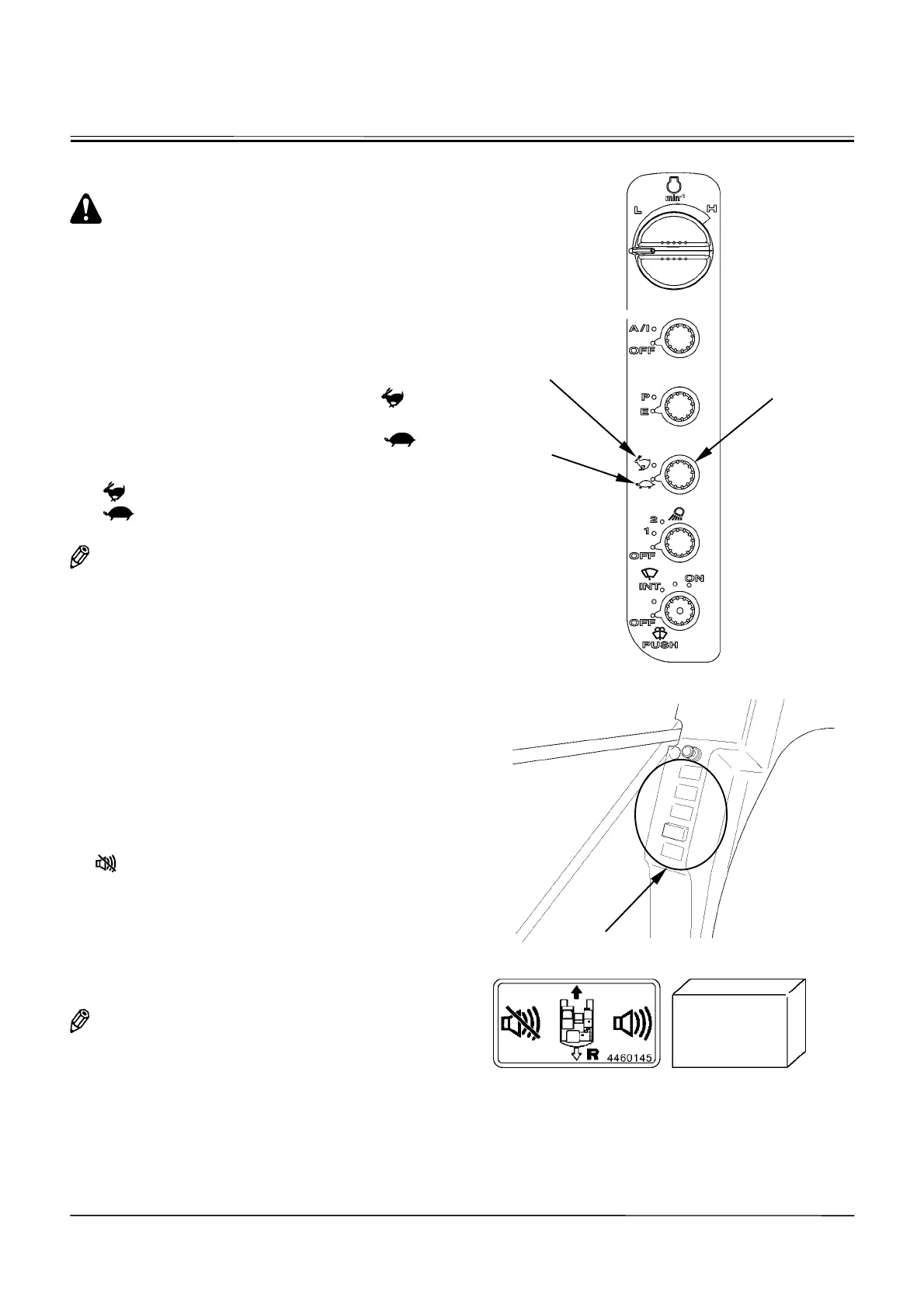
Turn travel mode switch (1) on the switch panel to the
specified position to select the travel mode (Fast/Slow).
x
Fast Mode: Turn travel mode switch (1) to mark (2)
position.
x
Slow Mode: Turn travel mode switch (1) to mark
(3) position.
Mark (Fast Speed Mode)
Mark (Slow Speed Mode)
NOTE: Traction force and gradeability in the fast mode
will be reduced more than in the slow mode.
When more traction force is required, select the
slow mode.
TRAVEL ALARM (Optional)
During travel operation, the travel alarm sounds the buzzer
to warn the people near the machine that the machine is
traveling.
Deactivating Travel Alarm
More than 12 seconds after starting to travel the ma-
chine, turn the travel alarm deactivation switch to the
[
Deactivation
]
position to stop the travel alarm.
(Within 12 seconds, the travel alarm deactivation switch
is inoperable.)
Once the machine stops traveling and when restarting to
travel, the travel alarm will sound again. If desired to
stop the alarm, operate the deactivation switch once
more.
NOTE: The optional switch locations differ depending
on what kinds of optional devices are equipped.
Before using the switches, make sure what
kinds of optional devices are equipped.
M1CC-01-101
M1CC-01-015
M1CD-01-020
2
1
3
Optional Switch Location



 To Next Page