OPERATOR'S STATION
1-14
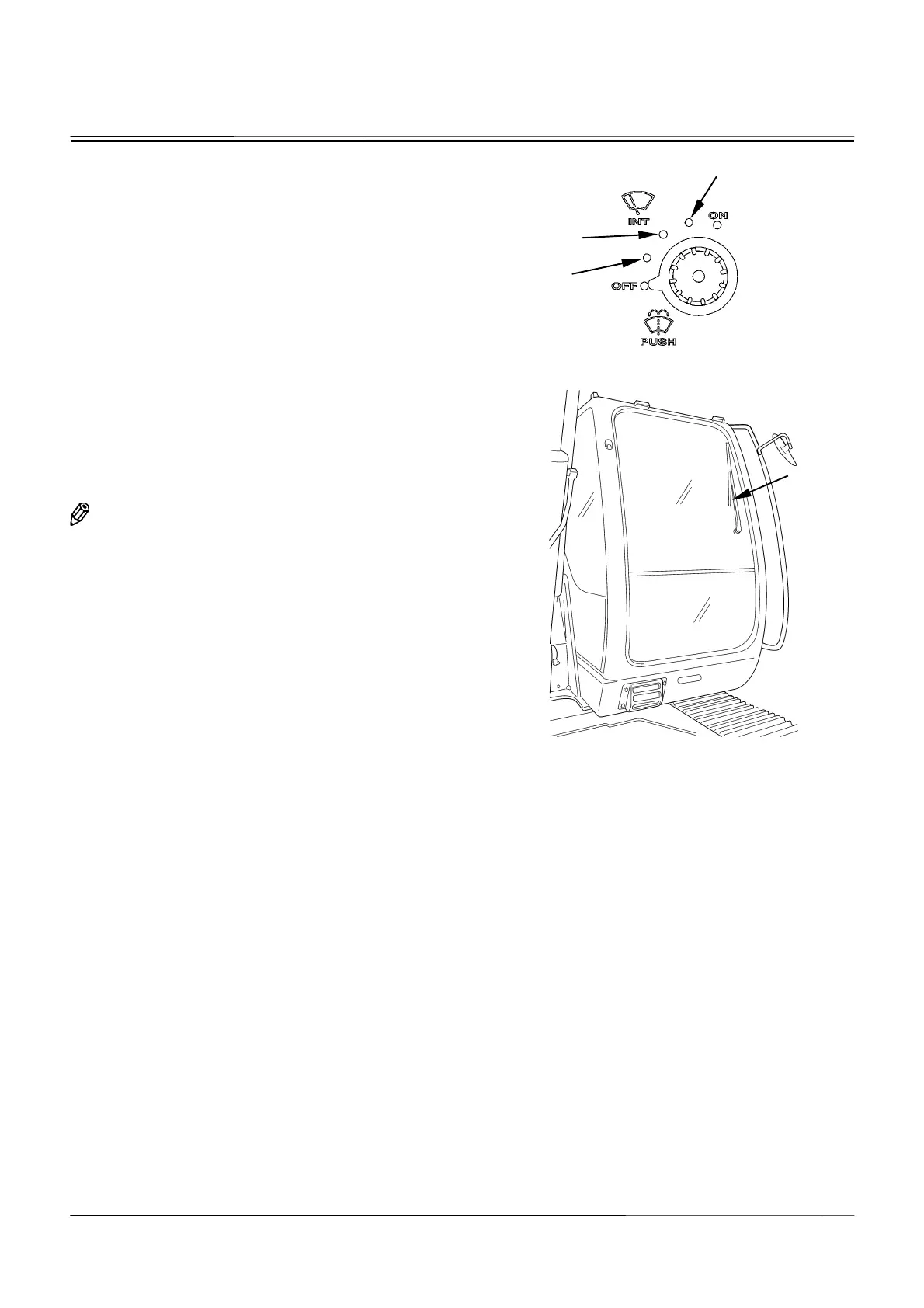
WIPER/WASHER SWITCH
The wiper and the window washer are operated using the
wiper/washer switch.
x
Wiper
Turn the wiper/washer switch to the specified position to
operate the wiper.
OFF Position: The wiper stops and is retracted.
INT Position: The wiper operates intermittently at the
interval selected by the switch position as
described below.
INT (Slow): The wiper operates at 8-second interval.
INT (Mid): The wiper operates at 6-second interval.
INT (Fast): The wiper operates at 3-second interval.
ON Position: The wiper operates continuously.
NOTE: When the front window (upper) is opened, the
wiper will not operate. If the front window is
opened while during operating the wiper, the
wiper will stop.
x
Washer (ZAXIS70, 70LC, 80SB, 80SBLC, 85US)
Press and hold the wiper/washer switch to squirt washer
fluid onto the front window. When the wiper/washer
switch is pressed for more than 2 seconds, the wiper
operates until the switch is released. When the
wiper/washer switch is released, the wiper automatically
retracts. While operating the wiper in the INT mode,
when the wiper/washer switch is pressed, the wiper op-
eration mode is changed to the continuous operation
mode.
IMPORTANT: Washer motor may be damaged if
wiper/washer switch is held for more
than 20 seconds, or continually operated
with no fluid in the washer tank.
M178-01-098
M1CG-01-001
Fast
Slow
Mid
Wiper



 To Next Page