OPERATOR'S STATION
1-19
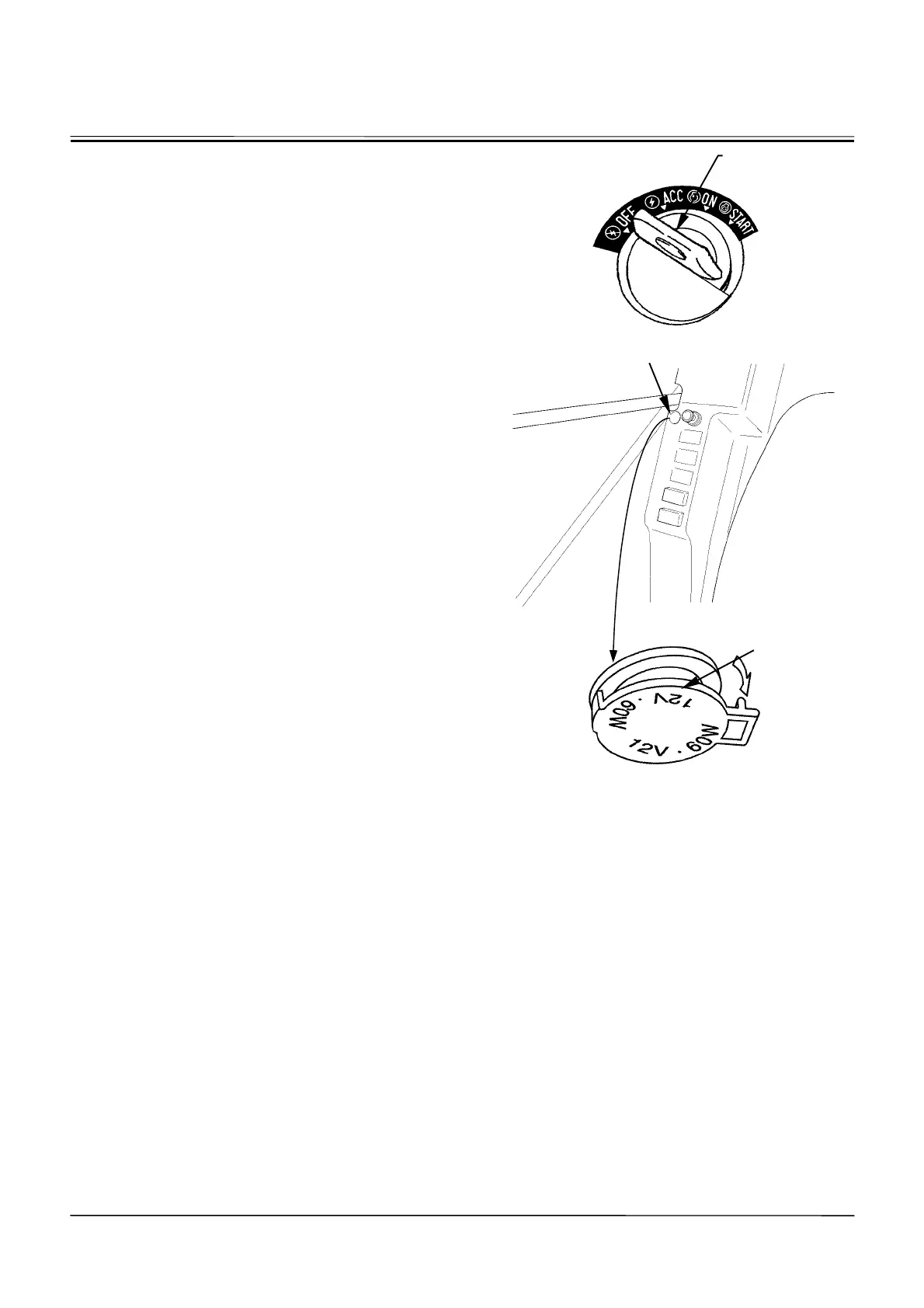
12-V POWER SOURCE (Optional)
1. Turn key switch (1) [ON].
2. Open the electric power source socket cover.
3. Connect a 12-V specification accessory to be used to
this socket.
4. Be sure to close the socket cover after operation is
complete.
IMPORTANT: Never connect other accessories than
DC 12-V specification to this socket.
Don’t operate the accessory connected
to this socket without running the en-
gine. The battery power may be dis-
charged.
M178-01-049
M1CC-01-015
M1HH-01-005
1
12-V Power Source
Socket Cover
OPEN









 To Next Page