OPERATOR'S STATION
1-9
Resetting Set-Hour
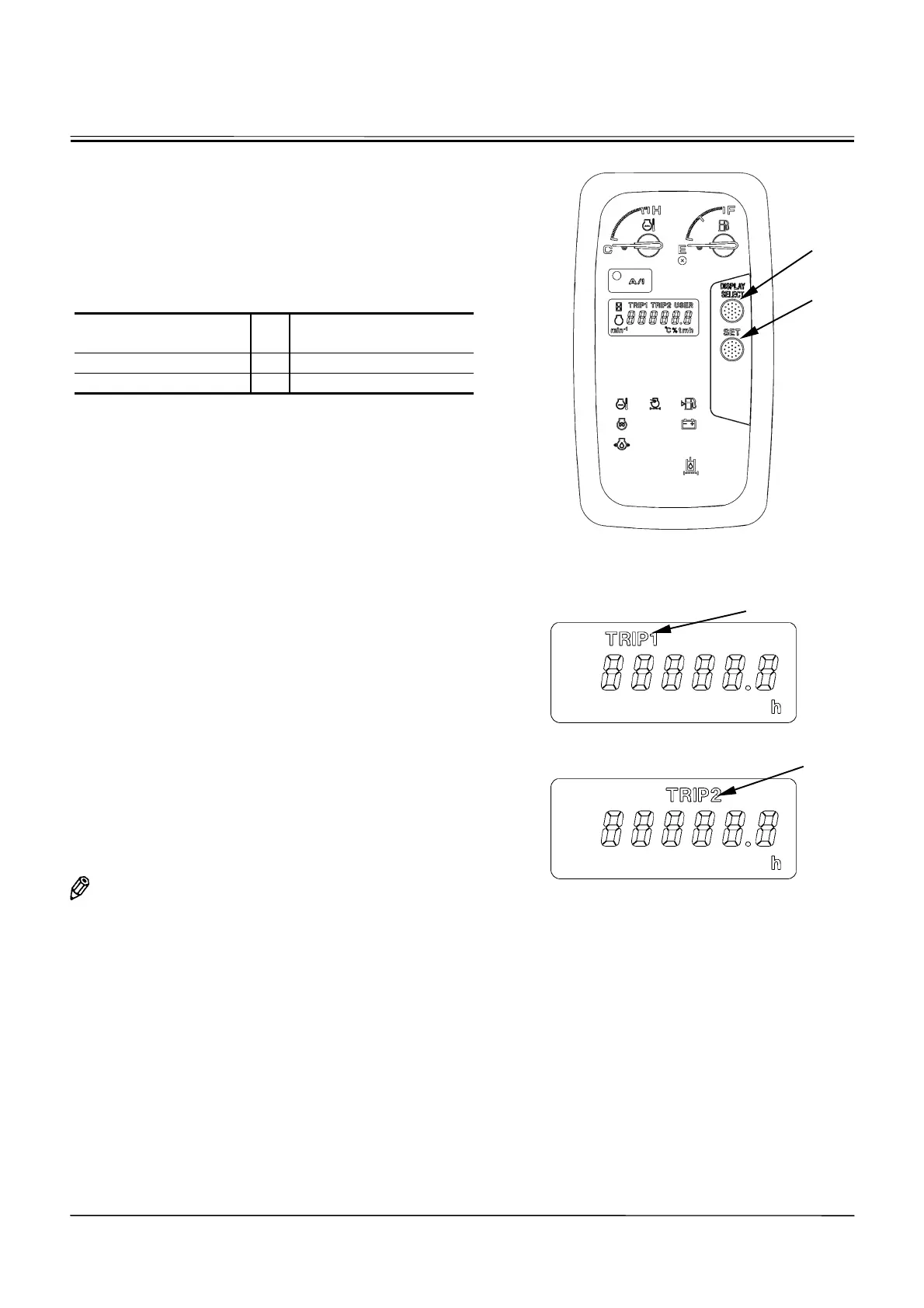
1. Turn the key switch ON. Press display selection
switch (3) to display the trip meter desired to reset.
The trip meter will display the hours remaining before
the trip mark starts flashing at this time.
2. Each time SET switch (4) is pressed, the currently
remaining hours can be changed as shown below.
Currently Remaining
Time
Set-hour after Resetting
35.2
o
50
184.7
o
200.0
3. Each time SET switch (4) is pressed further, the
set-hour will change as follows:
50
!
100
!
150
!
200
!
250
!
300
!
400
!
500
!
750
!
1000
!
1250
!
1500
!
2000
!
2500
!
3000
!
3500
!
4000
!
4500
!
5000
When the SET switch is kept depressed for 2 sec-
onds, the set-hour will shift in the fast forward (FF)
mode.
4. When the hour desired to set is displayed, press dis-
play selection switch (3) to reset the trip meter.
IMPORTANT: When the set-hour is changed, the trip
meter starts counting the hours from the
beginning. Accordingly, note that the
hours displayed after resetting differs
from the hours of operation accumu-
lated from the first setting of the trip
meter.
x
When the trip meter is not used:
When the trip meter is not used, set the sufficiently long
hours of operation by following the procedure mentioned
above. (Example: 5000 hrs)
NOTE:
The set-hour of the trip meter is 10000 hrs
when the machine is shipped from the factory.
M1CC-01-100
M178-01-007
When Trip Meter 1 is displayed:
M178-01-008
When Trip Meter 2 is displayed:
Trip Mark
Trip Mark
3
4



 To Next Page