5-7
M4GB-01-081
M4GB-01-082
Upward
Deactive
Deactive
Downwark
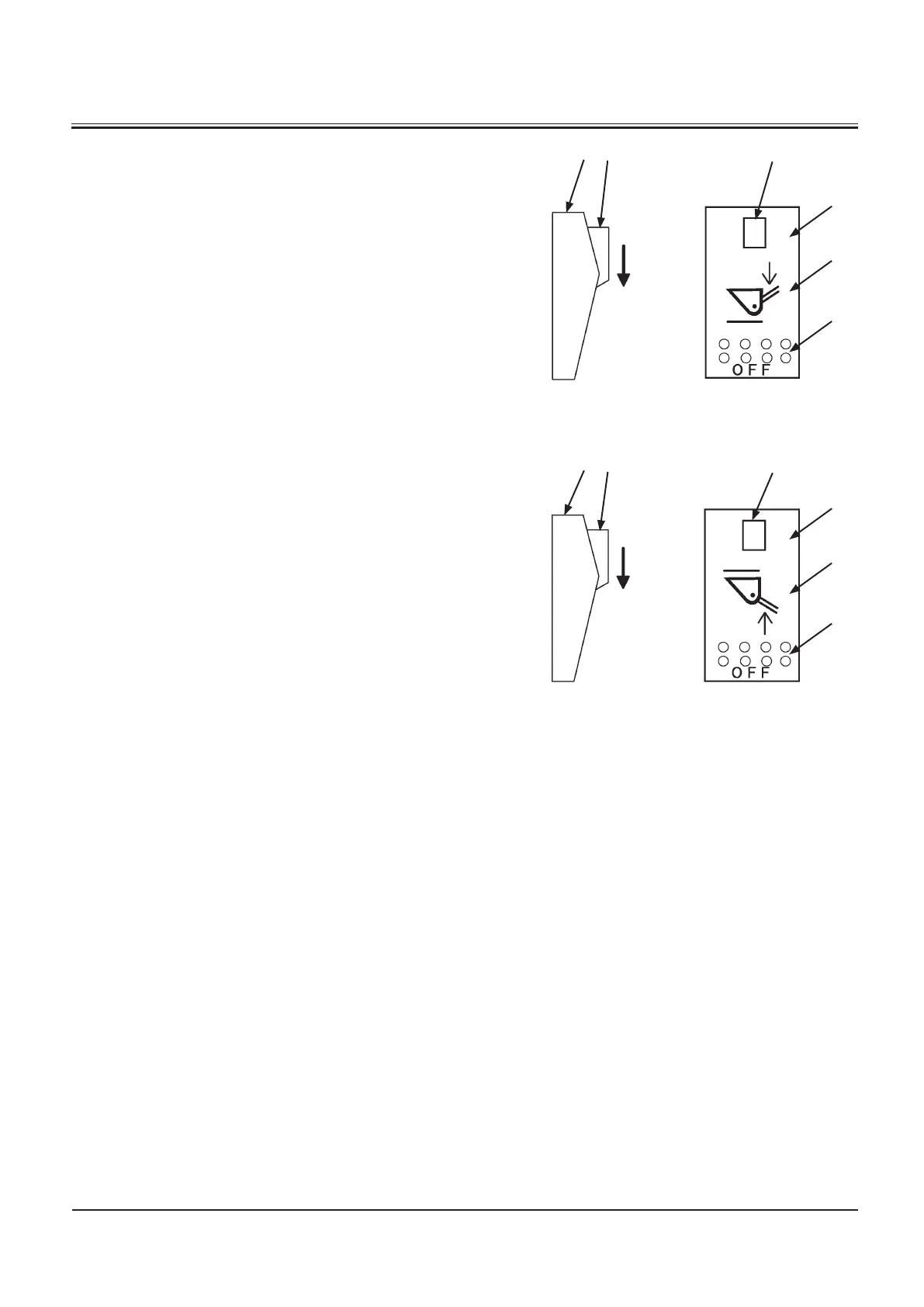
Switches (1), (2) stops the downward or upward lift arm at the
specified height.
Switch
SET (4 and 8): Presets the lift arm stop position.
ON (5 and 9): Stops the lowering lift arm at the specified
height.
OFF (6 and 10): Deactivate the lift arm auto leveler func
-
tion.
Presetting of lowering lift arm stop position
1. Hold the lift arm in the position at which the lowering lift
arm is desired to stop.
2. While deactivating lock switch (3) on lift arm auto leveler
switch (lowering) (1), press SET side (4).
Presetting of raising lift arm stop position
1. Hold the lift arm in the position at which the raising lift
arm is desired to stop.
2. While deactivating lock switch (7) on lift arm auto leveler
switch (raising) (2), press SET side (8).



 To Next Page