1-20
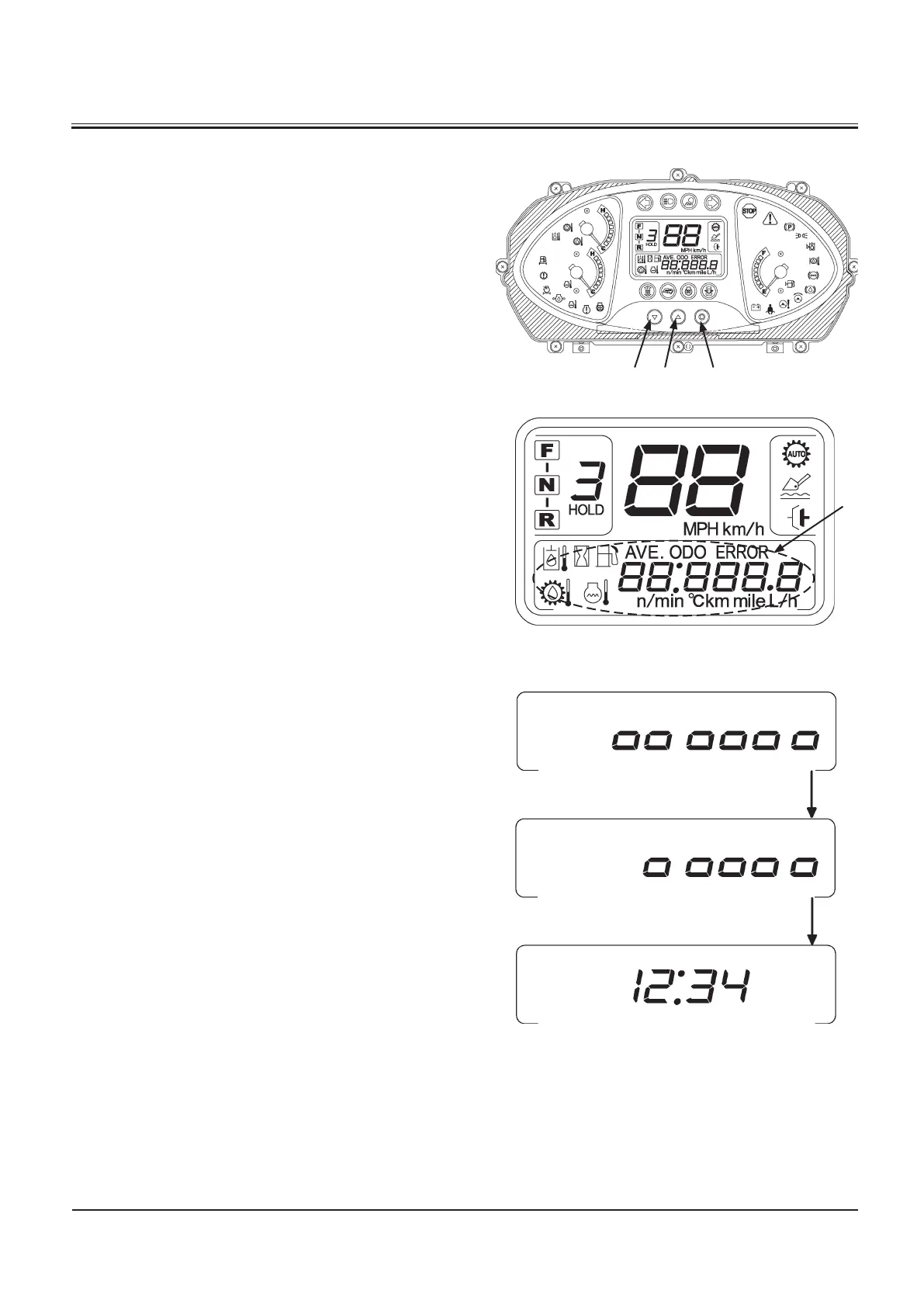
When the key switch is turned ON, the machine information
area (4) displays the machine information.
When the key switch is turned ON, the machine information
display indicates engine start-ready screen (5). The “zero” start
up figures displayed on screen (6) are erased one by one from
the left end side each time when 5 seconds pass. After all start
up figures are erased, 24 H clock screen (7) is displayed. Display
item on the machine information display can be shifted from
clock display (7) in the order as described below by pressing
display selector (2).
Display order of Items in the normal display mode
• Clock (24H)
• Hour Meter
• Odometer
• Fuel Consumption
• Hour Meter of Hydraulic Oil
• Hour Meter of Hydraulic Oil Filter
• Hour Meter of Transmission Oil
• Hour Meter of Transmission Oil Filter
• Hour Meter of Engine Oil
• Hour Meter of Engine Oil Filter
• Hour Meter of Fuel Filter
M4GB-01-001
M4GF-01-001
M4GB-01-052



 To Next Page