1-22
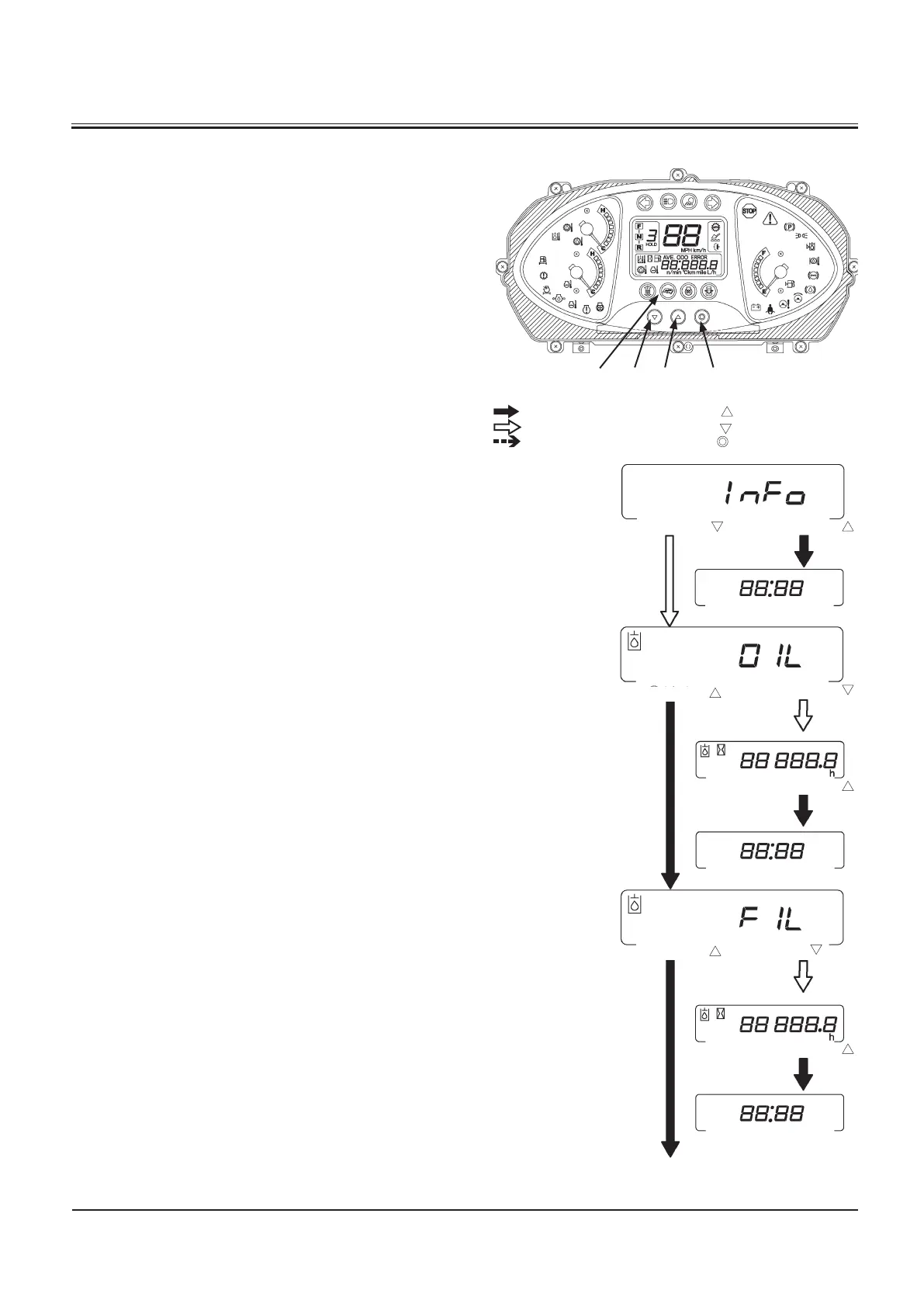
When this display is indicated, press monitor display selector (2)
once at a time to return to the clock display screen. Then, when
monitor display selector (3) is pressed, the screen is shifted to
the hydraulic hour meter display.
When this display is indicated, press monitor display selector (3)
to display the hours remaining before the hydraulic oil needs
to be changed. When the remaining hour reading becomes
lower than 0 hour, maintenance Indicator (4) will light. When
the remaining hours is displayed, press monitor display selec
-
tor (2) to return to the clock screen. When the remaining hours
is displayed, press monitor display selector (3) to display the
hydraulic oil filter hour meter.
When this display is indicated, press monitor display selector
(3) to display the hours remaining before the hydraulic oil filter
needs to be changed. When the remaining hour reading be
-
comes lower than 0 hour, maintenance Indicator (4) will light.
When the remaining hours is displayed, press monitor display
selector (2) to return to the clock screen. When the remaining
hours is displayed, press monitor display selector (3) to display
the transmission oil hour meter.
M4GF-01-001
M4GB-01-054
:
When monitor display selector (
)(2)is pressed once:
:
When monitor display selector ( )(3) is pressed once:
:
When monitor mode selector ( )(1) is pressed once:
Press button
Remaining hours
before replacement
is displayed.
Press button
Clock
Clock
Clock
Press button
Press button
Press button
Press button
Press button
Press button
Remaining hours
before replacement
is displayed.



 To Next Page