2 Installing the MPX200
This chapter describes how to rack mount the MPX200.
Rack mounting the MPX200
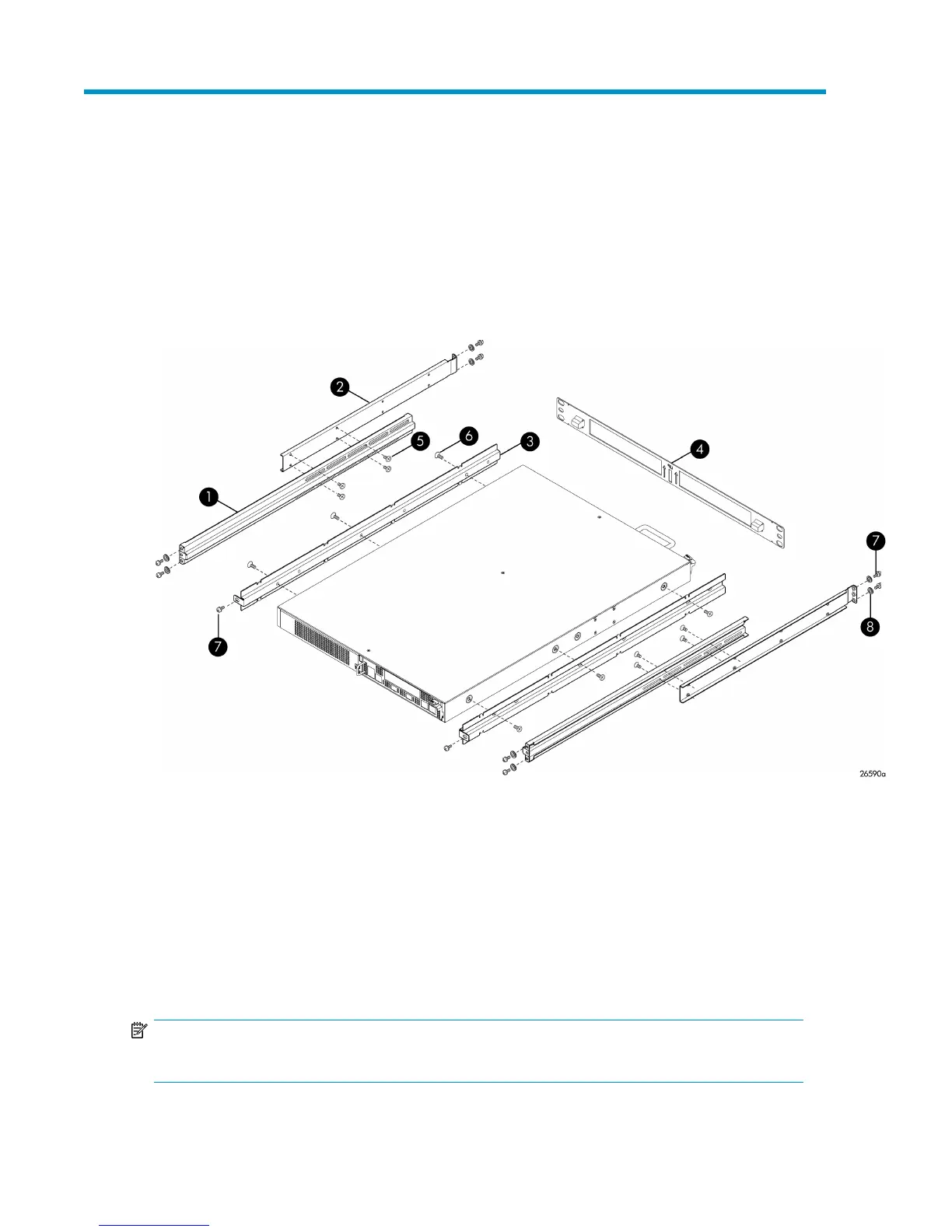
Figure 5 shows the MPX200 components.
5. Screw, flathead, 10–32 x 1/4 in. (6)1. Rack rail, inner (2)
6. Screw, panhead, 10–32 x 3/8 in. (10)2. Rack rail, outer (2).
7. Washer, centering (10); for use on racks with square holes
only
3. Chassis rail (2)
4. Screw, flathead, 6–32 x 1/4 in. (8)
Figure 5 MPX200 components
.
NOTE:
You will need a crosshead screwdriver to perform the rack mount procedure.
MPX200 Multifunction Router 27









 To Next Page