Troubleshoot Common Problems
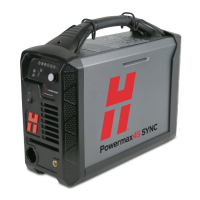
Powermax45 SYNC Operator Manual 811470 105
0-14-1
ON
Flashes
yellow
The cartridge is not
recognized.
This fault shows when a cartridge cannot send
data to the plasma power supply for some
reason. This fault code does not stop the system
from operating.
• When this fault occurs, you can continue to
cut or gouge, but you must set the output
current (A) and the operating mode
manually.
• Lightly blow air into the cartridge to remove
all dust or other contamination. Install the
cartridge again.
• Make sure that the
green ring inside the
cartridge is not broken.
0-40-5
ON
ON
Yellow
Duty cycle exceeded. This fault code stops the system from operating.
Do the following:
• Wait 4 minutes for the plasma power supply
to cool. Refer to Prevent overheating on
page 61.
• Reduce the power supply current setting or
reduce the torch on time to keep within the
system’s rated duty cycle.
0-50-1
ON
ON
Yellow
The torch-lock switch is set
to the yellow lock (X)
position.
This fault code stops the system from operating.
Do the following. A restart is not necessary.
• Hand torch: Move the torch-lock switch to
the green “ready to fire” ( ) position. Fire
the torch 1 time to get the warning puffs of
air. Fire the torch again to get a plasma arc.
• Machine torch: Move the torch-lock switch
to the green “ready to fire” ( ) position.
Fire the torch to get a plasma arc.
• Mini machine torch: This fault code is not
applicable to the mini machine torch.
Fault
code
Fault
LEDs
Torch
LEDs Description Solutions












 To Next Page