11-6
Connectors (Continued)
USB (Rear) > AF SQL (Default: OFF (OPEN))
Selects whether or not to output the audio from [USB] on
the rear panel, according to the squelch and signal levels.
• OFF(OPEN):
The squelch is always opened regardless
of the squelch and signal levels.
• ON:
The squelch opens and closes, according
to the squelch and signal levels.
USB (Rear) > AF Beep/Speech... Output
(Default: OFF)
Sets the Beep and Speech audio output status of
[USB] on the rear panel.
• OFF: The beep and speech audio are not output
from [USB] on the rear panel.
• ON: The beep and speech audio are output from
[USB] on the rear panel.
USB (Rear) > IF Output Level (Default: 50%)
Sets the IF (12 kHz) output level of [USB] on the rear panel.
• Range: 0 ~ 100%
USB (Rear) > Serial Function (Default: FSK Decode)
Selects the signal output from [USB] on the rear panel.
• FSK Decode: An FSK decoded signal is output.
• D-STAR Data: A D-STAR data is output.
USB (Rear) > FSK Decode Baud Rate (Default: 9600)
Selects the data transfer rate (Baud rate) of decoded
FSK signals from [USB] on the rear panel.
• Options: 4800, 9600, 19200 or 38400 (bps)
USB (Rear) > D-STAR Data Baud Rate (Default: 9600)
Selects the data transfer rate (Baud rate) of decoded
D-STAR data
from [USB] on the rear panel.
• Options: 4800 and 9600 (bps)
LAN > Output Select (Default: AF)
Selects the signal output from [LAN].
• AF: The demodulated AF signal is output.
• IF: A 12 kHz IF signal is output.
L You can listen to the Digital Radio Mondiale (DRM)
broadcast with an application software receiver that
is installed into your PC.
LAN >
AF SQL (Default: OFF (OPEN))
Selects whether or not to output the audio from [LAN],
according to the squelch and signal levels.
• OFF(OPEN):
The squelch is always opened regardless
of the squelch and signal levels.
• ON:
The squelch opens and closes, according
to the squelch and signal levels.
LAN > AF Speech Output (Default: OFF)
Sets the Speech audio output status of [LAN].
• OFF: The speech audio is not output from [LAN].
• ON: The speech audio is output from [LAN].
L You should set the “AF SQL” item to “AF.”
CI-V >
CI-V Baud Rate (Default: Auto)
Selects the CI-V data transfer rate.
• Options: 4800, 9600, 19200 (bps) or Auto
L When “Auto” is selected, the baud rate is automatically set,
according to the data rate of the connected controller.
CI-V >
CI-V Address (Default: 96h)
Selects the CI-V address.
• Range: 02h ~ 96h ~ DFh
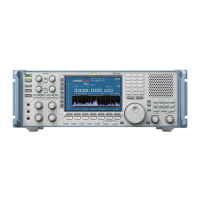
L“96h” is the default address of the IC-R8600.
CI-V >
CI-V Transceive (Default: ON)
Turns the Transceive function ON or OFF.
• OFF: The status is not output.
• ON: The status is output.
CI-V >
USB/LAN→REMOTE Transceive Address
(Default: 00h)
Sets the address used to remotely control the receiver
using the optional RS-R8600 (future product), through
the [USB] or [LAN] port.
The external equipment control signal is output from
the [REMOTE] port.
• Range: 00h ~ DFh
CI-V > CI-V USB (Front) Baud Rate (Default: Auto)
Selects the CI-V data transfer rate for [USB] on the
front panel.
• Options: 4800, 9600, 19200, 38400, 57600, 115200
(bps) or Auto
L When “Auto” is selected, the baud rate is automatically set
according to the data rate of the connected controller.
CI-V >
CI-V USB (Front) Echo Back (Default: OFF)
Turns the Data Echo Back function ON or OFF, when
remotely controlling through the [USB] CI-V port.
• OFF: Turns OFF the function.
• ON: Turns ON the function.
TIP: When multiple devices are connected.
The default transceive address is “00h.” To control
dedicated equipment when several devices are
connected, set the same CI-V address.
11
SET MODE
1
2
3
4
5
6
7
8
9
10
11
12
13
14
15
16
17
18
19
20
21



 To Next Page