Chapter 3 Welder Operation Description 51
Ehave Series Full Digital IGBT CO
2
/MAG/MMA Multifunctional Inverter Welder User Manual
Figure 3-31 Confirming the new password
7. If the new password and confirm password entered are the same, the screens display
good. See Figure 3-32. The common lock function is disabled.
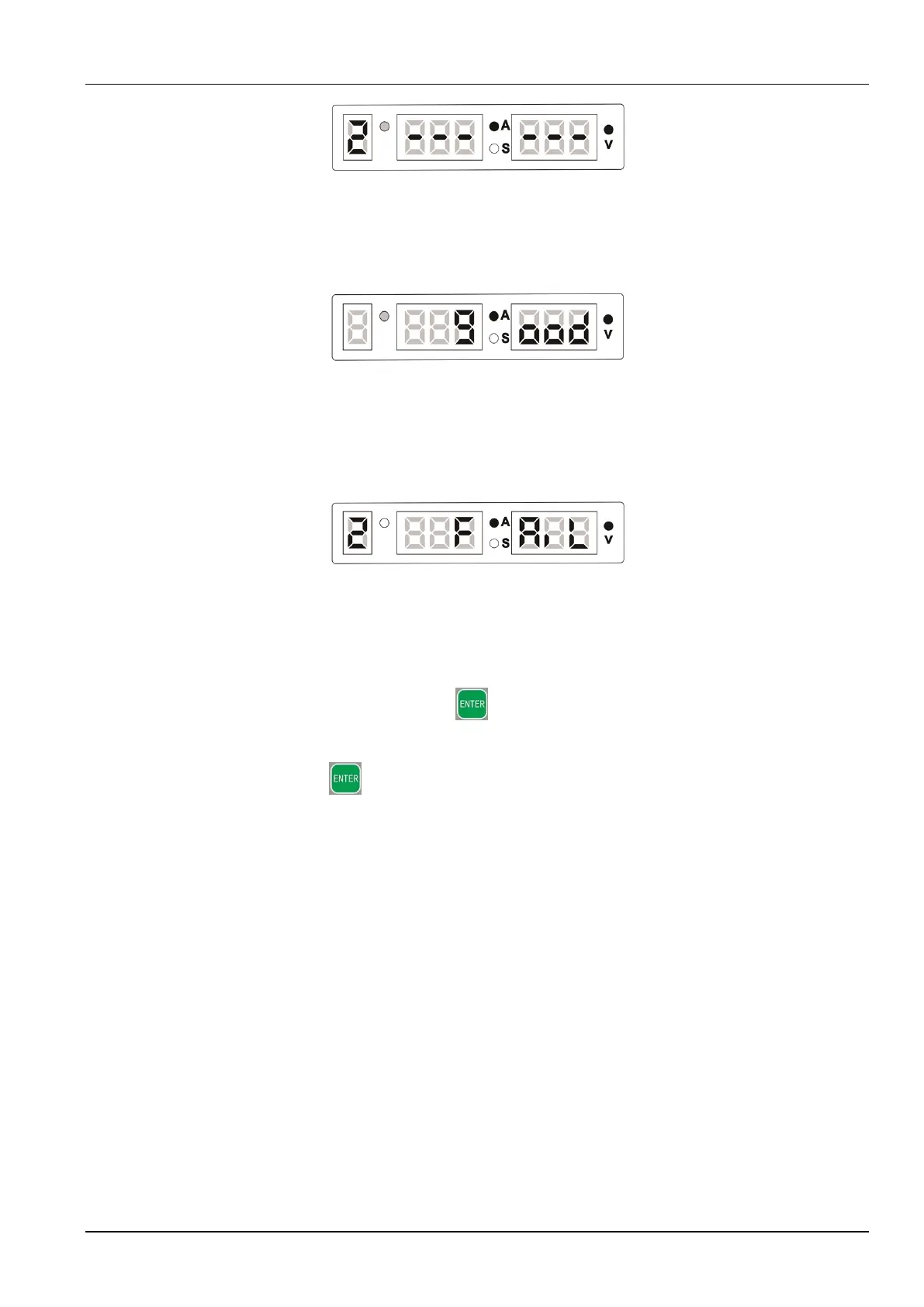
Figure 3-32 Message indicating that a new password is set successfully
8. If the new password and confirm password entered are different, the screens display 2
FAIL. See Figure 3-33. The UI for confirming the new password is displayed. See Figure
3-31. Enter the new password correctly and the screens display good. See Figure 3-32.
Figure 3-33 Message indicating that the confirm password is different
from the new password
Note:
1. If you press and hold the ENTER button on the UI for entering the original
password, the UI for entering a new password, or the UI for confirming a new password
to enter the common lock UI, the original password is not changed. You can press and
hold the ENTER button again to disable the common lock function.
2. If the welder is restarted when displaying the UI for entering the original password, the UI
for entering a new password, or the UI for confirming a new password, the common lock
UI is displayed after restarting is complete and the original password is not changed.
Figure 3-34 shows the procedure for changing a password.



 To Next Page