28
Using the Operator Settings
4.2 Main Menu Operation
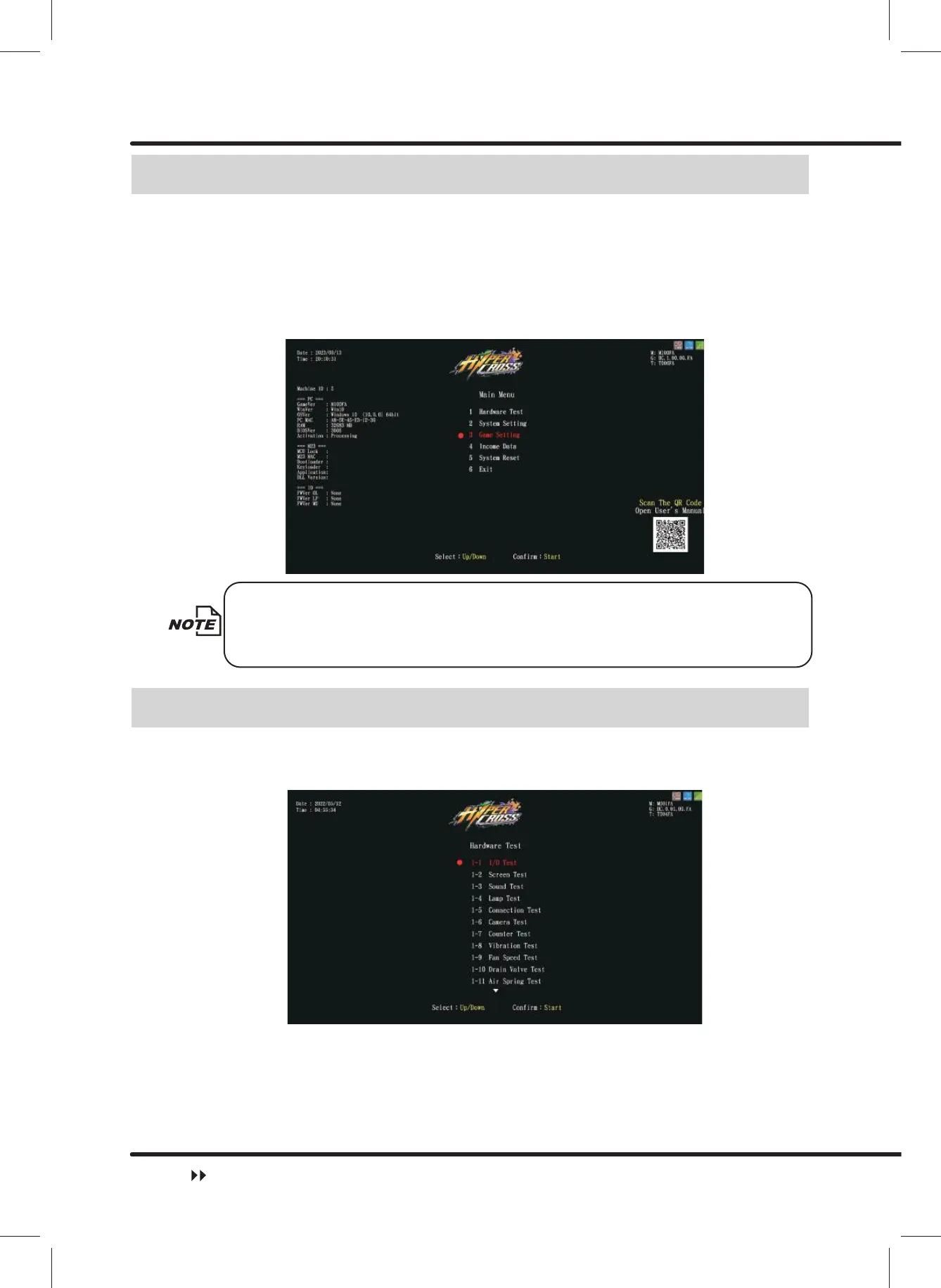
In the menu, follow the steps below to navigate:
ɖ Use the ȞUpȟand theȞDownȟbutton to select the options, the currently selected
option is marked in red.
ɖ Press the ȞStartȟEXWWRQWRFRQ¿UPWKHVHOHFWLRQRUHQWHUWKHVXEPHQX
ɖ After completing the setting or testing, return to Main Menu and selectȞ6 Exitȟ, then
press theȞStartȟbutton to return to the game screen.
When warning messages appear asȞCaution !! Process
,2$GMXVWPHQW!$LU6SULQJ$GMXVWPHQW!&RXQWU\6HWWLQJ!6WRUH6HWWLQJ!ȟ
Please process the following settings before exiting Main Menu.
4.3 Hardware Test
You can enterȞHardware Testȟ to test if all hardware is functioning normally or not.
ɖ EnterȞMain Menuȟɚ Ȟ1 Hardware Testȟand the screen will display as below:
ɖ Use theȞUpȟandȞDownȟbutton to move the cursor and press the ȞStartȟbutton to
enter the sub menu.
ɖ $IWHU¿QLVKLQJWKHWHVWVPRYHWKHFXUVRUWRȞ([LWȟ, then press the ȞStartȟbutton
to leave this page and return to theȞMain Menuȟ.
ɖ Regarding detailed descriptions of the sub menu inȞHardware Testȟ, refer to the
contents below.
Main Menu Operation



 To Next Page