55
Using the Operator Settings
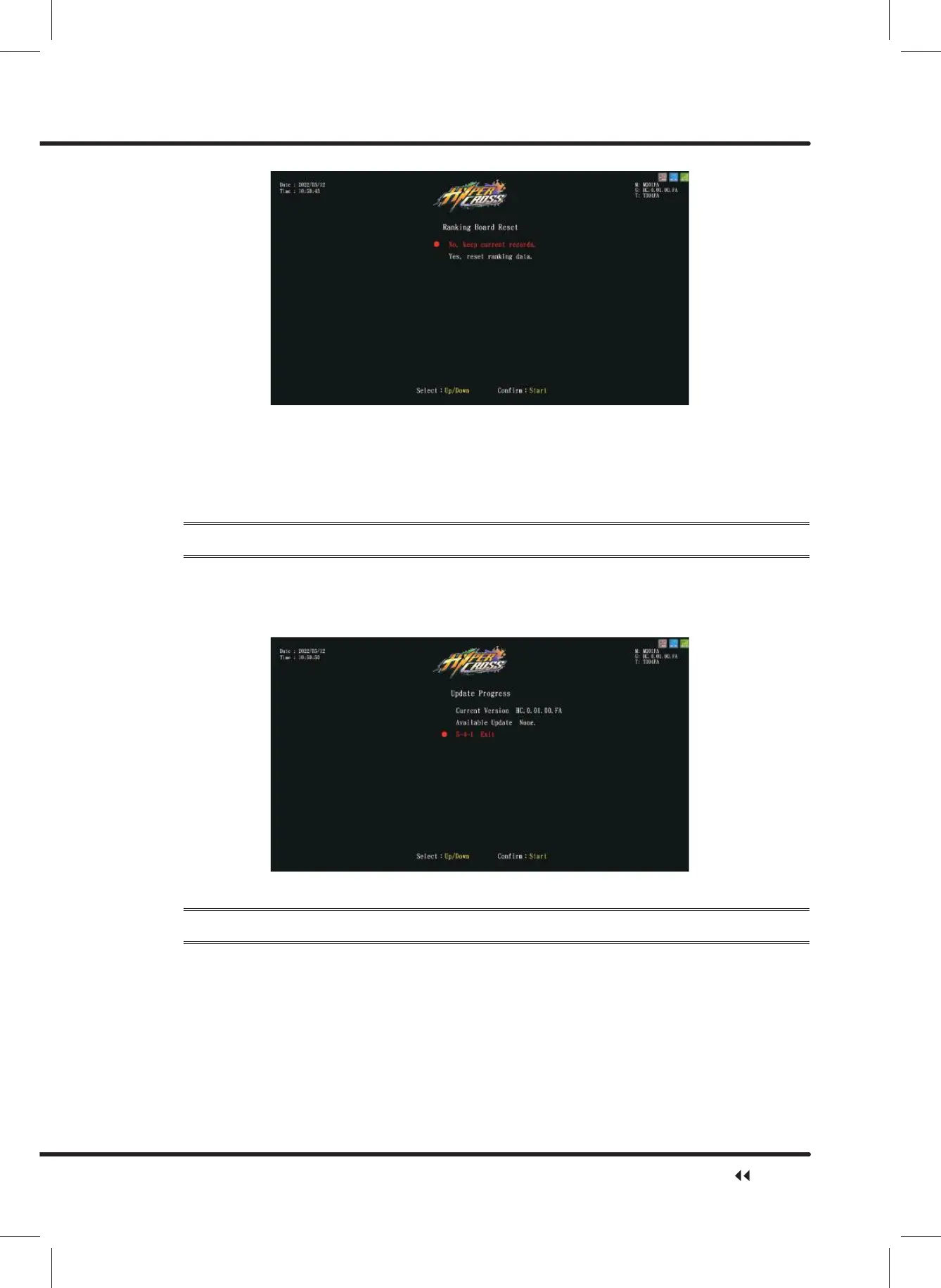
ɖ Move the cursor to ȞYesȟ, and press ȞStartȟ button to reset ranking board.
ɖ After reset, ȞRanking Data Restore Completeȟwill appear in green.
ɖ Press ȞStartȟ button again to return toȞSystem Resetȟ.
ɖ When ȞNoȟ is selected, the screen will automatically direct to the page of Ȟ5 System
Resetȟ.
4.7.4 Update Progress
ɖ On the page of ȞUpdate Progressȟ, you can check whether there is an update for the
latest version.
ɖ Enter the page to check whether you have the latest version, press ȞStartȟWRFRQ¿UP
and return to the previous menu.
4.7.5 Clear Coin Count In Attract Sequence
On the page of ȞClear Coin Count In Attract Sequenceȟ, you can clear current coin count
in attract sequence.
ɖ Enter ȞMain MenuȟɚȞ5 System ResetȟɚȞ&OHDU&RLQ&RXQW,Q$WWUDFW
Sequenceȟ,and the screen will display as below:
System Reset



 To Next Page