30
Using the Operator Settings
4.3.2 Screen Test
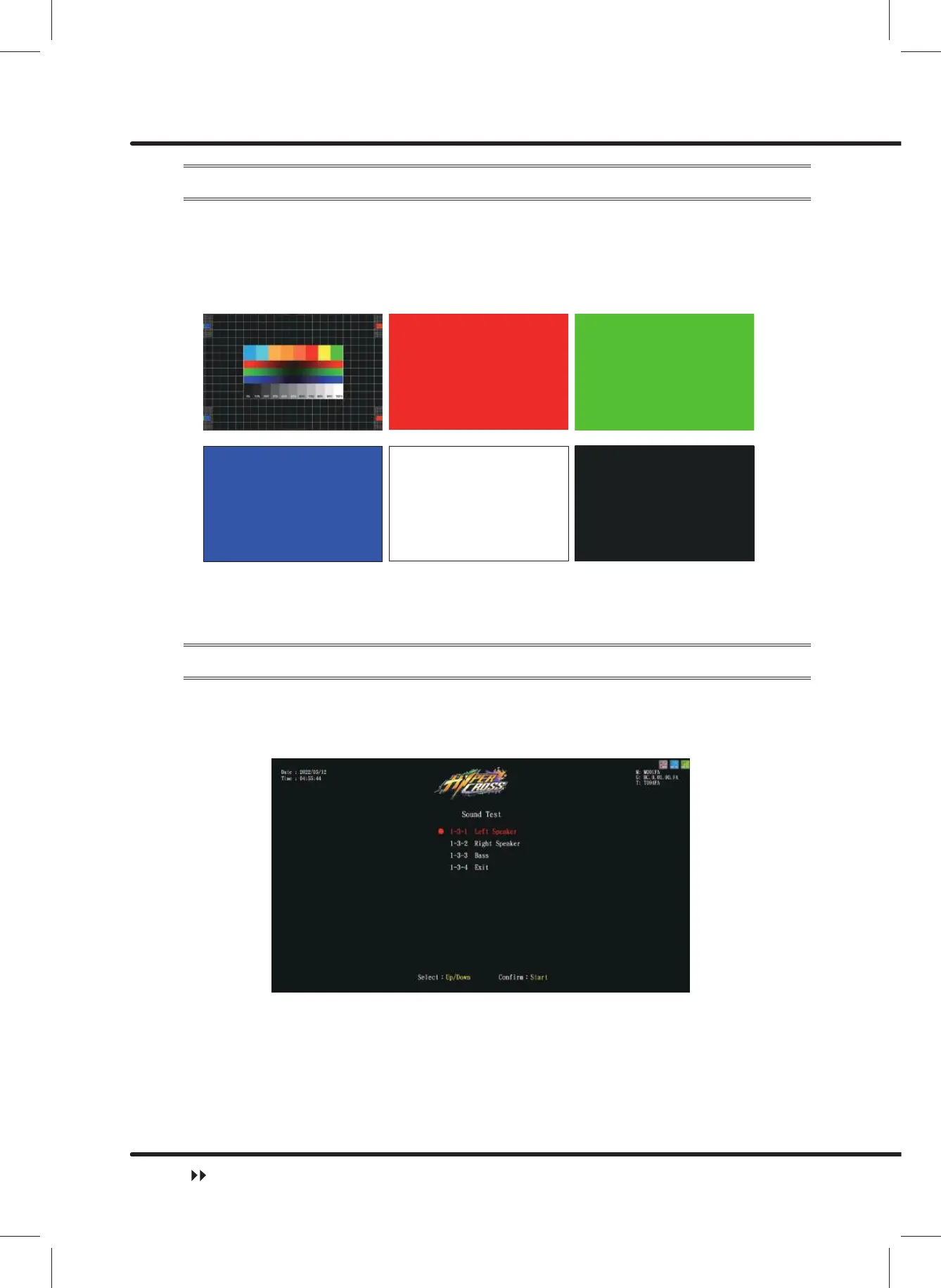
On the page of ȞScreen Testȟ, you can test whether the white balance, color level, and
lattice are functioning normally or not.
ɖ Enter ȞMain Menuȟɚ Ȟ1 Hardware Testȟɚ Ȟ6FUHHQ7HVWȟ.
ɖ After entering ȞScreen Testȟ, the system will then process the testing, and the following
VL[SLFWXUHVZLOOEHGLVSOD\HGIRU\RXWRDGMXVWWKHZKLWHEDODQFHFRORUOHYHODQGODWWLFH
ɖ On the page of ȞScreen Testȟ, press the ȞStartȟ button to change the displayed
picture. After the testing is completed, press the ȞStartȟ button to return toȞHardware
Testȟ.
4.3.3 Sound Test
On the page of ȞSound Testȟ\RXFDQUXQWKHWHVWLQJRIVSHFL¿FDSSOLFDWLRQWRVHHLILWLV
functioning normally or not.
ɖ Enter ȞMain Menuȟɚ Ȟ1 Hardware Testȟɚ Ȟ6RXQG7HVWȟ, and the screen will
display as below:
ɖ Move the cursor, and select the soundtrack to be tested, then press theȞStartȟbutton
to start the testing.
ɖ The soundtrack being tested will keep producing a certain sound. Press theȞStartȟ
button to stop the sound.
ɖ After the testing is completed, move the cursor to Ȟ([LWȟ, and press the ȞStartȟ
button to return toȞHardware Testȟ.
Hardware Test



 To Next Page