29
Using the Operator Settings
4.3.1 I/O Test
ɖ On the page of ȞI/O Testȟ\RXFDQUXQWKHWHVWLQJRIVSHFL¿FDSSOLFDWLRQWRVHHLILWLV
functioning normally or not.
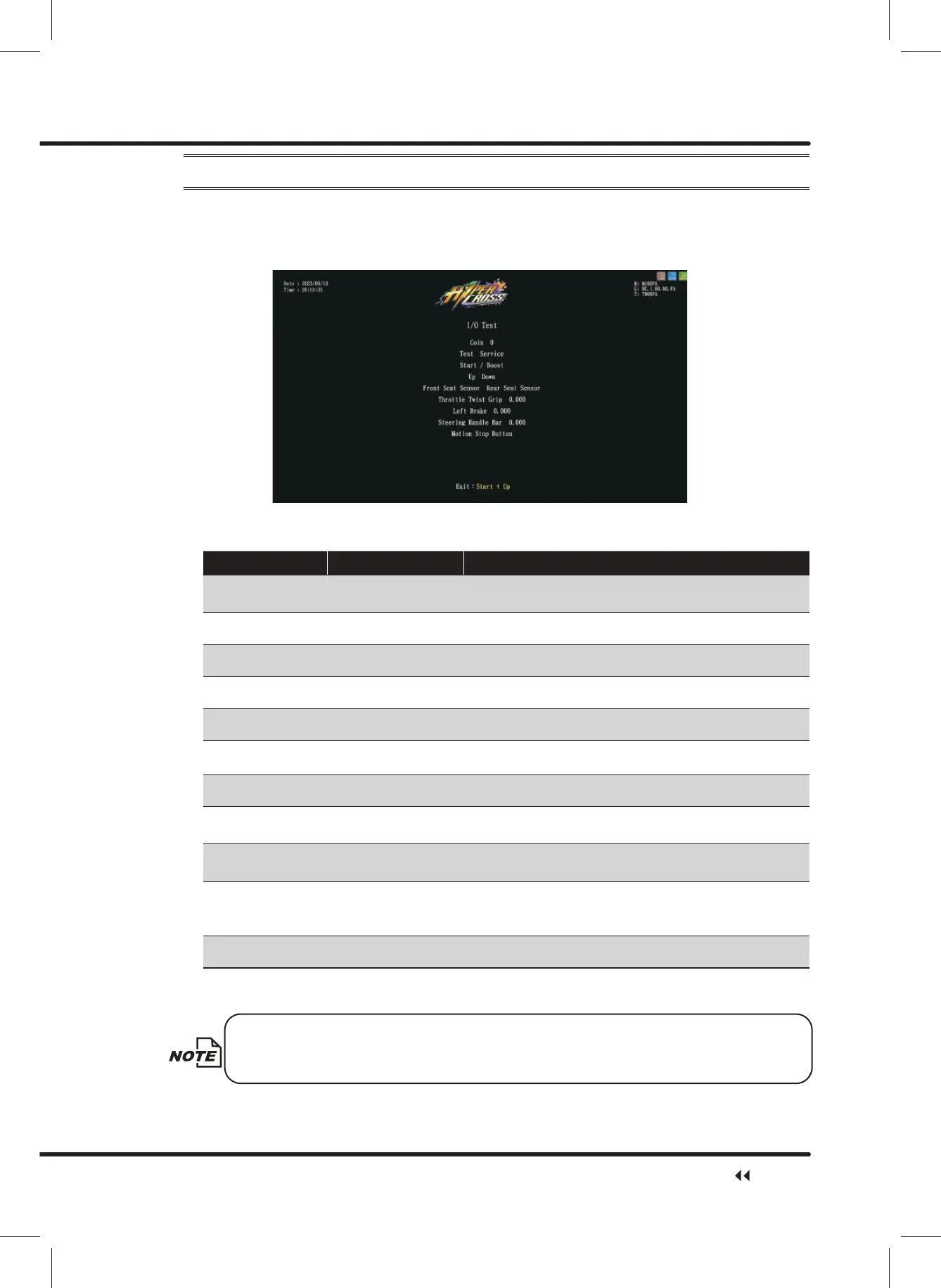
ɖ Enter ȞMain Menuȟɚ Ȟ1 Hardware Testȟɚ Ȟ,27HVWȟ, and the screen will
display as below:
ɖ After you enter the page of ȞI/O Testȟ\RXFDQUXQWKHWHVWLQJRIDVSHFL¿FDSSOLFDWLRQ
as explained in the chart below˖
Application Testing method Result
Coin Inset coins
When you insert a coin, the amount of “Coin” will
increase by1.
Test Press the button "White" becomes "Red".
Service Press the button "White" becomes "Red".
Start/Boost Press the button "White" becomes "Red".
Up Press the button "White" becomes "Red".
Down Press the button "White" becomes "Red".
Seat Sensor 1/2 Sit on the seat "White" becomes "Red".
Throttle twistgrip Twist throttle twistgrip
When totally released, the value is 0. When twist to the limit,
the value will be 1.
Left Brake Press left brake
When released, the value will be 0, when press to its limit,
the value will be 1.
Steering Handle Bar
Turn the steering
handle bar to its limit
When turning all the way to the leftˈWKHYDOXHZLOOEH
When turning all the way to the right, the value will be 1.
When staying right in the center, the value will be 0.
Motion Stop Button Press the button "White" becomes "Red".
ɖ After the testing is completed, press theȞStartȟbutton and theȞDownȟbutton to leave
this page, and return toȞHardware Testȟ.
If the value of the throttle twistgrip, brake, or steering handle bar is abnormal,
enterȞ,2$GMXVWPHQWȟWRPDNHDGMXVWPHQWV
Hardware Test



 To Next Page