52
Using the Operator Settings
4.7 System Reset
On the page of ȞSystem Resetȟ, you can delete the income data or set the system to
default setting.
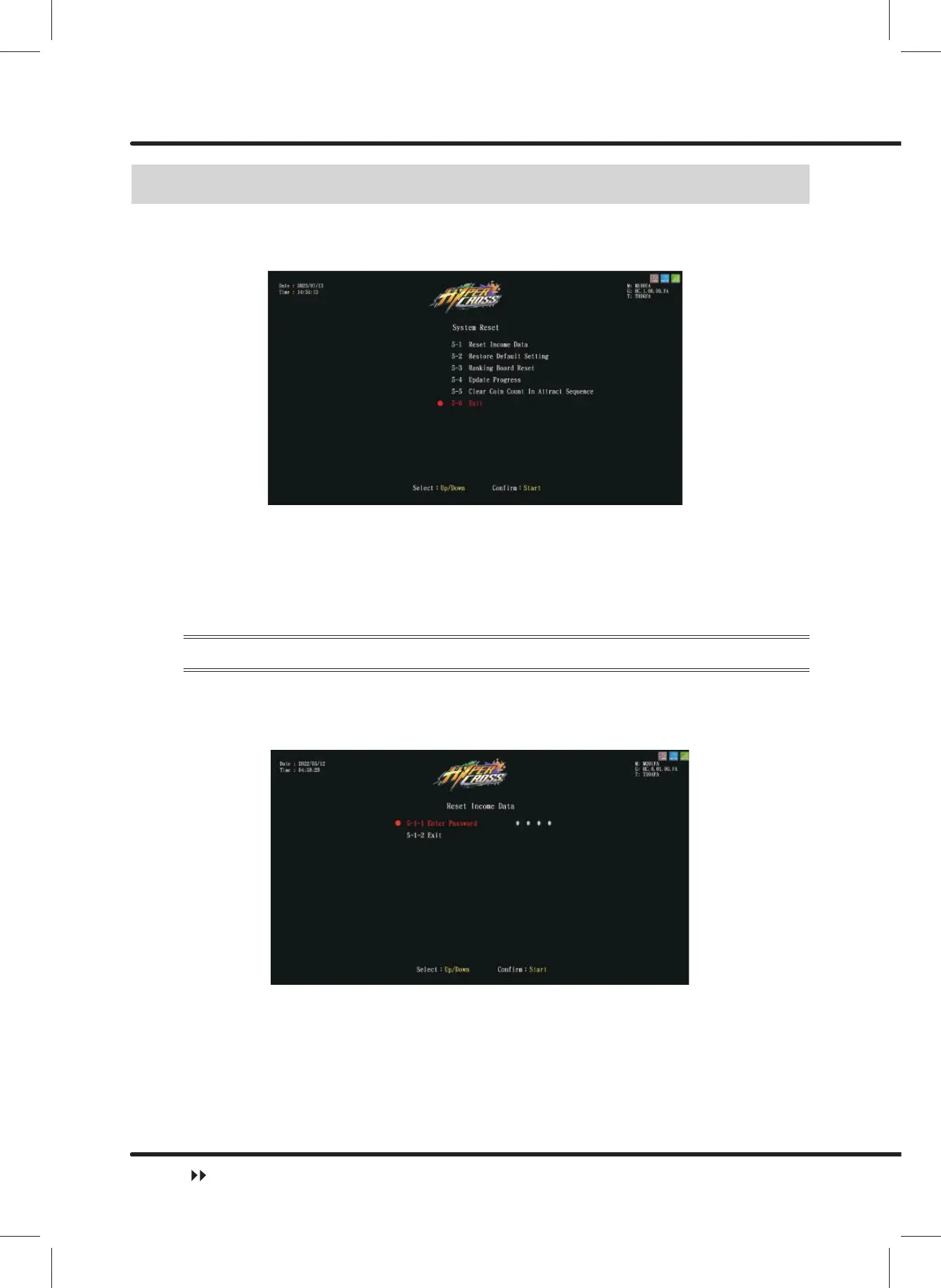
ɖ Enter ȞMain MenuȟɚȞ5 System Resetȟ, and the screen will display as below:
ɖ Use the ȞUpȟ button and ȞDownȟbutton move the cursor and press the ȞStartȟ
button to the sub menu.
ɖ After setup is completed, move the cursor toȞ([LWȟ, and press theȞStartȟ button
to return toȞMain Menuȟ.
ɖ Regarding the detailed descriptions of the sub menu in Ȟ5 System Resetȟ, refer to the
following content.
4.7.1 Reset Income Data
On the page of ȞReset Income Dataȟ, you can delete the data of daily income and
monthly income.
ɖ Enter ȞMain MenuȟɚȞ5 System ResetȟɚȞ5HVHW,QFRPH'DWDȟ,and the
screen will display as below:
ɖ Move the cursor to select Ȟ(QWHU3DVVZRUGȟ, and press the ȞStartȟ button to
start entering machine’s password.
ɖ Use the ȞUpȟ and ȞDownȟ button to select numbers, and then press ȞStartȟbutton
to enter password.
ɖ After the password has been entered, the following screen will be displayed:
System Reset



 To Next Page