41
Using the Operator Settings
4.4.4 Store Setting
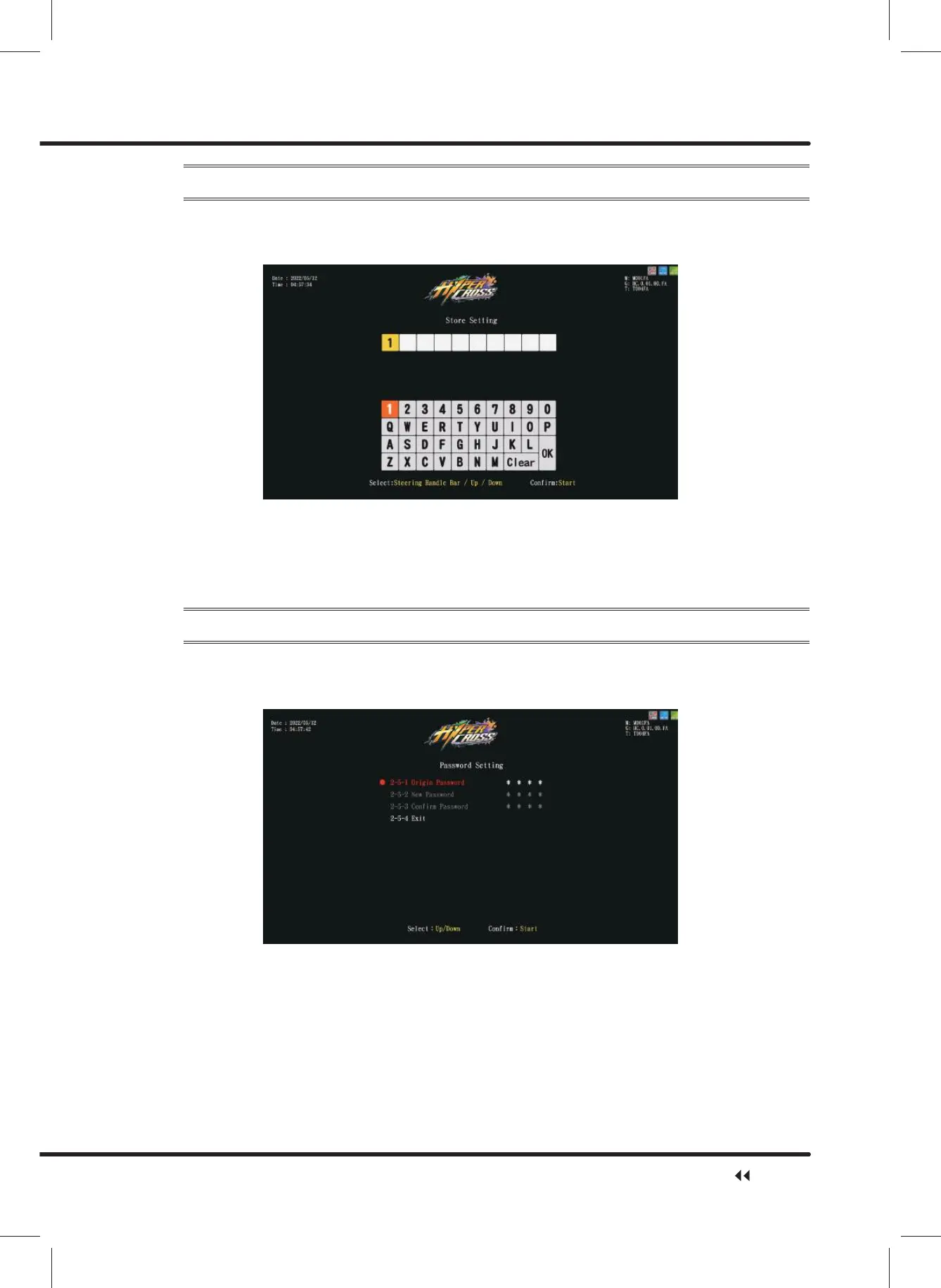
On the page of ȞStore Settingȟ, you can set your store name.
ɖ Enter ȞMain MenuȟɚȞ2 System SettingȟɚȞ6WRUH6HWWLQJȟ, and the screen
will display as below:
ɖ Use theȞUpȟ,ȞDownȟ,ȞLeftȟ,ȞRightȟbutton to move the cursor and press the ȞStartȟ
EXWWRQWRFRQ¿UPWKHOHWWHU\RXZDQWWRLQSXW
ɖ When completed, move the cursor to ȞOKȟ, then press the ȞStartȟ button to return
to the page of ȞSystem Settingȟ. The store name should be displayed on the right side
of ȞStore Settingȟ.
4.4.5 Password Setting
On the page of ȞPassword Settingȟ, you can reset your password.
ɖ Enter ȞMain MenuȟɚȞ2 System SettingȟɚȞ3DVVZRUG6HWWLQJȟ, and the
screen will display as below:
ɖ Press the ȞStartȟ button to enter origin password(0000). Then, use the ȞUpȟ button
and ȞDownȟ button to move the cursor and press the ȞStartȟ button to enter the
selected numbers.
ɖ $IWHUWKHRULJLQSDVVZRUGKDVEHHQFRQ¿UPHG\RXFDQFRQWLQXHWRHQWHUDQGFRQ¿UPWKH
new password.
ɖ 2QFHWKHQHZSDVVZRUGKDVEHHQHQWHUHGDQGFRQ¿UPHGȞPassword has been
changed successfullyȟ will appear in green below.
System Setting



 To Next Page