31
Using the Operator Settings
4.3.4 Lamp Test
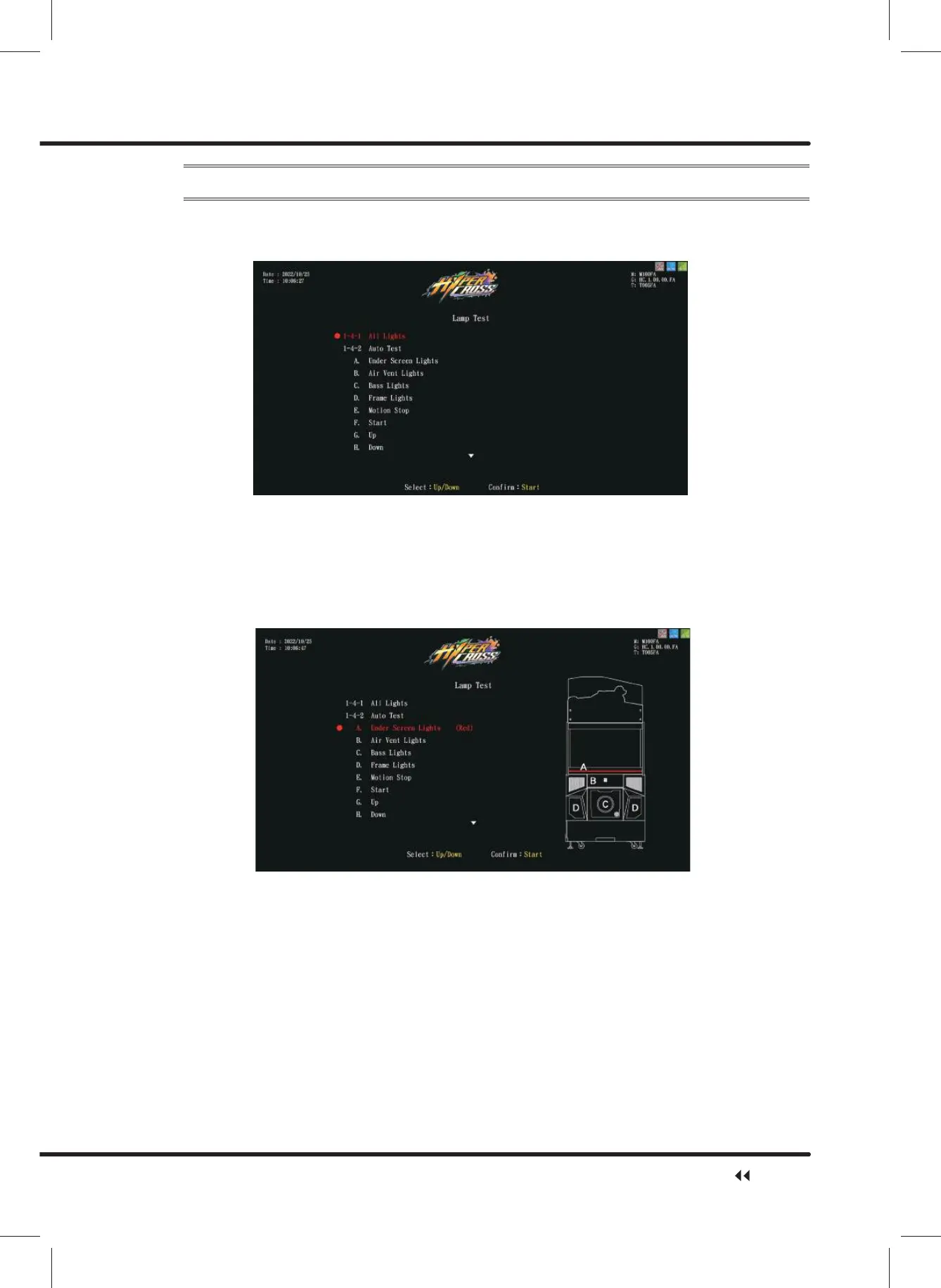
On the page of ȞLamp Testȟ, you can test if each light is functioning normally or not.
ɖ Enter ȞMain Menuȟɚ Ȟ1 Hardware Testȟɚ Ȟ/DPS7HVWȟ, and the screen will
display as below:
ɖ Use the ȞUpȟ button and ȞDownȟ button to move the cursorˈthen press theȞStartȟ
button to run testing.
ɖ All Lights: all the lights will lighten up for 5 seconds in white light, and then in ticker
display for 5 seconds. The lights will keep switching in these 2 phases until you press
Ȟstartȟto stop testing.
ɖ Auto Test: based on the picture belowˈthe lights will be tested according to their serial
numbers. You can pressȞstartȟto stop testing at any moment.
ɖ Manual Test˖Select a type of light to be tested, from option A to option Z.
ɖ You can press theȞstartȟbutton to stop testing at any moment.
ɖ After the testing is completed, move the cursor to Ȟ([LWȟ, and press theȞStartȟ
button to return toȞHardware Testȟ.
Hardware Test



 To Next Page