51
Using the Operator Settings
4.6.3 Total Report
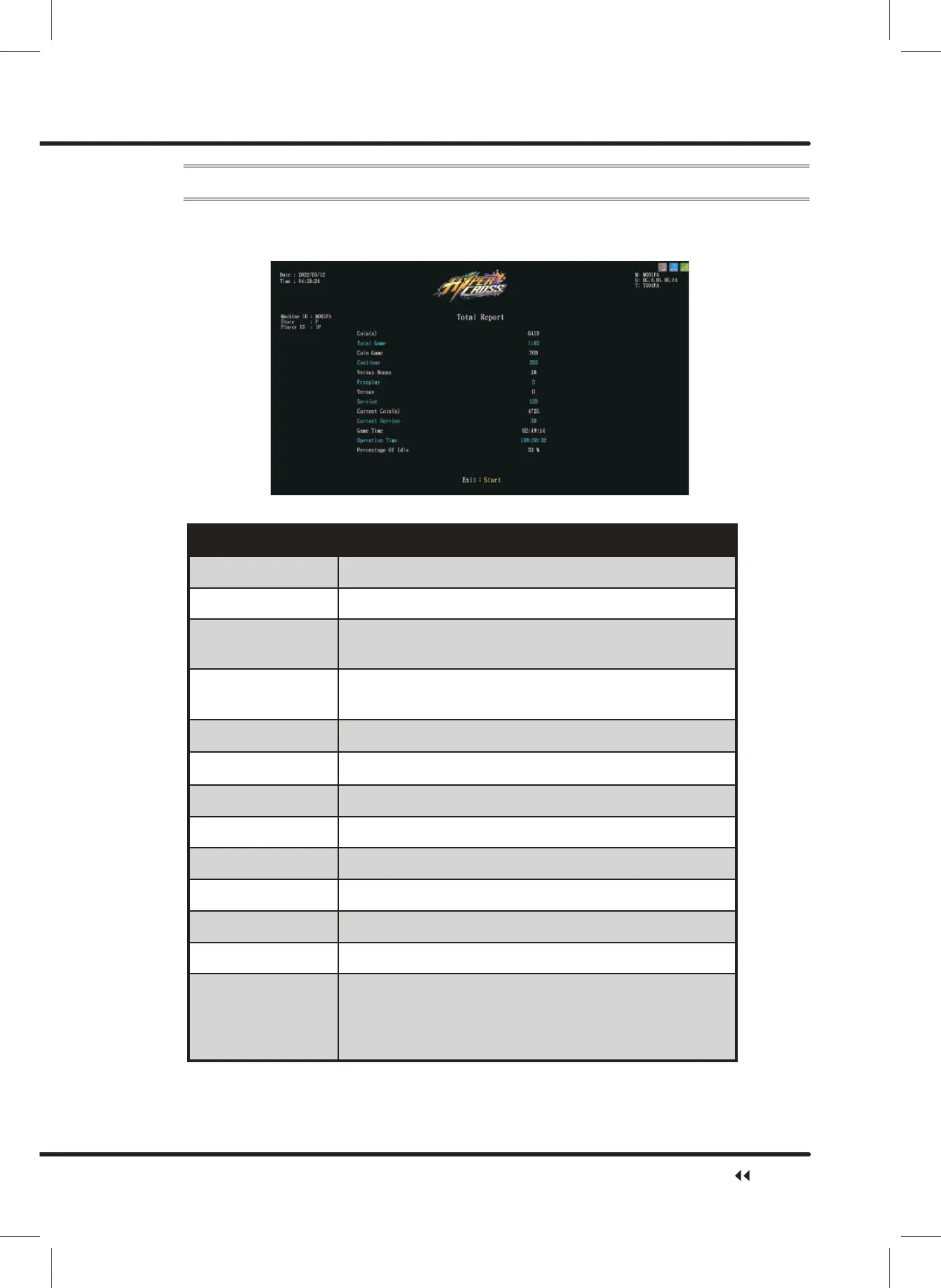
On the page of ȞTotal Reportȟ, you can check the total revenue of each machine.
ɖ Enter ȞMain MenuȟɚȞ4 Income DataȟɚȞ7RWDO5HSRUWȟ,and the screen will
display as below:
ɖ Descriptions of each item are as follows:
Item Description
Coin(s) Total number of coins in total
Total Game Total number of games in total
New Game
Number of times coins were inserted to start new
games in total
Continue
Number of times coins were inserted to continue games
in total
Freeplay Total number of freeplays in total
Versus Bonus Total number of winner bonus games in total
Versus Total number of versus games in total
Service Total number of Service in total
Current Coin(s) Actual number of coins deducted in total
Current Service Number of service buttons used in total
Operation Time The total operating time overall
Game Time Total game time overall
Percentage Of Idle
Percentage of time the that no one is playing the game
while the machine is on
&DOFXODWLRQIRUPXOD2SHUDWLRQWLPH*DPH7LPH
Operation time x100%
ɖ Press the ȞStartȟ button to return to Ȟ4 Income Dataȟ.
Income Data



 To Next Page