44
Using the Operator Settings
4.5 Game Setting
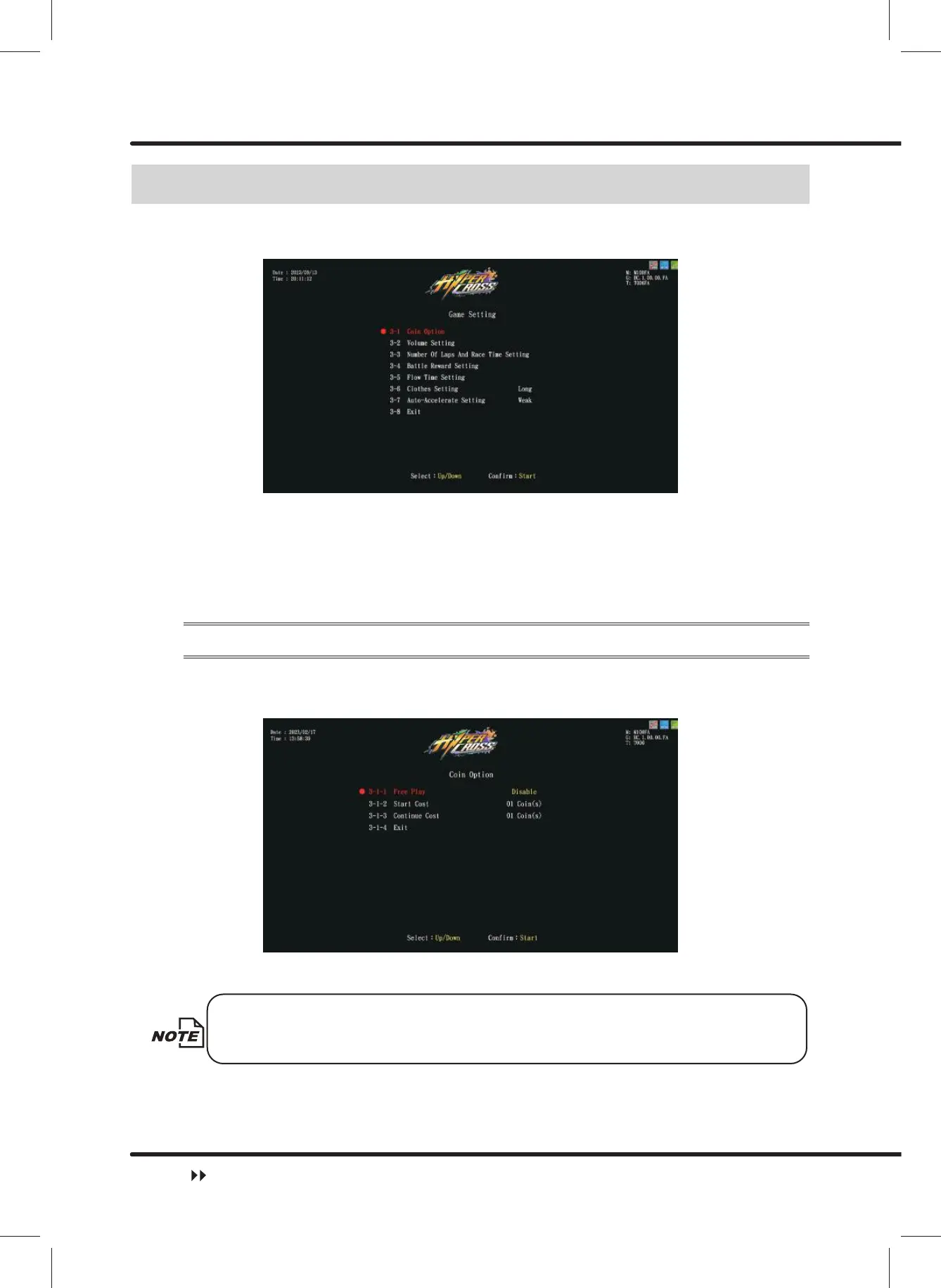
On the page of ȞGame Settingȟ, you can set up all related features of the game.
ɖ EnterȞMain MenuȟɚȞ3 Game Settingȟ, and the screen will display as below:
ɖ Use the ȞUpȟ button and ȞDownȟbutton to move the cursor and press the ȞStartȟ
button to the sub menu.
ɖ After setup is completed, move the cursor toȞ([LWȟ, and press theȞStartȟ button
to return toȞMain Menuȟ.
ɖ Regarding the detailed description of the sub menu in the Ȟ3 Game Settingȟ refer to
the following content.
4.5.1 Coin Option
On the page ofȞCoin Optionȟ, you can selectȞFree Playȟ or ȞCoinȟ.
ɖ EnterȞMain MenuȟɚȞ3 Game SettingȟɚȞ&RLQ2SWLRQȟ, and the screen will
display as below:
ɖ Use the ȞUpȟ and ȞDownȟ button to select Ȟ)UHH3OD\ȟ,and Use the ȞUpȟ
and ȞDownȟ button to switch fromȞEnableȟand ȞDisableȟ.
When the Ȟ)UHH3OD\ȟ is set to be ȞOFFȟ, you can set theȞ6WDUW
Costȟ and the Ȟ&RQWLQXH&RVWȟ.
ɖ When the setting process is completed, move the cursor to Ȟ([LWȟ,and press
ȞStartȟ button to return to Ȟ3 Game Settingȟ.
Game Setting



 To Next Page