17
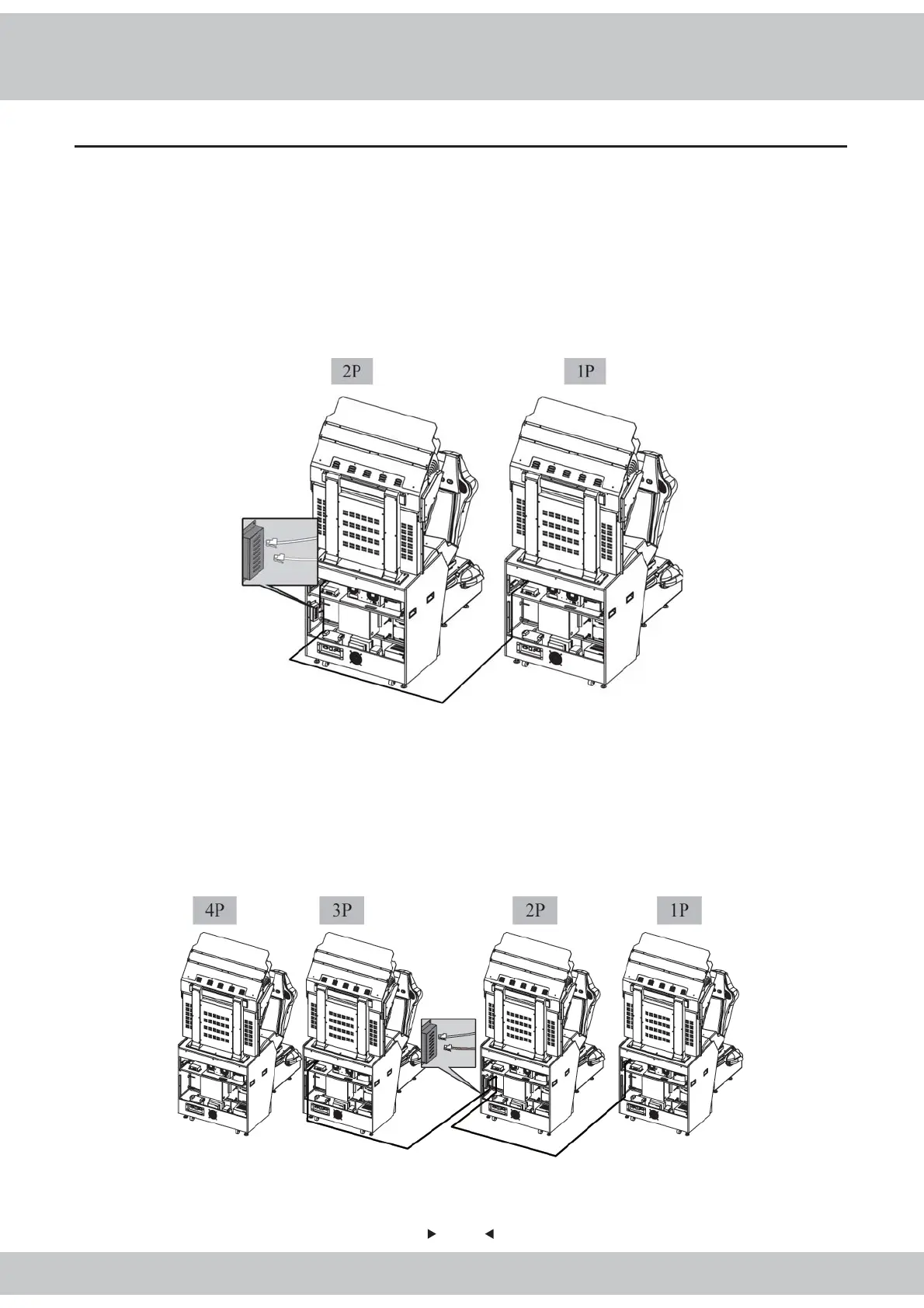
● Connecting 2 cabinets
3.4 Connection and turning on the power
1. Use the key to open the maintenance door located in the back of the cabinet.
2. Plug in one side of the included Internet wire to the cabinet and the other side to the router(HUB).
3. In order to secure connection, do not connect two cabinets without connecting the internet wire to
the router(HUB).
4. To turn on the cabinet, plug in one side of the included AC cord to the socket labeled as (AC
power socket) in the back of the cabinet and the other side to the fused socket.
● Connecting 4 cabinets
1. Use a key to open the maintenance door located in the back of the cabinet.
2. Plug in one side of the included Internet wire to the cabinet and the other side to the router(HUB).
3. In order to secure connection, do not connect two cabinets without connecting the internet wire to
the router(HUB).
4. To turn on the cabinet, plug in one side of the included AC cord to the socket labeled as (AC
power socket) in the back of the cabinet and the other side to the fused socket.



 To Next Page