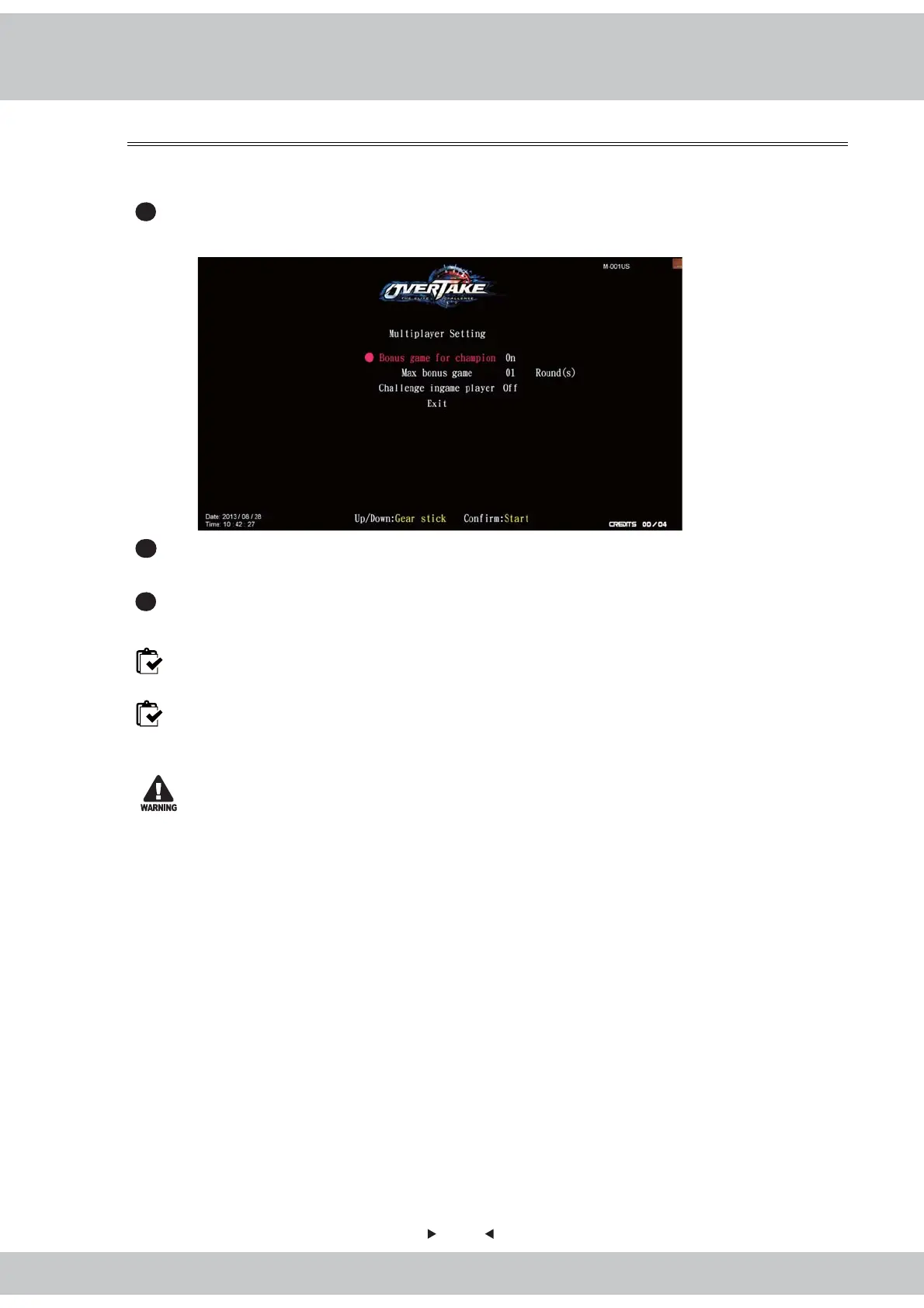
4.4.7 Multiplayer setting
36
In the page of
【
Multiplayer setting
】
, you can determine the maximum bonus game
allowed and the timing to join a certain game.
1
Enter【Operator settings】→【Game settings】→【Multiplayer setting】, and the
screen will display as below
:
2
Use the
【
Gear up
】
and
【
Gear down
】
functions on the shift lever to choose the item,
then press the
【
Start
】
button to start the process.
3
When the setting is completed, move the cursor to
【
Exit
】
, and press the
【
Start
】
button
to return to
【
Game settings
】
.
Note1: When
【
Bonus game for champion
】
is set to be
【
Off
】
, then the maximum bonus
game cannot be set.
Note2: When
【
Challenge ingame player
】
is set to be
【
On
】,
then players can challenge
other ingame players; if it´ s set to be
【
Off
】
, then players can only challenge other
players during the process.
To avoid errors, make sure the value of all cabinets are the same.



 To Next Page