33
4.4.2 Country
4.4.1 I / O adjustment
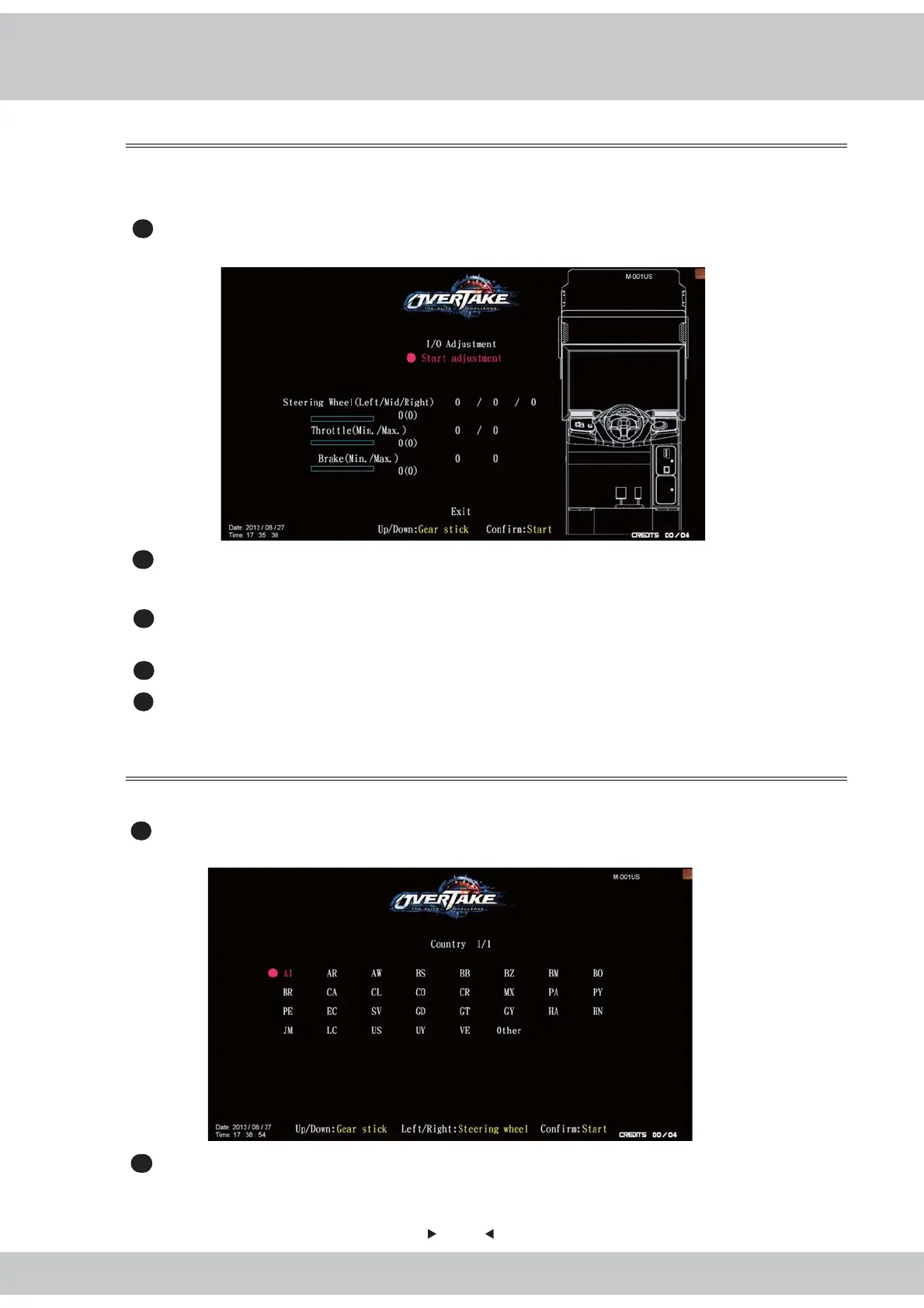
In the page of
【
I / O adjustment
】
, you can adjust the minimum and maximum value of
the throttle, brake and steering wheel.
1
Enter
【
Operator settings
】
→
【
Game settings
】
→
【
I/O adjustment
】
, and the screen
will display as follow
:
2
Enter the page of
【
I/O adjustment
】
, and move the cursor to
【
Start adjustment
】
, then
press the
【
Start
】
button to start the process.
3
While adjusting, turn the steering wheel to the left end, and press the
【
Start
】
button to
get the value.
4
Repeat the above steps, and calibrate other values.
5
After all adjustments are made, an icon of
【
Adjustment completed
】
will pop up, then
press the
【
Start
】
button to return to
【
Game settings
】
.
In the page of【Country
】
, you can set your current location.
1
Enter【Operator settings】→【Game settings】→【Country】, and the screen will
display as below
:
2
When completed, press the
【
Start
】
button to return to
【
Game settings
】,
and the
country you selected will be shown next to the
【
Country
】
.



 To Next Page