35
4.4.5 Tunnel setting
4.4.6 Coin settings
In the page of
【
Coin setting
】
, you can determine if free games are offered, and set up the
required number of coins to start or continue a game.
1
Enter
【
Operator settings
】
→
【
Game settings
】
→
【
Coin setting
】
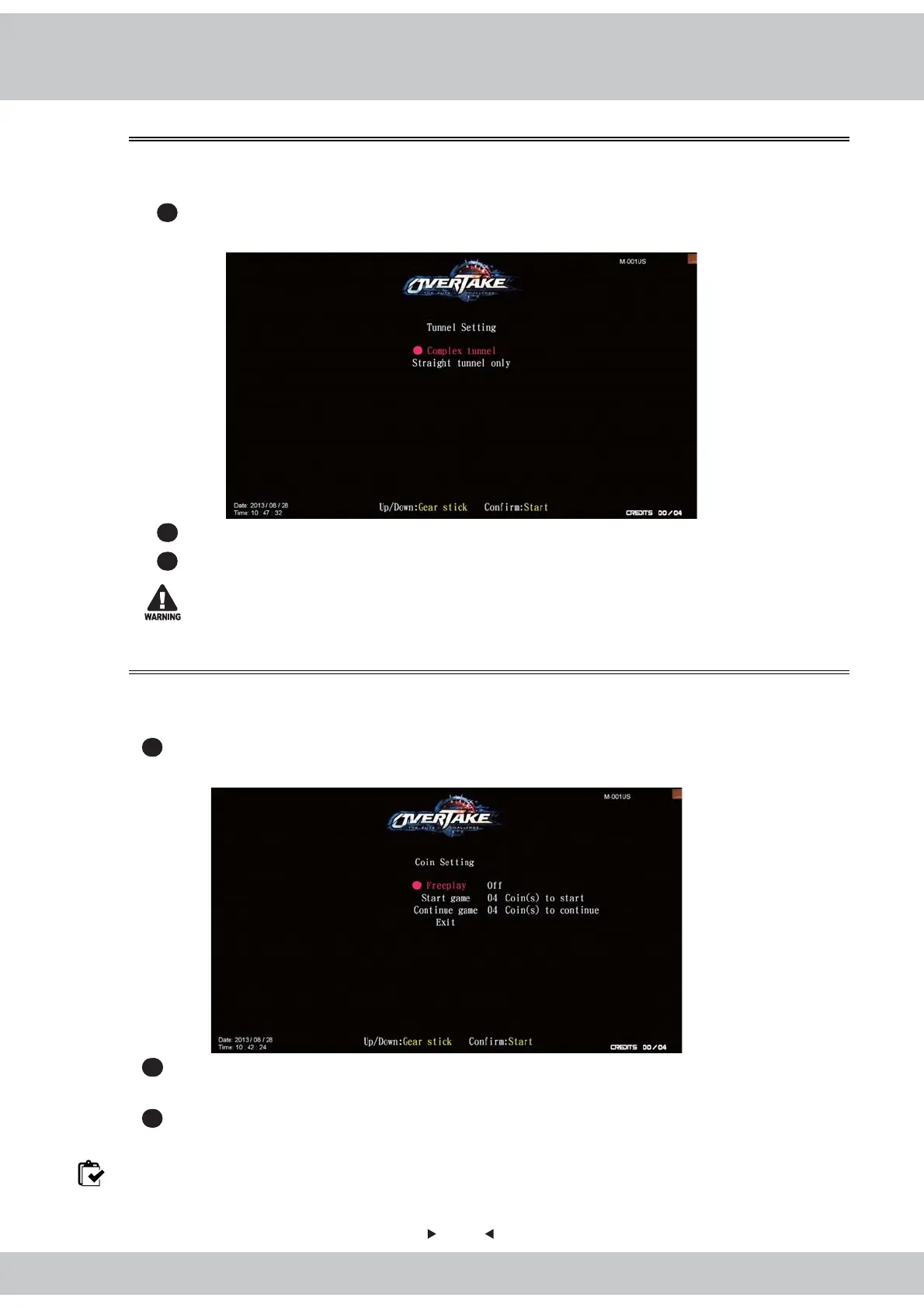
, and the screen will
display as below
:
2
Use the
【
Gear up
】
and
【
Gear down
】
functions on the gear stick to choose the item,
then press the
【
Start
】
button to start the process.
3
When the setting is completed, move the cursor to
【
Exit
】
, and press the
【
Start
】
button
to return to
【
Game settings
】
.
Note: When the
【
Freeplay
】
is set to be
【
On
】
, the start game or continue game cannot be setting.
In this page of【Tunnel setting】, you can set up the tunnel for complex tunnel or straight
tunnel only.
1
Enter【Operator settings】→【Game settings】→【Tunnel setting】¸ and the screen
will display as below:
2
Use the【Gear up】and【Gear down】function on the gear stick to choose the settings.
3
When completed, press the【Start】button to return to【Game settings】, and the tunnel
setting you selected will be show next to the【Tunnel setting】
To avoid errors, make sure the tunnel setting of all cabinets are the same.



 To Next Page