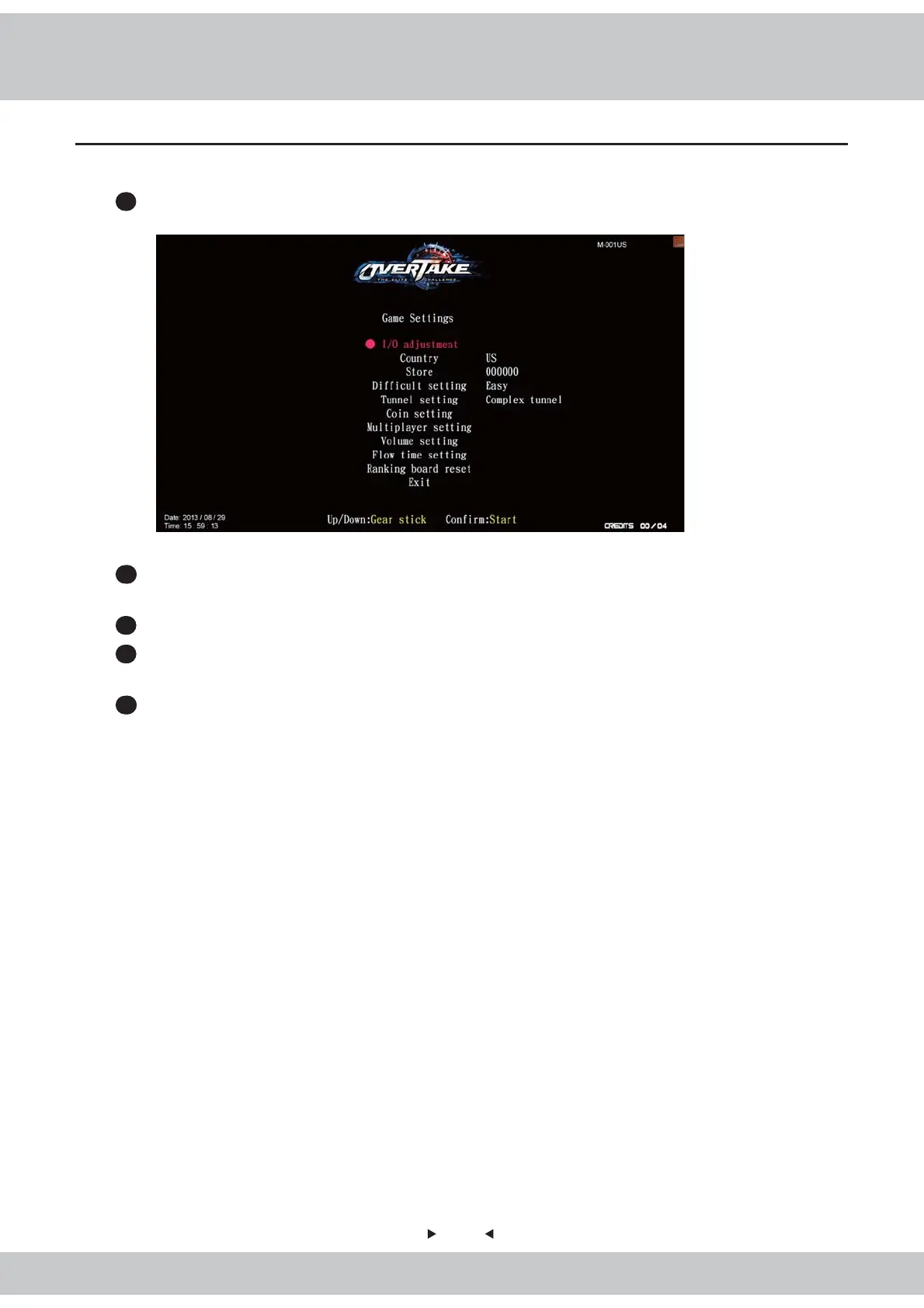
4.4 Game settings
32
In the page of
【
Game settings
】
, you can set up all related features of the game.
1
Enter
【
Operator settings
】
→
【
Game settings
】
, and the screen will display as below
:
2
Use the
【
Gear up
】
and
【
Gear down
】
functions on the gear stick to move the cursor,
and the item which the cursor points to will appear in red.
3
Use the
【
Start
】
button to confirm selected item or enter the sub menu.
4
After testing is completed, move the cursor to
【
Exit
】
, and press the
【
Start
】
button to
return to
【
Operator settings
】
.
5
Regarding the detailed description of the sub menu in
【
Game settings
】
, refer to the
following content.



 To Next Page