4.2.1 Using the operator settings
24
Make sure the cabinet is turned on and the game is displayed on the screen.
1
Open the door of the coin box and press the【TEST】button to enter operator settings.
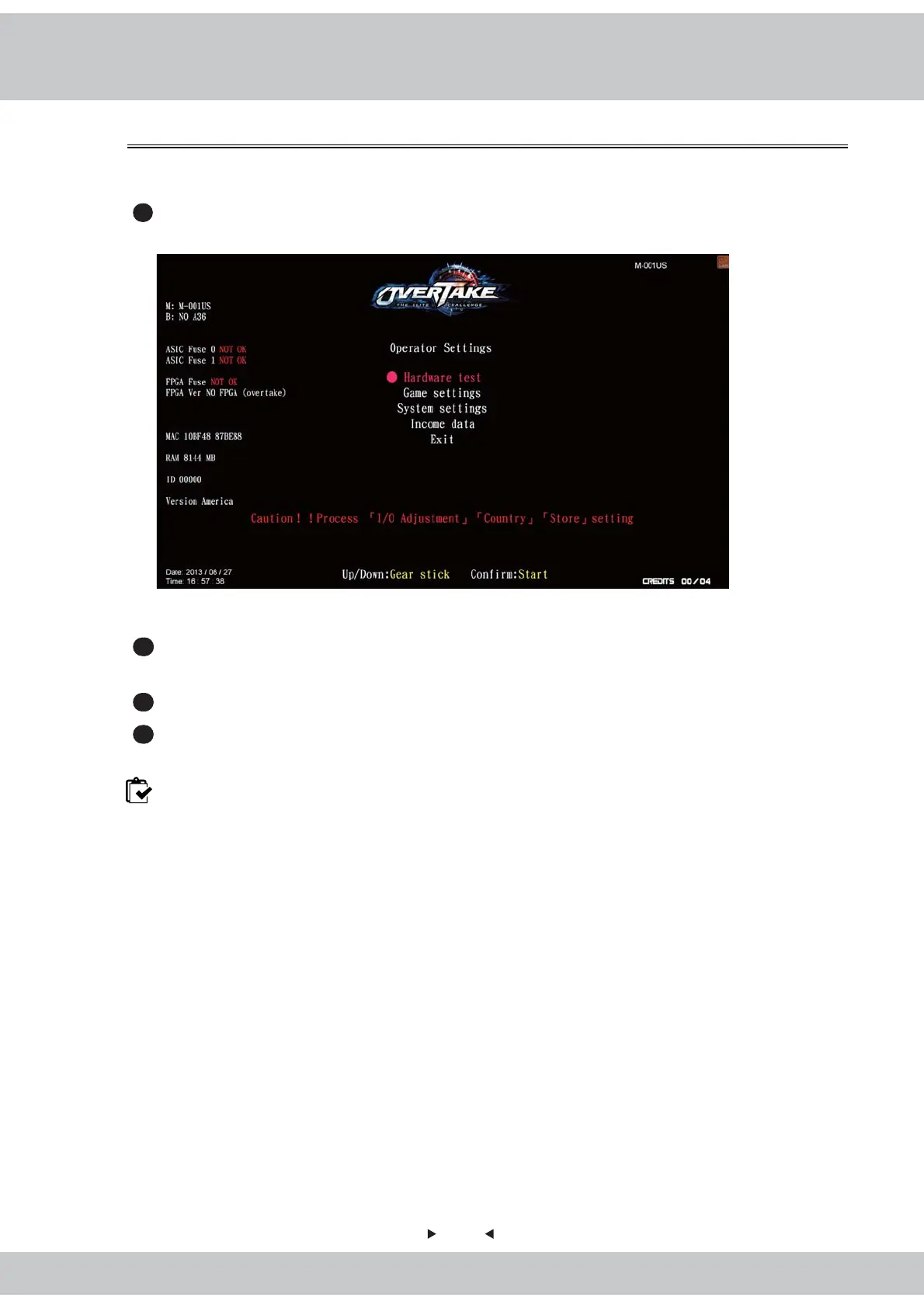
Then the screen will display as below:
Enter the menu and follow the instructions.
2
Use the【gear up】and【gear down】functions on the gear stick to move the cursor, and
the item where the cursor is pointed to will appear in red.
3
Use the【Start】button to confirm or enter the sub menu.
4
After setup or testing is completed, return to【Operator settings】and move the cursor
to【Exit】. Then press the【Start】button to return to the game.
Note: When warning message appear as “Caution!! Process【I/O adjustment】【Country】
【Store】【Connection】setting, before exit operator settings."



 To Next Page