4.5.2 Time setting
4.5.3 System reset
40
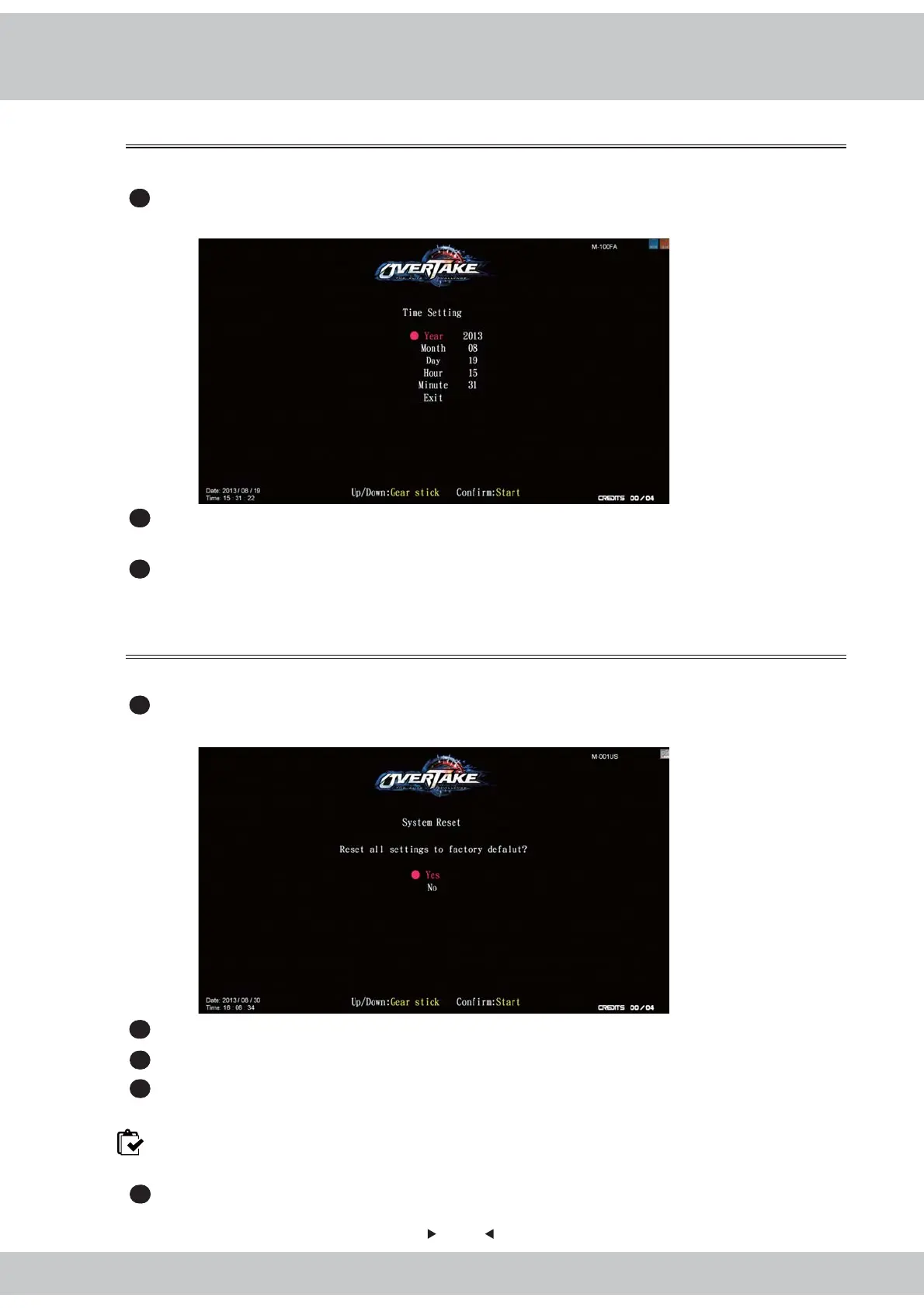
In the page of【Time setting】, you can set up your local time.
1
Enter【Operator settings】→【System settings】→【Time setting】, and the screen
will display as below
:
2
Use the【Gear up】and【Gear down】functions on the gear stick to choose the item to
set up, and press the【Start】button.
3
When the set-up process is completed, move the cursor to【Exit】 and return to【System
setting】.
In the page of【System reset】, you can reset the system data to the default setting.
1
Enter【Operator settings】→【System settings】→【System reset】, and the screen
will display as below
:
2
Use the【Gear up】and【Gear down】functions on the gear stick to choose【Yes】or 【No】.
3
When【Yes】is chosen, press the【Start】button to start the resetting process.
4
After the resetting process, an icon of【completed】will pop up, then press the【Start】
button to return to【system setup】.
Note: When done, remember to set up【I / O adjustment】
,【
Country】,【Store】, and
【Connection setting】before you leave operator setting.
5
When【No】is chosen, then the screen will automatically direct to the page of【system setting】



 To Next Page