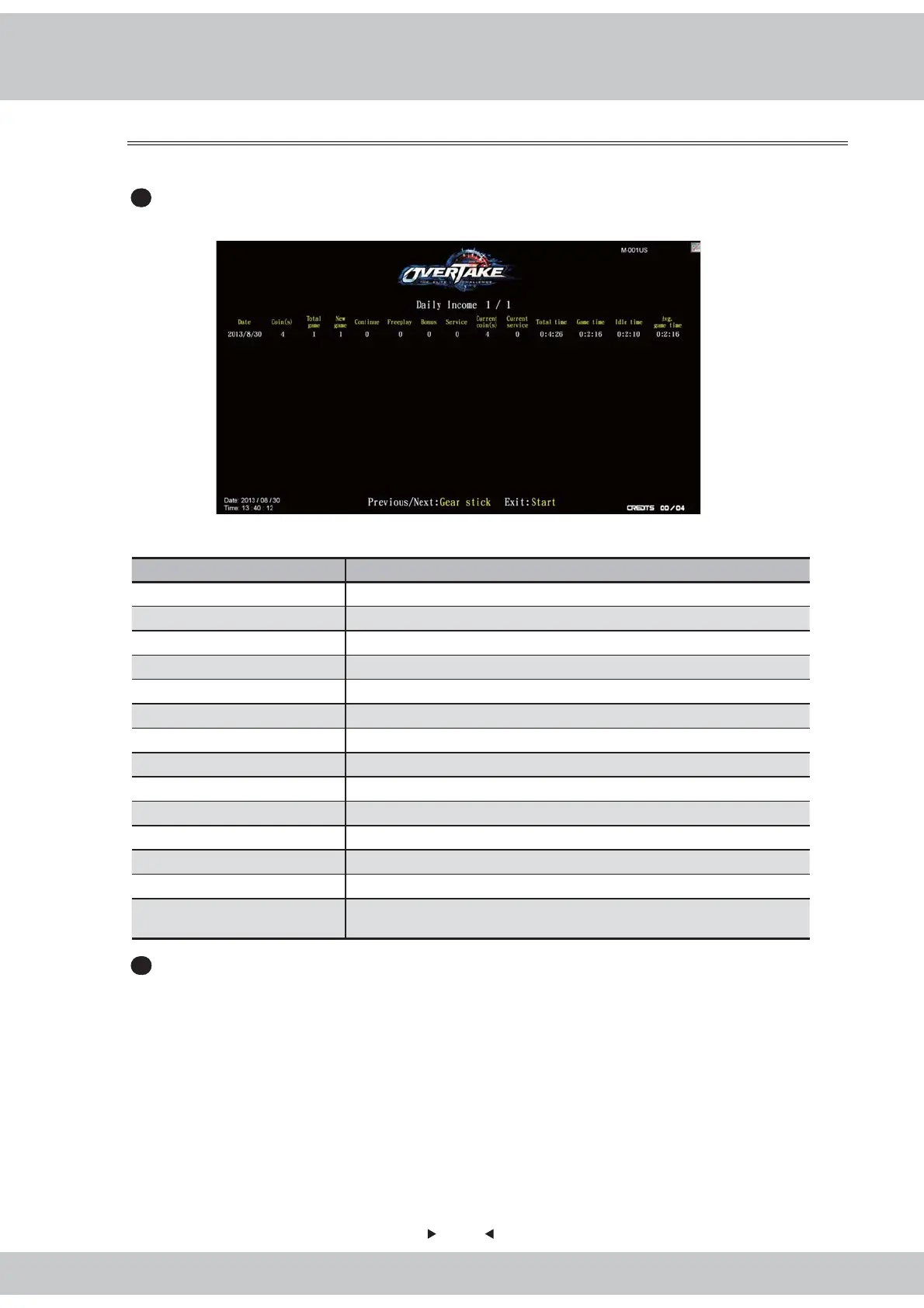
4.6.1 Daily income
43
In the page of【Daily income】, you can check the daily revenue of each cabinet.
1
Enter【Operator settings】→【Income data】→【Daily income】, and the screen will
display as below
:
Descriptions of each item:
Item descriptions
Date Date of data
Coin(s) The total number of coins inserted that day
Total game The total number of games played that day
New game The total number of new games that day
Continued The total number of games continued that day
Freeplay The total number of freeplay that day
Bonus The total times of bonus game that day
Service The total time of service use that day
Current coin(s) The actual number
of coins counted that day
C
urrent service The actual use of service button that day
Total time The entire duration of time when the cabinet is turned on that day
Game time The entire duration of time when games are played that day
Idle time The entire duration of idle time that day
Avg. game time
The average play time of the day
Formula : entire play time ÷ number of all rounds
2
Use the【Gear up】and【Gear down】functions on the gear stick to move the page, and
press the【Start】button to return to【Income data】.



 To Next Page