4.3 Hardware test
25
4.3.1 Connection status
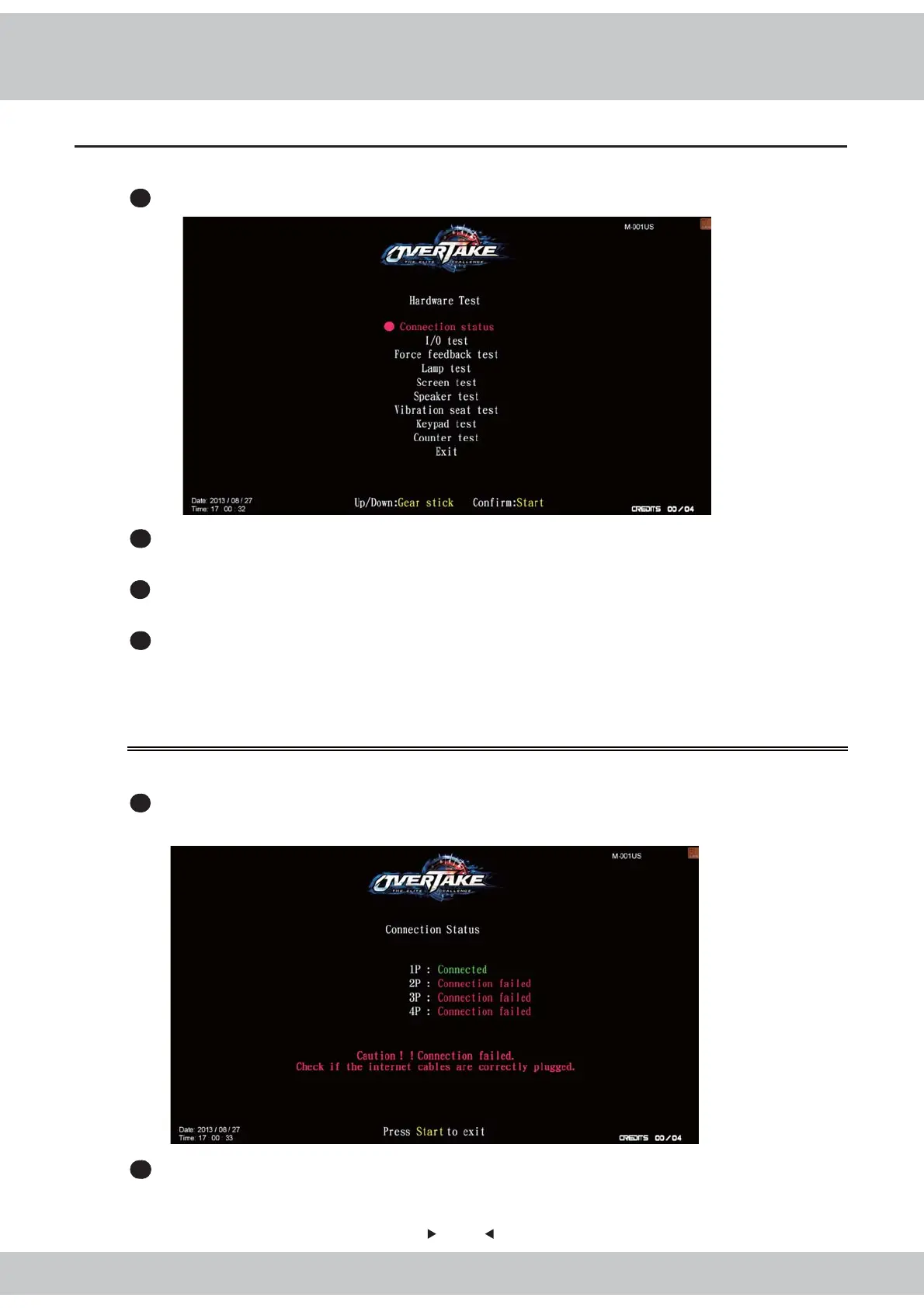
In the page of【Connection status】, you can check the connection status of this cabinet.
1
Enter【Operator settings】→【 Hardware test】→【Connection status】, and the screen will
display as below.
2
Press the【Start】button to leave this page and return to【Hardware test】.
You can enter【Hardware test】to test if all hardware is normally functioning or not.
1
Enter【Operator settings】→【 Hardware test】and the screen will display as below
:
2
Use【gear up】and
【
gear down
】
to move the cursor and then press the【Start】button to
enter the sub menu.
3
After the testing is conducted, move the cursor to【Exit】, then press the【Start】button
to leave this page and return to the【Operator settings】.
4
Regarding detailed descriptions of the sub menu in【Hardware test】, refer to the below
content.



 To Next Page