<< Back to Contents
Copyright © Innovative Technology Ltd 2018 Doc: NV9 Range User Manual
Version: 1.0
Page 28 of 63
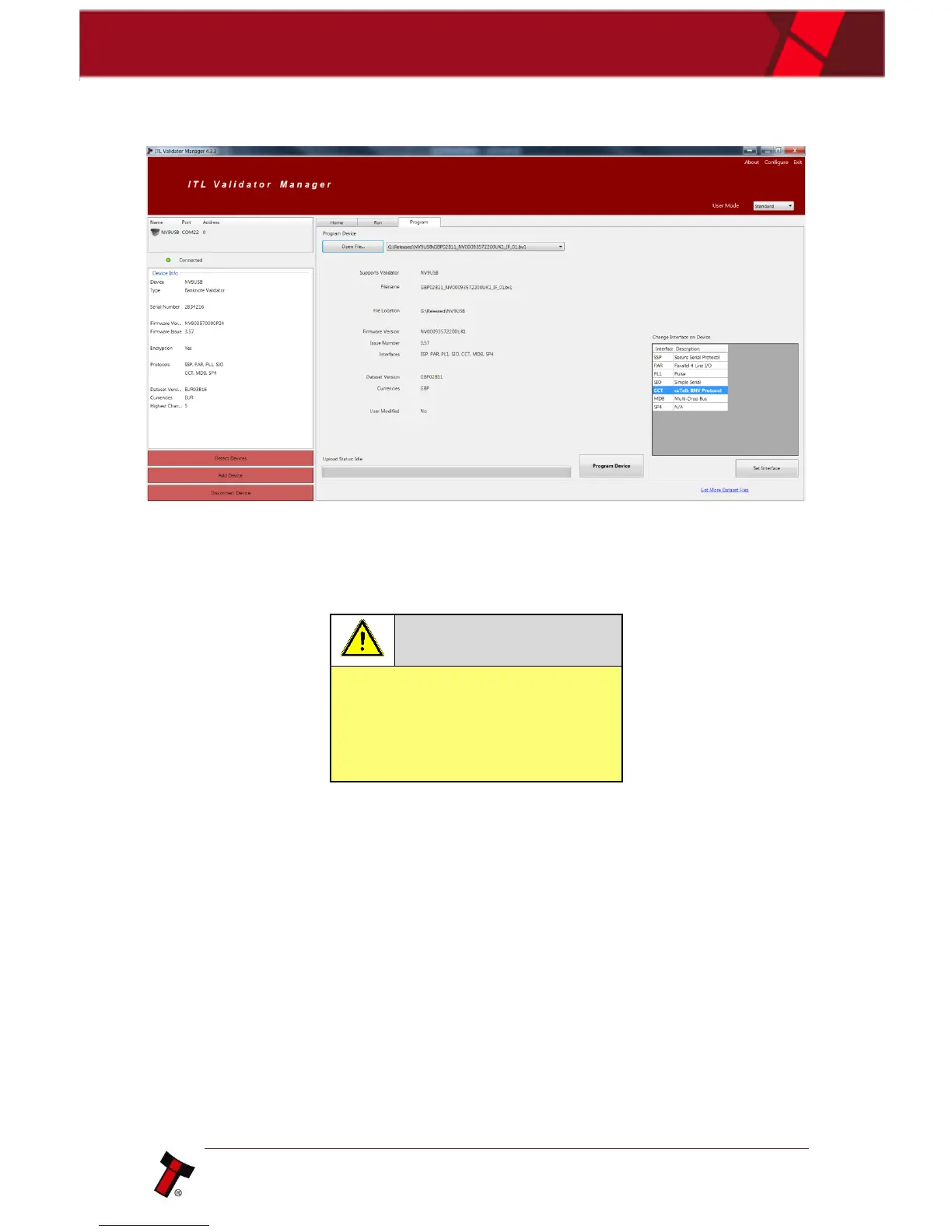
Once the file has been selected its information will be populated and the Program
device tab will become active. Finally hit ‘Program Device’, the unit’s bezel will now
begin to flash signaling the update has begun.
Interrupting the download process
can result in the unit entering a
non-functional state, once the
process has started it cannot be
halted.
When completed the unit will restart and a pop up box will appear saying Device
Programming Complete.
5.4.2 DA3
5.4.2.1 General Description
The DA3 is a hand-held validator programming system that enables the user to re-
program ITL banknote validators in the field, without the use of a PC. Dataset and
firmware files for different validator models can be stored on the DA3. Once
programmed the user can update or override existing software as well as test the
functionality of the validator, away from the host machine.















 To Next Page