<< Back to Contents
Copyright © Innovative Technology Ltd 2018 Doc: NV9 Range User Manual
Version: 1.0
Page 59 of 63
11.6 ccTalk DES Encryption – Trusted Mode
1. Power Off
• Either unplug the interface cable
or switch off the power.
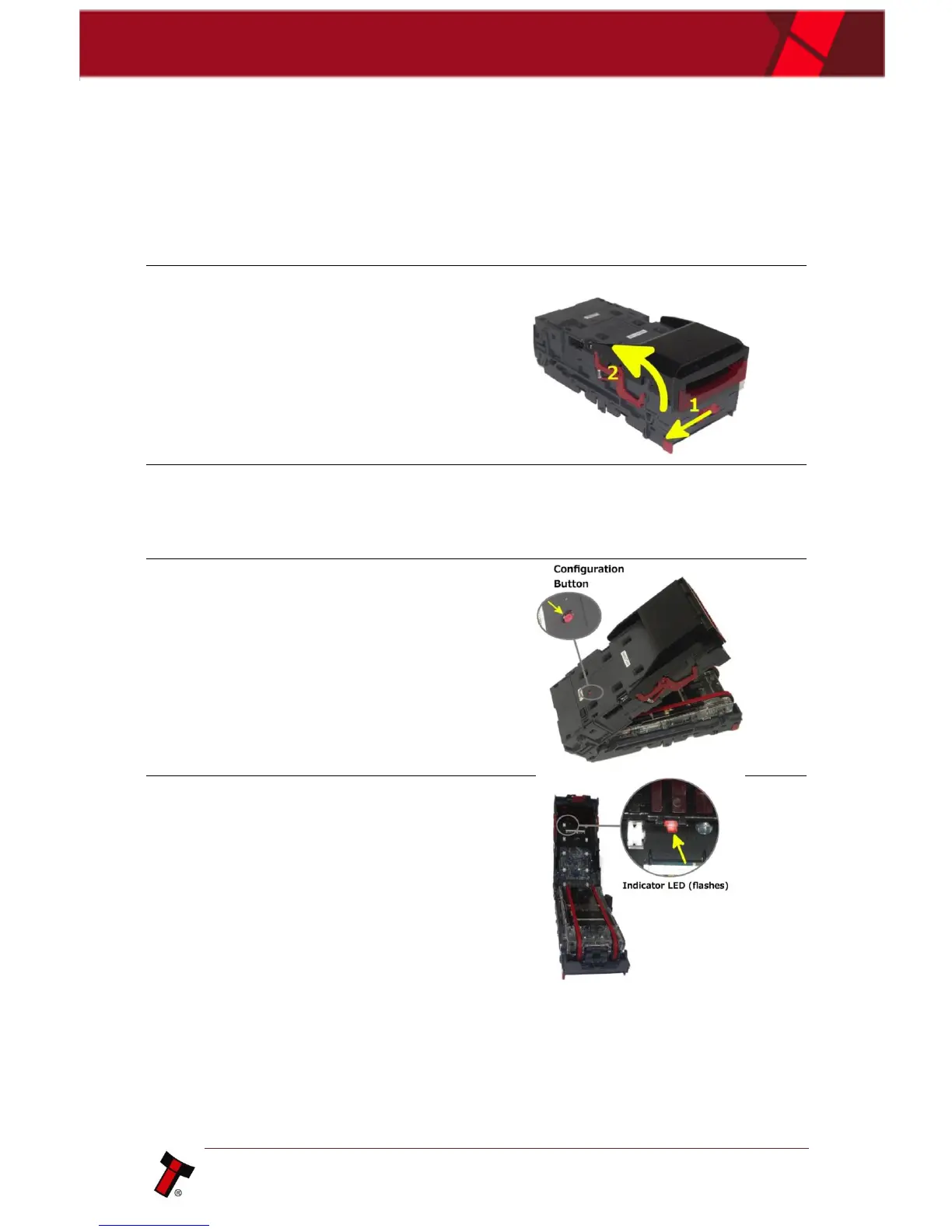
2. Open Note path
• Slide the red catch to the left (1)
• Lift up the top half of the note
path (2)
3. Power On
• With the note path open, apply
power
4. Enter Trusted Mode
• Press and hold the configuration
button until LED on underside of
upper note path starts blinking.
5. Observe LED
• If successful, the LED described
above will be blinking.
• The unit will remain in trusted
mode for 30 seconds or until DES
key has been exchanged.















 To Next Page