EasyManua.ls Logo

Innovative Technology NV9 - Setup Examples

Innovative Technology NV9
64 pages
Print Icon
To Next Page IconTo Next Page
To Previous Page IconTo Previous Page
Loading...
<< Back to Contents
Copyright © Innovative Technology Ltd 2018 Doc: NV9 Range User Manual
Version: 1.0
Page 33 of 63
6
Inhibit 2
Input
Not Used
7
Inhibit 3
Input
Not Used
8
Inhibit 4
Input
Not Used
9
Busy
Output
Not Used
10
Escrow
Input
Not Used
11
USB +
Data
USB Data +
12
USB -
Data
USB Data -
13
USB Vcc
Power
USB Vcc (+5VDC)
14
Factory Use Only
Do not connect
15
+ Vin
Power
+12/24VDC Supply
16
0V
Power
0V Supply (GND)
+12VDC and 0V (GND) must
always be connected, also when
using USB connections.
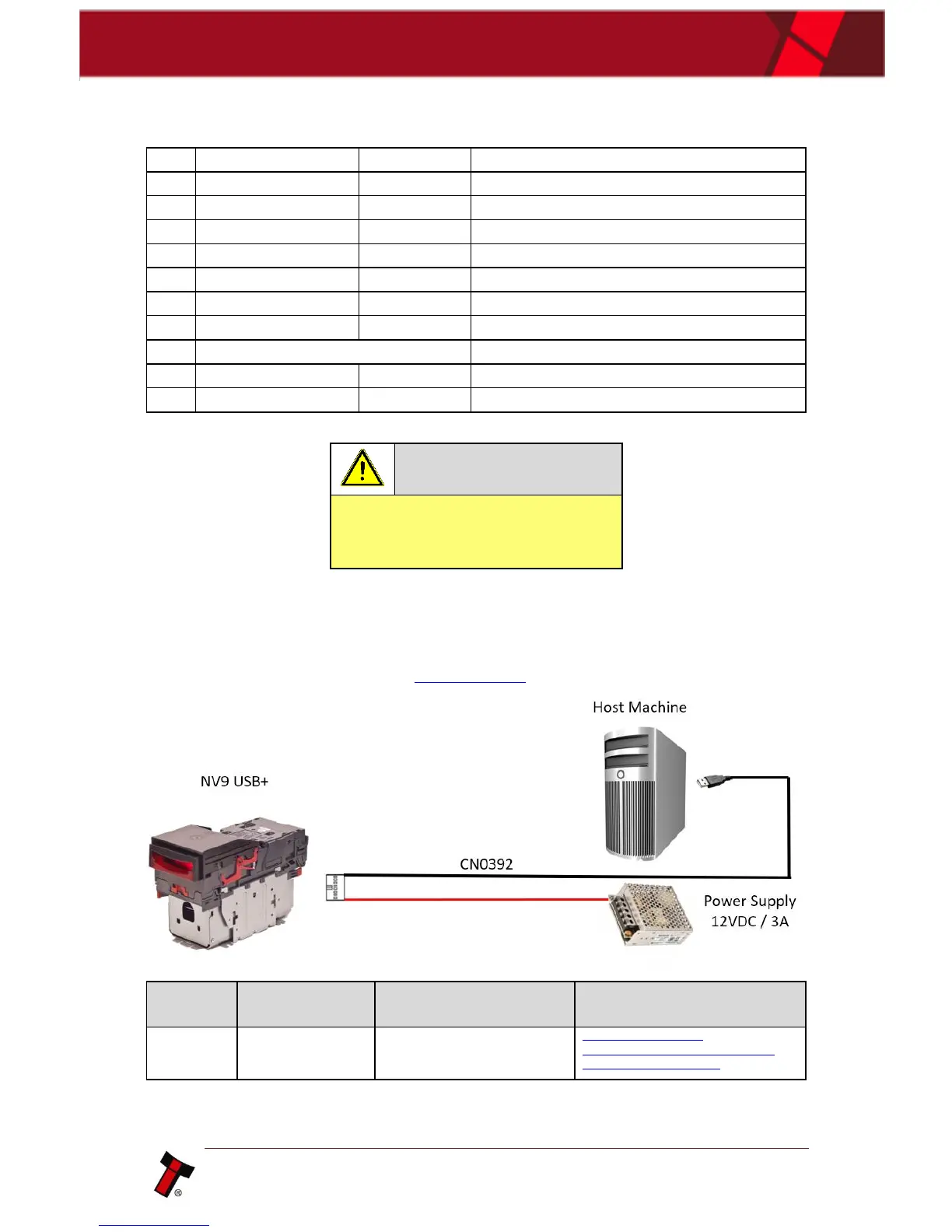
6.2.3 Setup Examples
The drawings below highlights how to connect the NV9 range to an SSP or eSSP
host machine using available cables and interfaces from Innovative Technology Ltd.
For cable drawings please refer to Appendix 11.1.
Type
ITL Part
Number
Description
Details
Cable
CN00392
Validator to USB Cable
http://www.innovative-
technology.com/de/shop/cables/nv9-
nv10-usb-host-cable-detail

Table of Contents

Related product manuals