<< Back to Contents
Copyright © Innovative Technology Ltd 2018 Doc: NV9 Range User Manual
Version: 1.0
Page 29 of 63
5.4.2.2 System Requirements
• Windows XP SP3 or above
• .Net Framework 4
• 256mb ram
• 50mb hard disk free
• Connected DA3 with active com port
• Data Flash Card (PA01121)
optional
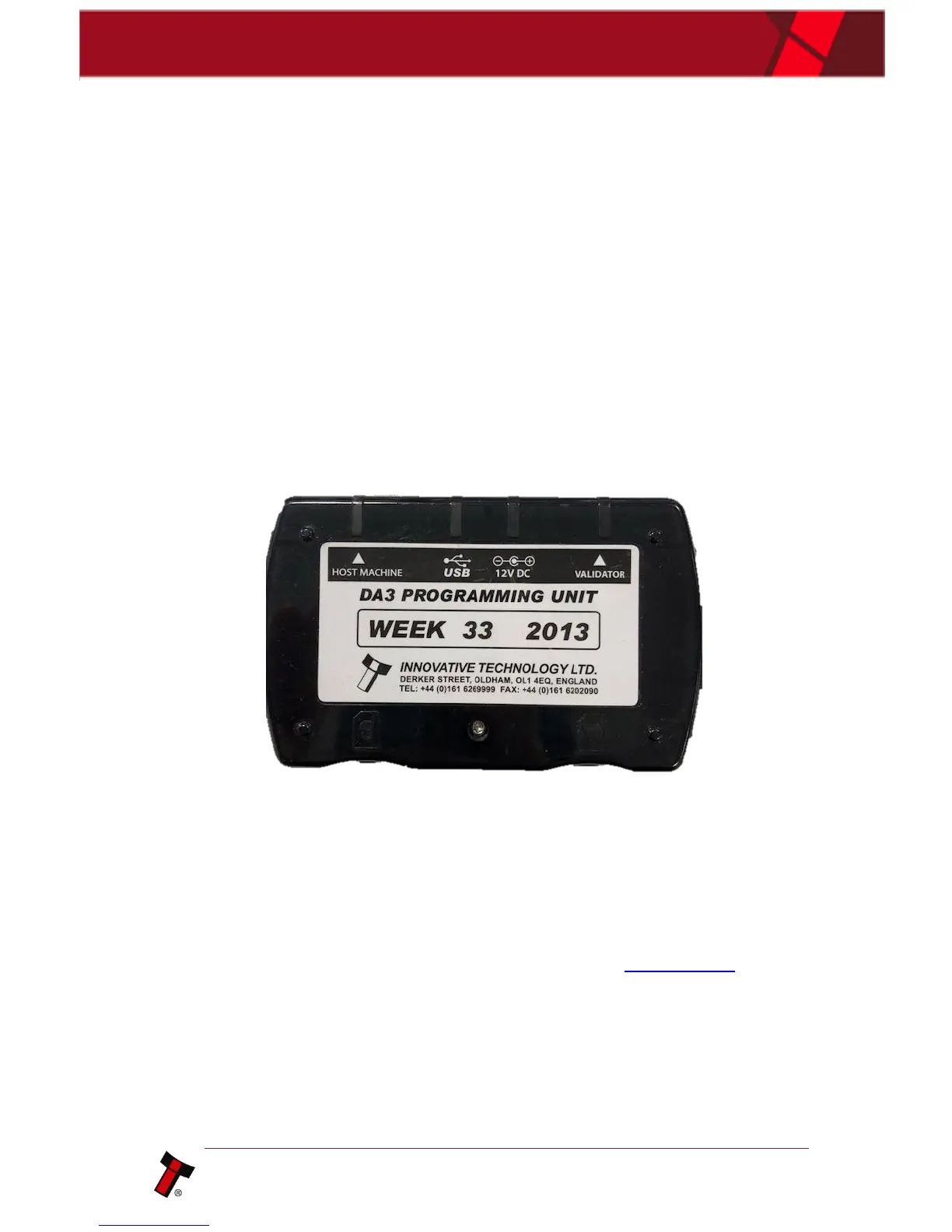
5.4.2.3 Re-programming via DA3
To program using the DA3 programmer, you first need to load the DA3 with the
necessary files. You will need to use one of our software tools, Device Programming
System (DPS) which can be downloaded from our website.
For information on programming the DA3, you can refer to our Software Manual –
GA02037.
Once the files are loaded onto the DA3, the validator can be updated. Simply remove
the host machine cable and plug this into the “Host machine” port on the DA3 as
shown in the image above. You will then need a ribbon cable to connect the DA3 to
the validator itself, via the “validator” port. The DA3 should now be sat in-line
between host and validator, with the DA3 being powered from the host connector.
Now ensure that the unit is in SSP (programming mode - see appendix 11.5) and on
the front side of the DA3, use the mode select button to choose either BNV Match
Download or BNV Override download – based on how you set the DA3 up – and
simply press the large play button in the middle. Once the download has begun, you
will see the blue LED’s start to swirl and will continue to do so until download is
complete.















 To Next Page