EasyManua.ls Logo

Innovative Technology NV9 - 11 APPENDIX; 11.1 Cable Drawings; 11.2 Connector Specifications; 11.3 Lock Specifications

Innovative Technology NV9
64 pages
Print Icon
To Next Page IconTo Next Page
To Previous Page IconTo Previous Page
Loading...
<< Back to Contents
Copyright © Innovative Technology Ltd 2018 Doc: NV9 Range User Manual
Version: 1.0
Page 58 of 63
11 APPENDIX
11.1 Cable Drawings
11.2 Connector Specifications
Type
Vendor
Part Number
Pins
Pitch
Polarising
Housing
Leotronics
2652-2161
2x8
2.54mm
With Key
Crimp
Leotronics
2653-2000
Female
Housing
Molex
90142-0016
2x8
2.54mm
With Key
Crimp
Molex
90119-2121
Female
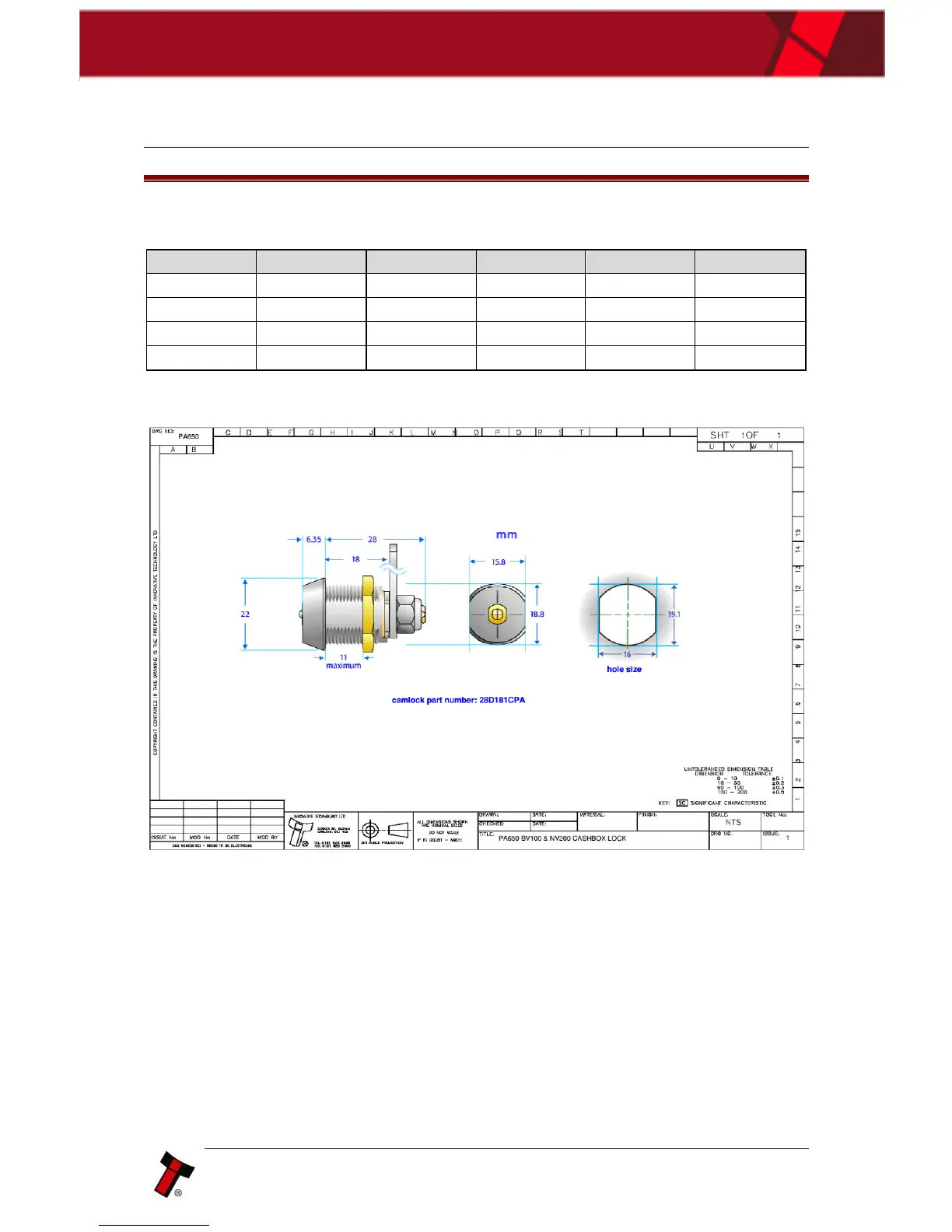
11.3 Lock Specifications
11.4 Ticket Specifications
11.5 Switching to Programming Mode (SSP)
To switch the validator to SSP, you can utilise the red configuration button. This
allows the user to toggle back and forth between its primary interface and SSP. The
process is as follows:
Firstly, check the current interface by double clicking the red button
Unit will flash bezel an x number of times, to indicate what protocol it is.
a. 1 x flash is SSP
If SSP is needed, Press and hold red button until bezel light illuminates
As soon as the bezel illuminates, release button.
Unit will flicker, reset and start up again in SSP

Table of Contents

Related product manuals