<< Back to Contents
Copyright © Innovative Technology Ltd 2018 Doc: NV9 Range User Manual
Version: 1.0
Page 53 of 63
3. Clear Jammed Note
If note can be seen in upper note
path, remove note and proceed
to next step.
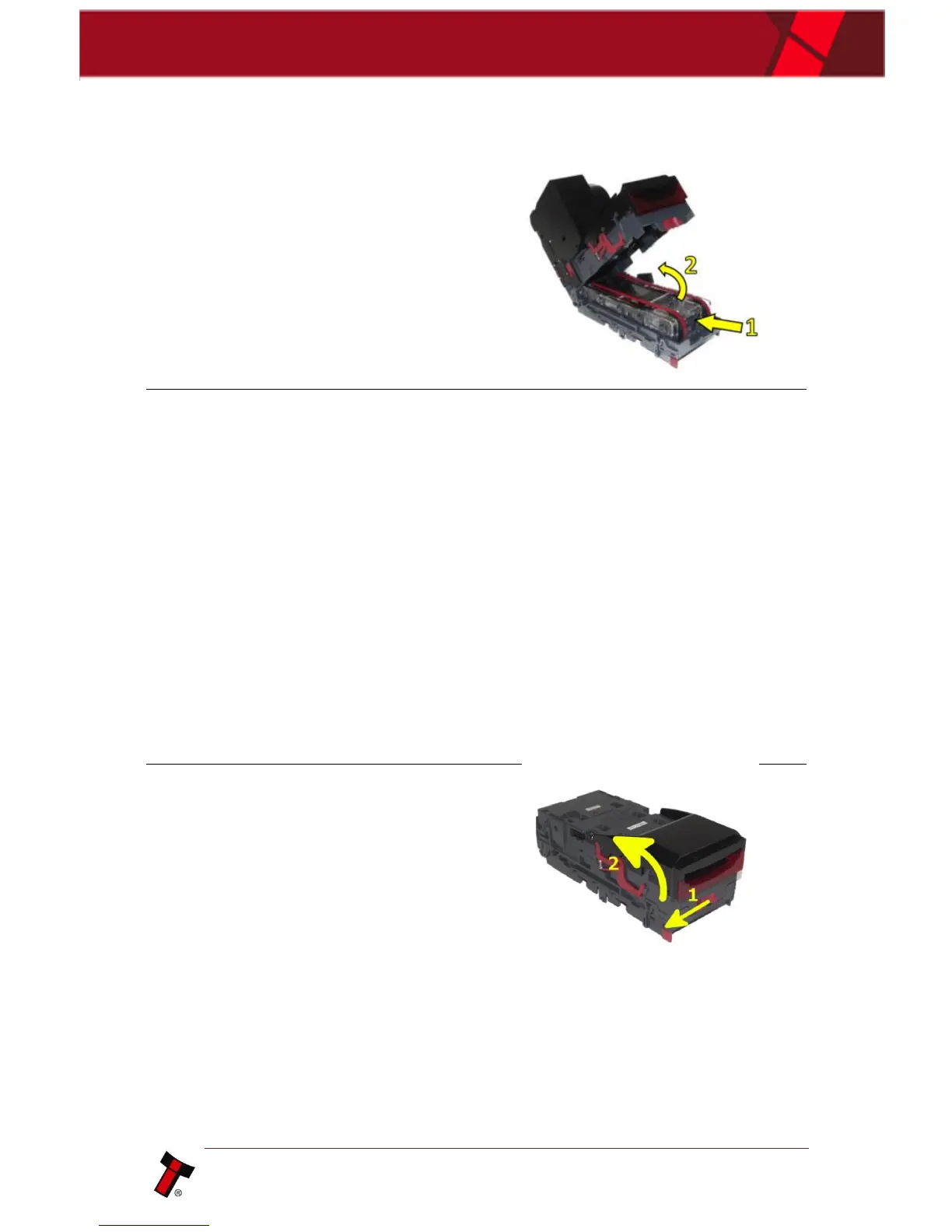
If note is in lower note path, lift
the lozenge.
Push grey release tab (1)
Lift up lozenge unit (2)
4. Re-apply Power
Close unit back up and re-apply
power to unit.
It will reset and should no longer
be flashing a jam error message.
9.4 Cleaning the Product(s)
9.4.1 NV9USB+/NV11+
1. Power Off
Either unplug the interface cable
or switch of power to
device/machine.
2. Open the Note Path
Slide the red catch to the left (1)
Lift up the top half of the unit (2)















 To Next Page