<< Back to Contents
Copyright © Innovative Technology Ltd 2018 Doc: NV9 Range User Manual
Version: 1.0
Page 63 of 63
11.11 Programming via Configuration Card
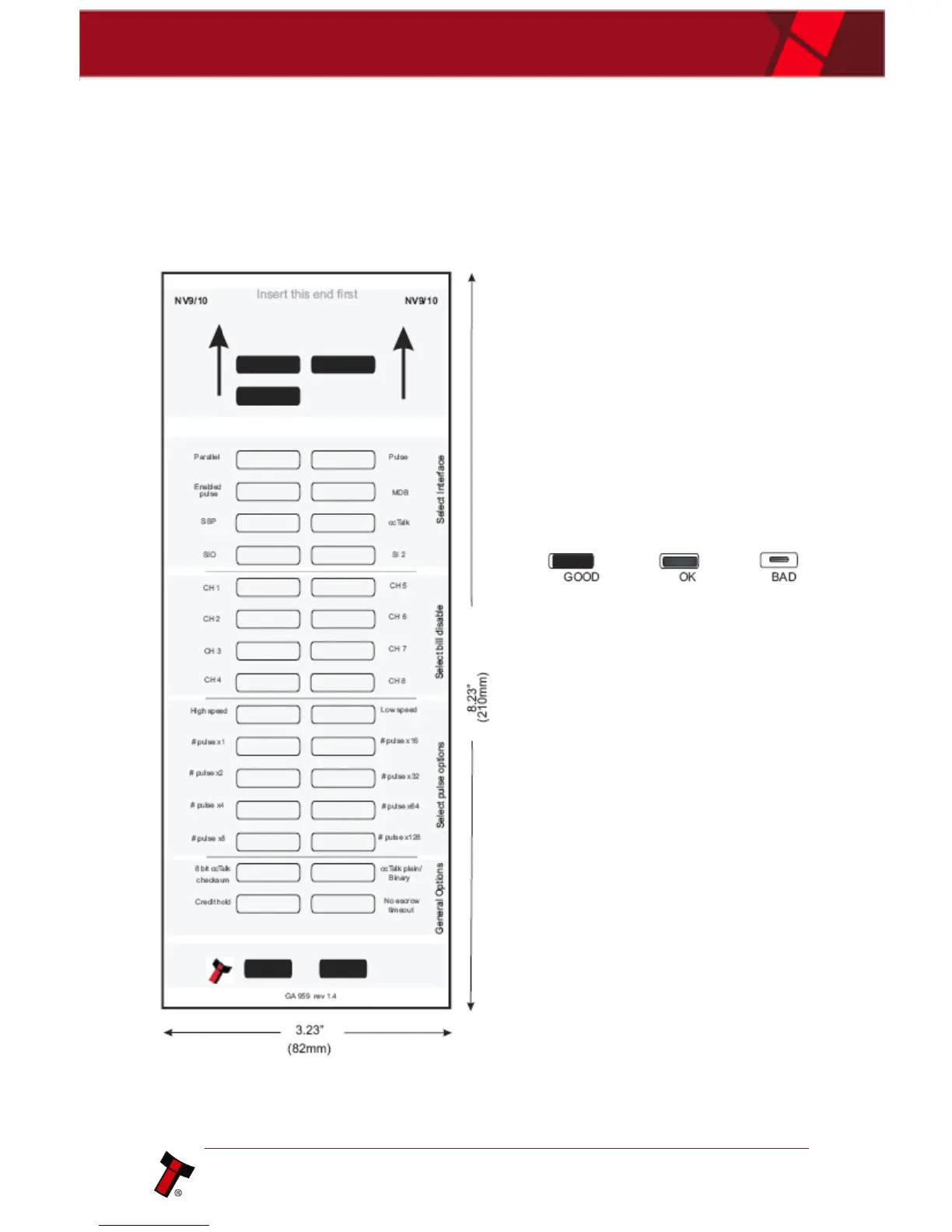
Please consult ITL technical document GA959 for further information on
configuration card programming – the GA959 document includes a printable
template for the configuration card and this can be downloaded from the Support
section of the ITL website.
Configuration Card - instructions
for use:
1. Cut card around the outline -
check the measurements are as
printed. Make sure that ‘Page
scaling’ is set to ‘None’ in your
print options to ensure the correct
size.
2. Fill in sections as required. Take
care to fill in the sections
correctly, keep inside the lines
and fill boxes fully as shown here:
3. Power-up the validator and wait
until it resets.
4. Press the configuration button
once to enter programming mode
(the bezel LEDs should flash at 1
second intervals).
5. Insert the card into the validator
face up and in the direction
indicated by the arrows.
6. The configuration card will be
ejected and if the configuration
was good the bezel LEDs will flash
at a fast rate while programming
takes place. After completion of
programming the validator will
reset.















 To Previous Page