Chapter 3 — Developing and Using RFID Applications
78 IF61 Fixed Reader User’s Manual
The startup file can be located on the IF61 or hosted on a remote
server. When you set the file URL, a copy of the file is cached on
the IF61 and executed if the server is unavailable at boot time.
To configure a JavaScript file to auto-run at boot time
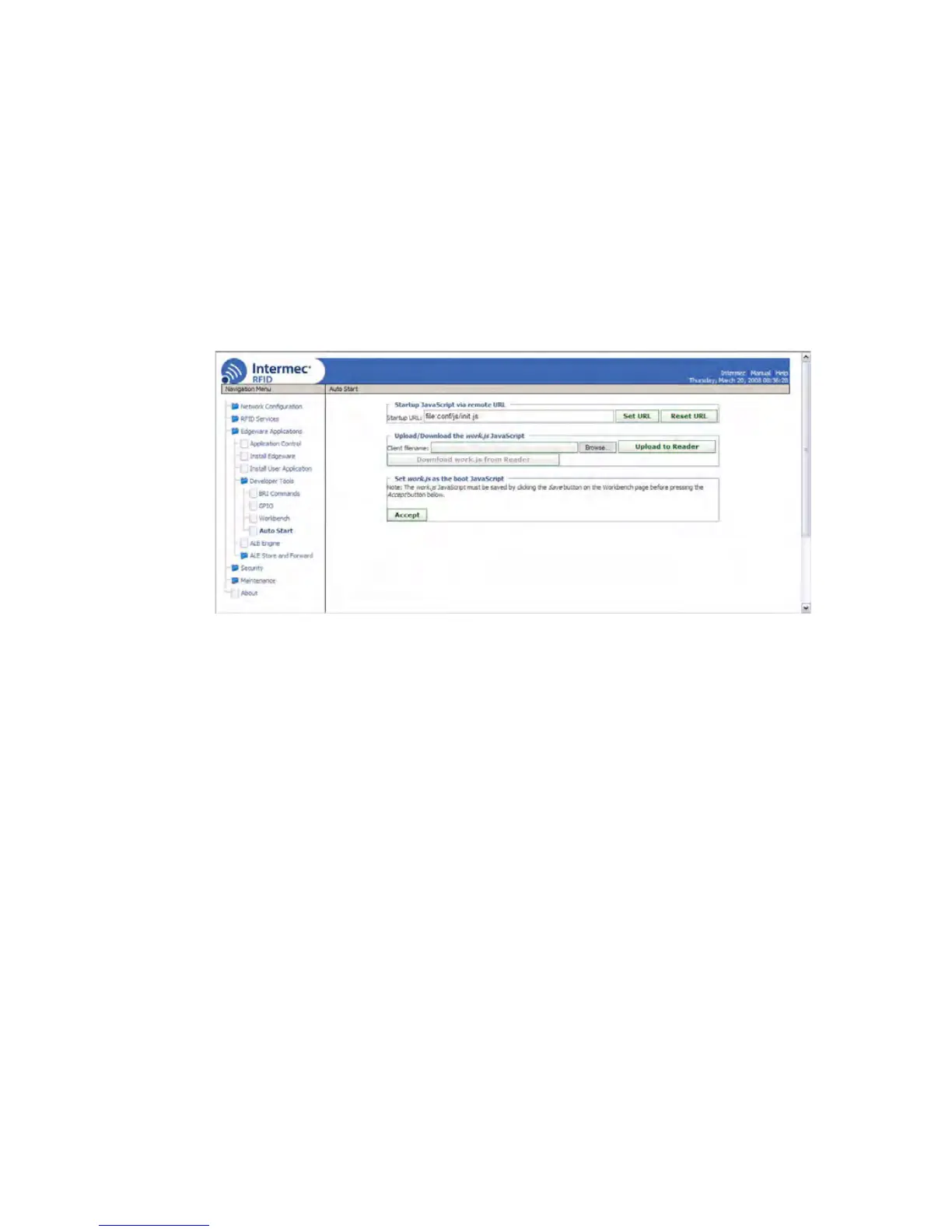
1 From the menu, click Edgeware Applications > Developer
To o l s > Auto Start. The Auto Start screen appears with the
default startup path (file:conf/js/init.js) in the Startup URL
field.
2 To specify a different startup file, enter the path to and name
of the file in the Startup URL field.
• For a startup file that will reside on the IF61, use this
format:
file:mydirectory/myfilename.js
where:
• For a startup file on a remote server, enter the URL as you
would in a web browser Address field, as in this example:
http://www.mycompany.com/IF61startup/myfilename.js
mydirectory is the name of the directory on the IF61
where the file will be located.
myfilename.js is the name of the file.


 To Next Page