PAMSPAN501x G.SHDSL.bis EFM Gateway
-103
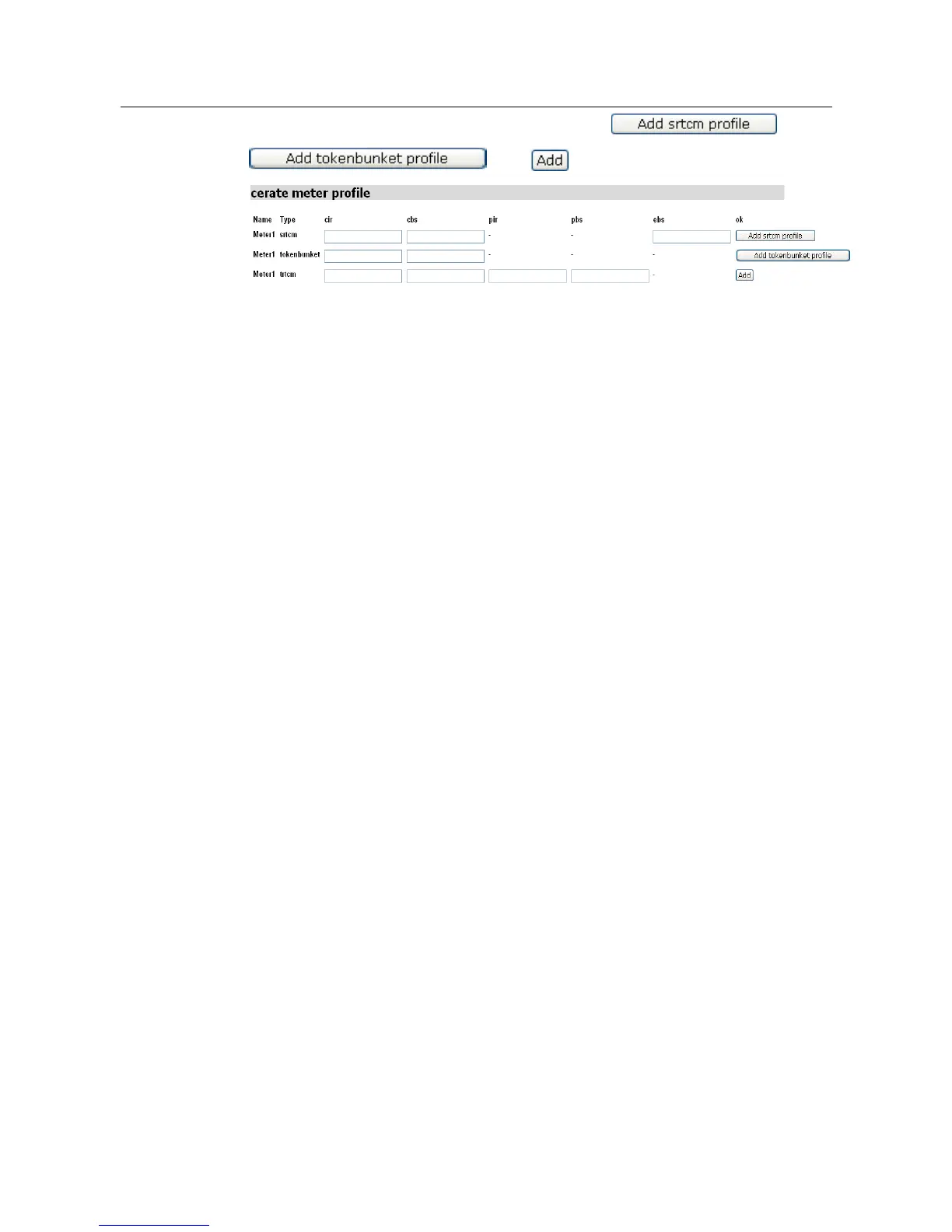
Enter the desired data into the fields and then click ,
, and to add and save the changes.
Below are some CLI related to Meter.
#> meter add profile <name> srtcm <cir> <cbs> <ebs>
This
command
creates
a
meter
profile
that
uses
strum
algorithm
for
metering.
•
If
a
packet
stream’s
average
rate
is
within
CIR
and
the
burst
size
is
within
CBS,
then
that
packet
is
in-profile. (Green)
•
If
a
packet
stream’s
average
rate
is
within
CIR
and
the
burst
size
is
not
within
CBS
but
is
within
CBS+EBS,
then
that
packet
is
partially
in
profile. (Yellow)
•
All
other
packets
are
out
of
profile. (Red)
#> meter add profile <name> tokenbucket <cir> <cbs>
This
command
creates
a
meter
profile
that
uses
the
token-bucket
algorithm
for
metering.
•
If
a
packet
stream’s
average
rate
is
within
CIR
and
the
burst
size
is
within
CBS,
then
the
packet
is
in
profile
(Green).
•
All
other
packets
are
out
of
profile
(Red).
#>
meter add profile <name> trtcm <cir> <cbs> <pir> <pbs>
This
command
creates
a
meter
profile
that
uses
the
trtcm
algorithm
for
metering.
•
If
a
packet
stream’s
average
rate
is
within
CIR
and
the
burst
size
is
within
CBS,
then
the
packet
is
in
profile
(Green).
•
If
a
packet
stream’s
average
rate
is
within
PIR
and
the
burst
size
is
within
PBS,
then
the
packet
is
partially
in
profile
(Yellow).
•
All
other
packets
are
out
of
profile
(Red).
#>
meter clear profiles
This
command
allows
you
to
delete
all
meter
profiles
that
were
previously
created using
the
meter
add
profile
commands.
Note:
This
command
does
not
delete
the
profiles
that
are
associated
with
meter
instances
created
using
the
transports
set
meter
instance
profile
command.
#>
meter delete profile <name>
This
command
allows
you
to
delete
a single
meter
profile
that
was
previously
created
using
the
meter
add
profile
commands.
Note:
This
command
does
not
delete
the
profiles
that
are
associated
with
meter
instances
created
using
the
transports
set
meter
instance
profile
command.



 To Next Page