PAMSPAN501x G.SHDSL.bis EFM Gateway
-104
#>
meter list profiles
This
command
lists
all
of
the
meter
profiles
that
were
created
using
the
meter
add
profile
commands.
It
displays
the
following
information
about
meter
profiles:
•
Name
•
Type
of
algorithm
used
•
CIR
value
(in
kbps)
•
CBS
value
(in
bytes)
•
EBS
value
(for
algorithm
type
srtcm
only)
•
PIR
value
(for
algorithm
type
trtcm
only)
•
PBS
value
(for
algorithm
type
trtcm
only)
•
Green
action
•
Yellow
action
(for
algorithm
types
trtcm
and
srtcm
only)
•
Red
action
#>
meter set profile <name> {green|red|yellow} action drop
This
command
configures
an
existing
profile
to
drop
packets
depending
on
their
metering
result.
Note
that
if
this
command
is
not
applied,
by
default
the
green
and
yellow
packets
are
passed
and
red
packets
are
dropped.
3.2.4.6.4 Attach a profile to a transport
It is recommended that before attaching a profile to a transport, you should set
“Bridge Config\Global Config\Traffic Class Mapping” to Enabled or Priority Based
by Web control (or from a CLI command)
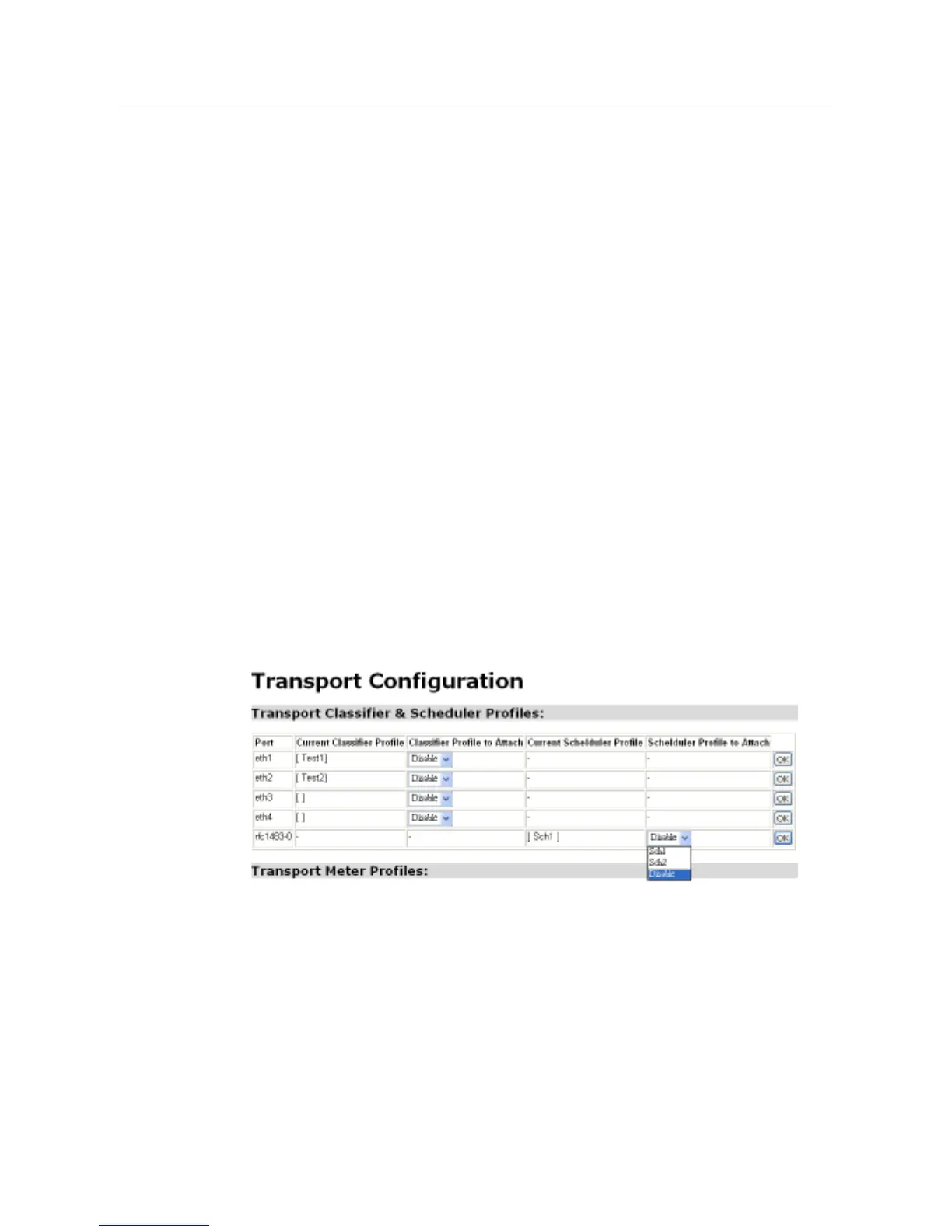
As the image shown above, to attach an existing classifier profile to an existing
transport, click the drop-down list corresponded to the transport and choose which
classifier desired for attaching and then click “OK” to save the configuration. To
attach an existing scheduler profile to an existing transport, again use the
drop-down list corresponded to the transport and chooses which scheduler to add.



 To Next Page