PAMSPAN501x G.SHDSL.bis EFM Gateway
-41
3.2.3.3 DHCP Server
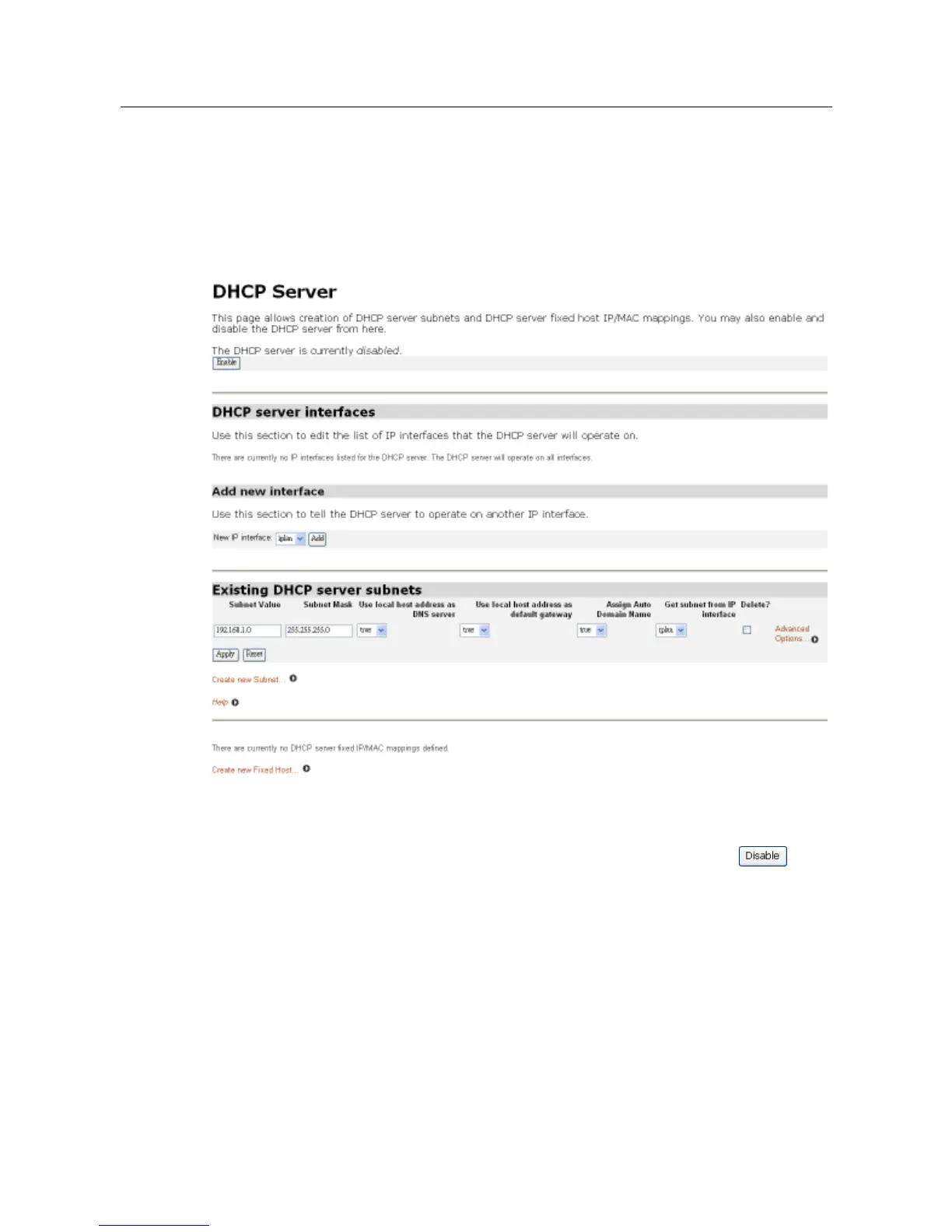
This option allows you to enable/disable the DHCP server and create, configure and
delete DHCP server subnets and DHCP fixed IP /MAC mappings. Click on DHCP server
from the Configuration menu. The following page will be displayed:
Enabling/disabling the DHCP server
The DHCP server is enabled by default. To disable the DHCP server, click
Note: User may not enable both the DHCP relay and DHCP server at the same time
because some interface is configured for DHCP server as well as for DHCP relay. If
DHCP relay is currently enabled, User will not be able to set the DHCP server to enable.
The DHCP server can’t be enabled unless the DHCP relay is disabled.



 To Next Page