PAMSPAN501x G.SHDSL.bis EFM Gateway
-94
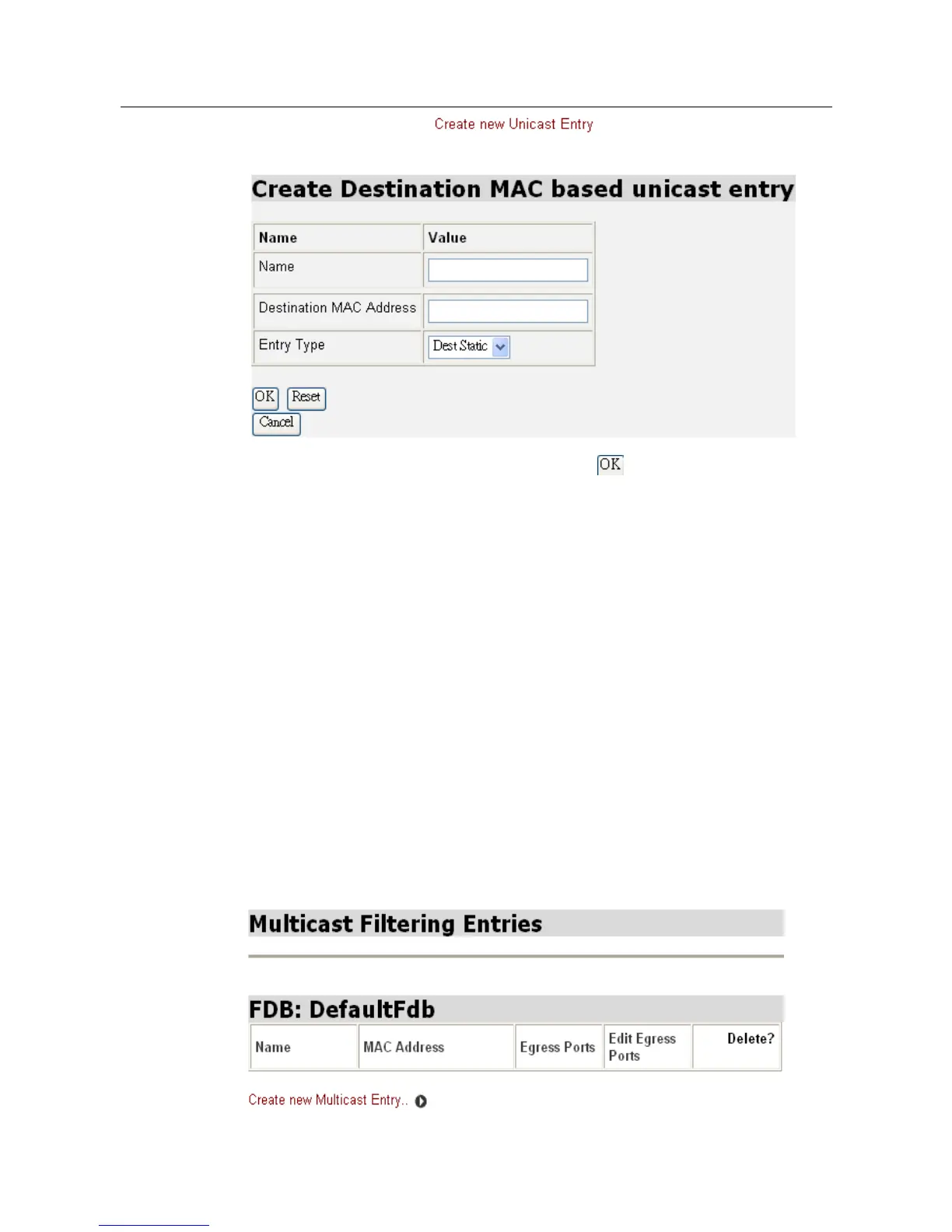
To add a new entry, click and the following window will be
displayed.
Enter the appropriate data into the field and click to create a new entry.
Naming the entry to correspond with the Destination MAC Address will be helpful
for the convenience of future search. User will only be able to choose “Dest Static”
from the drop-down list because the entry is being created manually. On the
contrary, Entry Type will be “Dynamic” if it is being detected from the input port.
3.2.4.4.5 Multicast Filtering Entry Configuration
In contrast with Unicast, Multicast acts like broadcast. It transmits the data to all
end-stations on a LAN or VLAN. Multicast filtering is the system by which
end-stations only receive multicast traffic if they register to join specific multicast
groups. With multicast filtering, network devices only forward multicast traffic to the
ports that are connected to registered end-stations. To configure Static Multicast
Entries, click Multicast Filtering Entry Configuration under Bridge Config. Then
Multicast Filtering Entries window will be displayed as below:



 To Next Page