PAMSPAN501x G.SHDSL.bis EFM Gateway
-42
Creating a DHCP server subnet
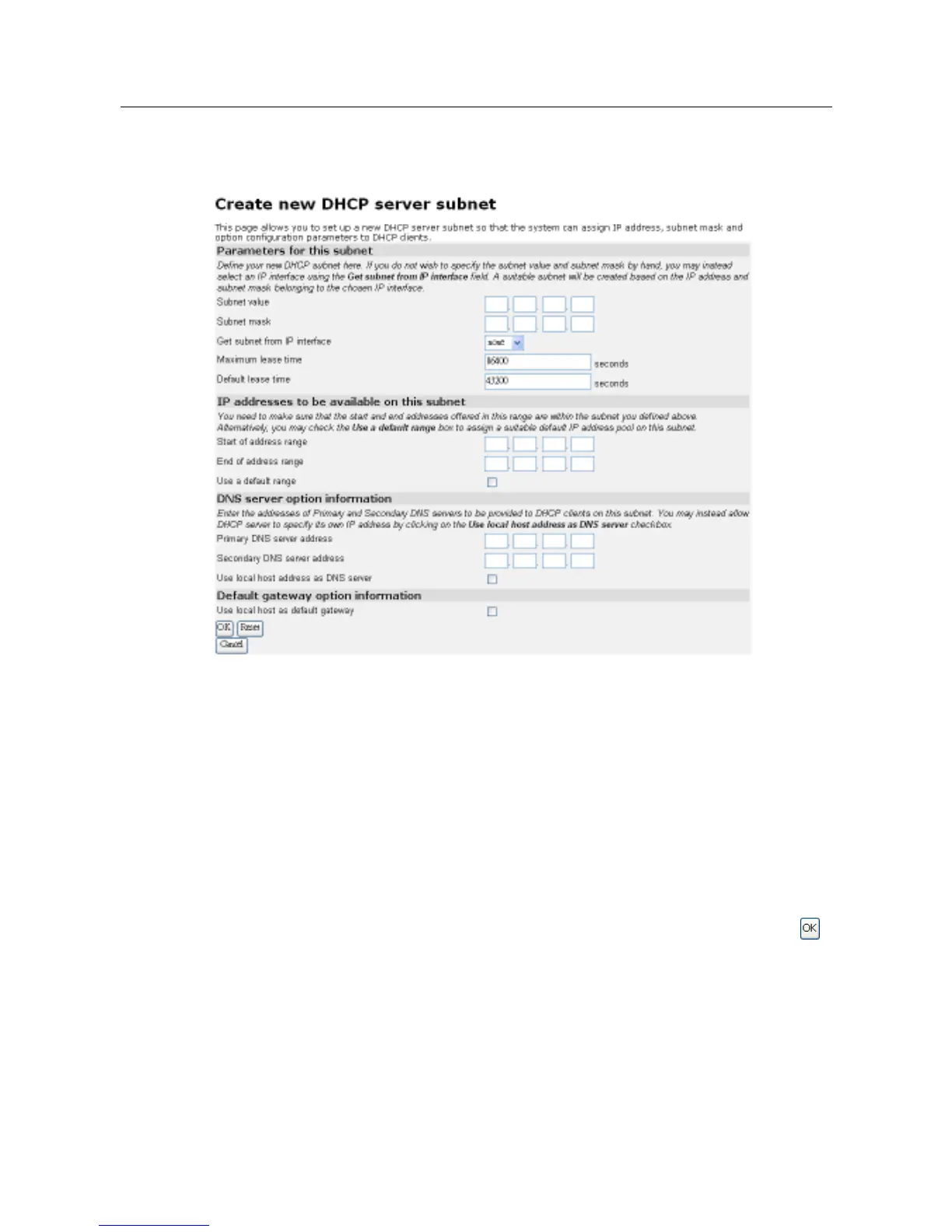
1. Click on the Create new Subnet link. The following page will be displayed:
2. This page allows you to:
a.
Set the value and subnet mask of the subnet (either manually or by selecting an IP
interface whose value and mask is used instead), and set the maximum and default
lease times.
b.
Set the DHCP address range (or use a default range of 20 addresses).
c.
Set the Primary and Secondary DNS Server addresses or set your System to give out
its own IP address as the DNS Server address.
d.
Set your PAMSPAN501X to give out its own IP address as the default Gateway
address.
3. Once you have entered the new configuration details for your DHCP server, click .
The DHCP Server page will be displayed containing details of your new subnet.
Editing a DHCP subnet
1. Click on the Advanced Options link for a specific subnet. The Edit DHCP server
subnet page will be displayed. This page allows you to edit the values that were set
when the subnet was created.



 To Next Page