PAMSPAN501x G.SHDSL.bis EFM Gateway
-19
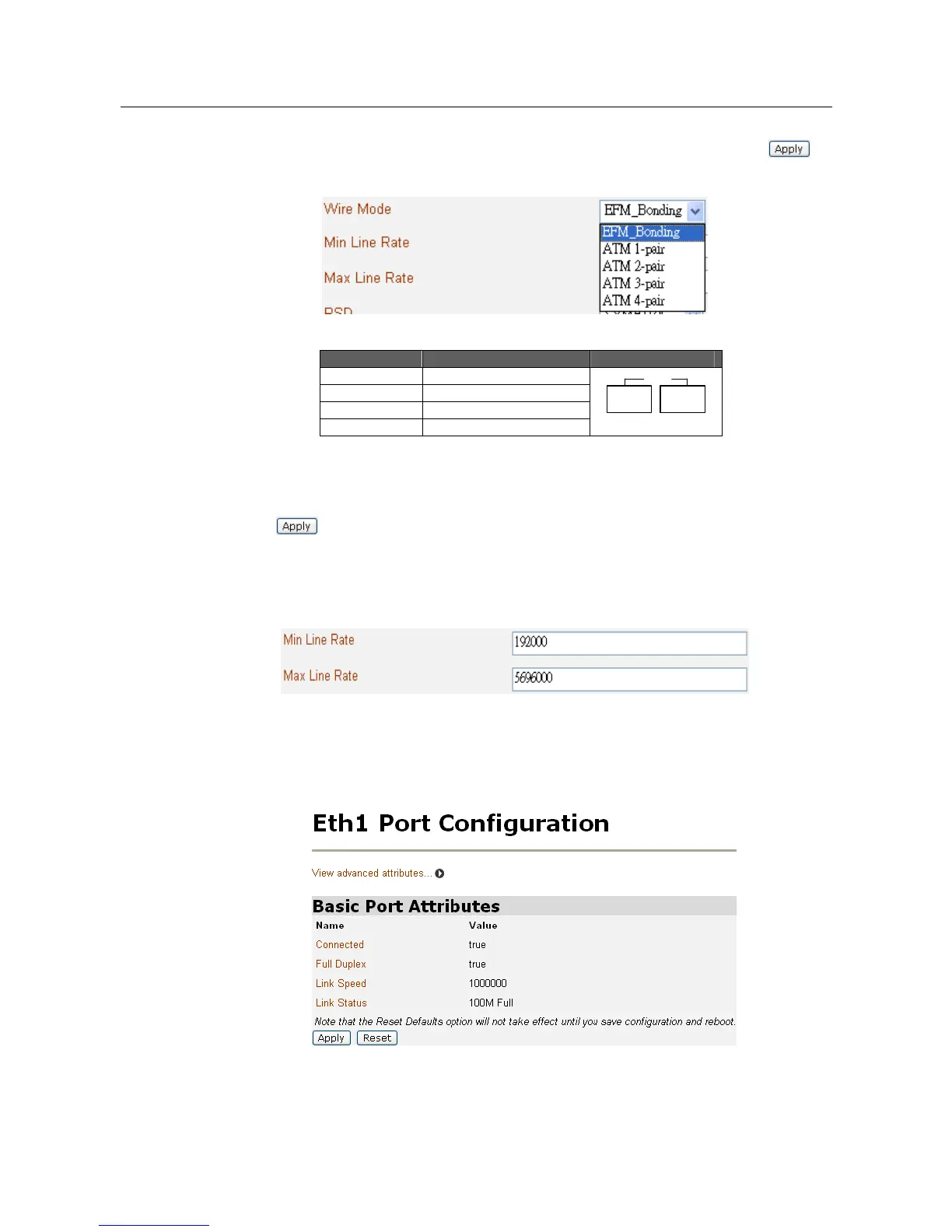
5. To set the PAMSPAN501X to Wire pair mode, click the Wire Mode
drop-down list to select the desired Wire Pair number. After that, click to
save the settings.
Wire Mode DSL Pair to Use Illustration
1-PAIR 1
2-PAIR 1,2
3-PAIR 1,2,3
4-PAIR 1,2,3,4
DSL
1 2 3 4
6. To set the maximum and minimum line rate, enter the Max and Min Line Rate
values (where the values range from 192000bps to 5696000bps) and then click
to save the settings. Once the handshaking process between the STU-R
and STU-C devices is complete, the actual transmission rate will be displayed
in the Current Tx Rate attribute.
7. To configure a specific Ethernet port, click the appropriate port number
(eth1~eth4) in the Physical Port Table and then the Ethernet Port Configuration
page will be displayed:
The page displays the basic port attributes for the Ethernet port on your
PAMSPAN501X.



 To Next Page