PAMSPAN501x G.SHDSL.bis EFM Gateway
-47
Enabling/disabling DHCP relay
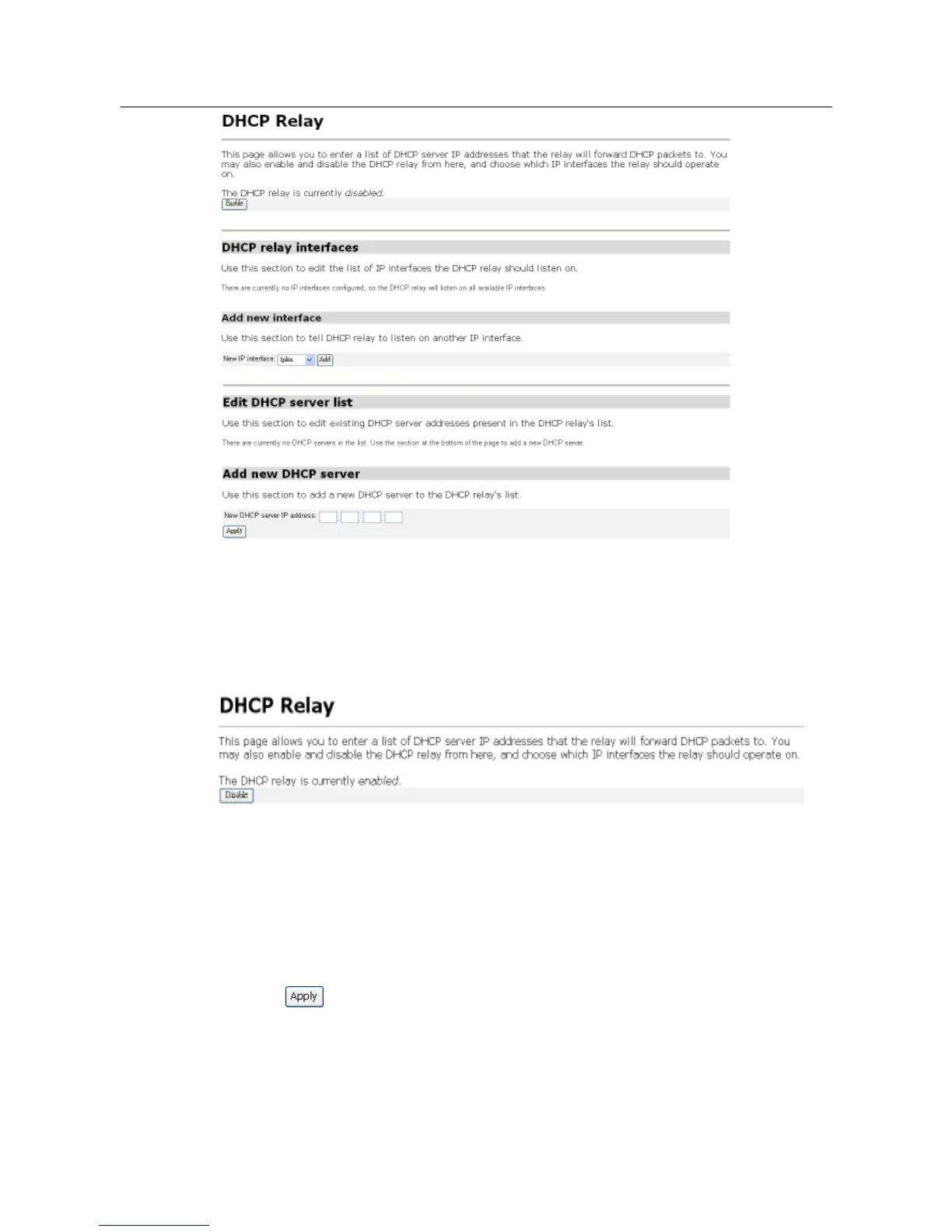
1. The image shows that the DHCP relay is currently disabled. You may click the
Enable button to enable the DHCP relay. If the DHCP relay is currently enabled, the
button will display Disable, which upon clicking it will disable the relay.
Note:
If the DHCP server is enabled, the DHCP relay will be disabled by default. You
can’t enable the DHCP relay unless you disable the DHCP server.
Adding a DHCP server to the DHCP relay list
1. In the Add new DHCP server section, type an address in the New DHCP server IP
address text box.
2. Click . The address will be displayed in the Edit DHCP server list section.



 To Next Page